Getting blocked on Facebook can feel weirdly personal. One minute you are scrolling memes, liking vacation photos, and pretending you totally understand your cousin’s 47-minute live video. The next minute, boom: you cannot message someone, find a profile, post in a group, or even get into your own account.
The good news is that getting unblocked from Facebook is sometimes possible. The less-good news is that there is no magic “please forgive me” button hidden in the settings menu next to dark mode. Whether you were blocked by a person, restricted by a group admin, or limited by Facebook itself, the smartest path is the official one: figure out who blocked you, why it happened, and which remedy actually fits the situation.
In this guide, you will learn three easy methods that can genuinely help you get unblocked from Facebook. These methods are safe, practical, and based on real platform behavior. No fake accounts. No shady software. No “hack” that turns into a bigger mess than the block itself.
First, Figure Out What Kind of Facebook Block You Are Dealing With
Before trying to fix anything, identify the type of block. This matters because the solution for a personal block is very different from the solution for a Facebook security restriction.
1. A person blocked you
If an individual blocked you, you usually cannot find their profile easily, send them messages, tag them, or add them as a friend. In some cases, it may look like their account vanished into the digital witness protection program. But sometimes the account may simply be deactivated, suspended, or temporarily unavailable, so do not assume too fast.
2. A Facebook group or page blocked or removed you
If you cannot post, comment, or rejoin a group, you may have broken a group rule, triggered spam filters, or been removed by an admin. Pages can also restrict interactions if your behavior looked abusive, repetitive, or suspicious.
3. Facebook blocked your account or limited features
This is the platform-level problem. You might see warnings that your account is suspended, disabled, locked, or temporarily restricted. Facebook can also limit certain features if you sent too many messages, moved too fast, triggered security alerts, or were flagged for suspicious activity.
Once you know which bucket your problem falls into, the fix becomes much easier. Now let’s get to the three methods that actually work.
Method 1: Reach Out Respectfully and Ask to Be Unblocked
If a person blocked you on Facebook, there is one simple truth: you cannot force your way back in. Facebook blocking is designed to give people control over who can contact them. So the only real method is respectful communication outside Facebook.
Yes, this is the least dramatic answer on the internet. No, that does not make it less effective.
How to do it the right way
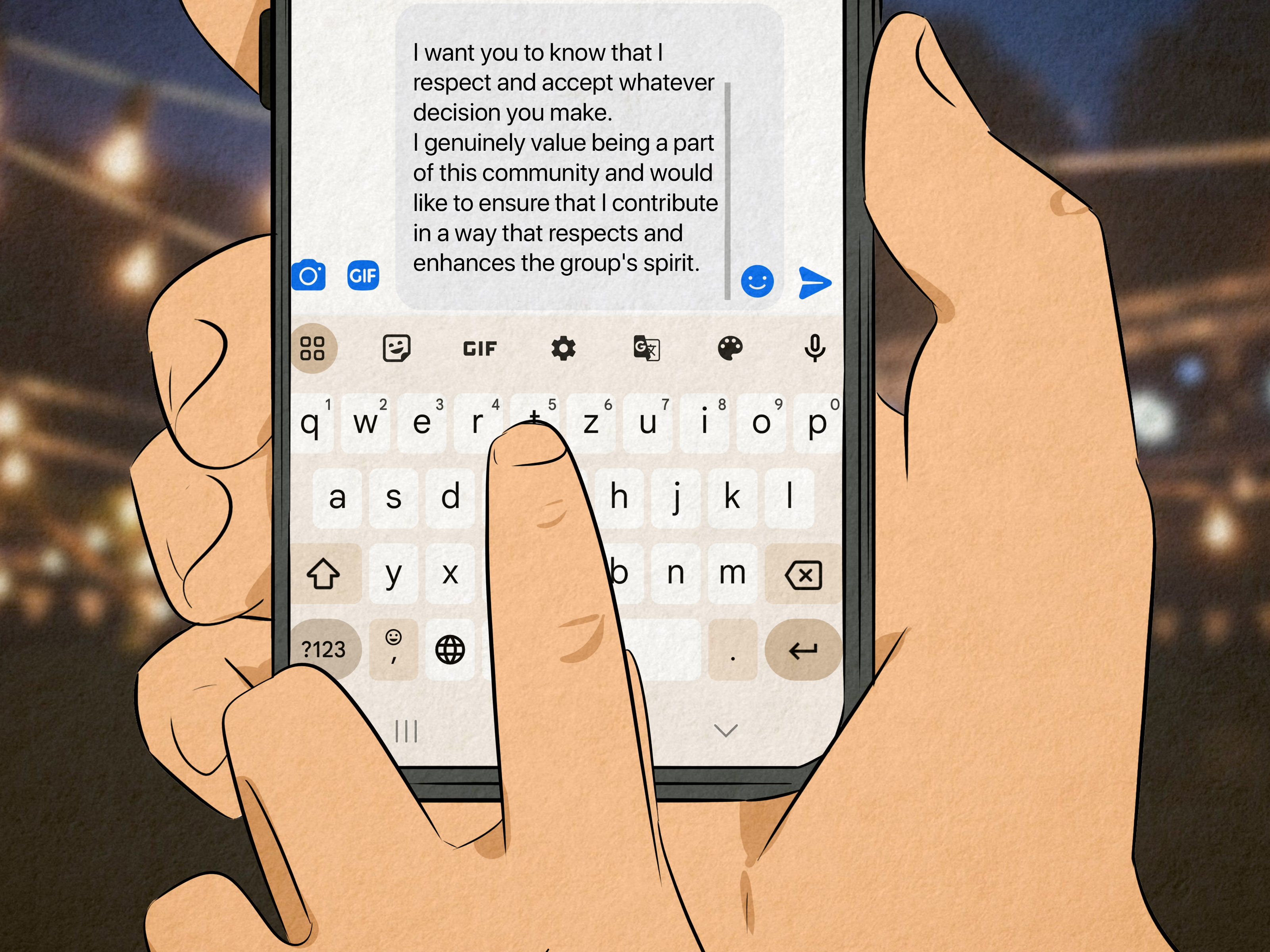
Use another channel you already share, such as text, email, Instagram, WhatsApp, or a mutual real-world connection. Then send a short, polite message. Keep it calm. Keep it human. Keep it free of guilt trips, novels, and courtroom-style evidence exhibits.
Try something like this:
“Hey, I noticed I may not be able to reach you on Facebook. If I said or did something that upset you, I’m sorry. If you’re open to it, I’d appreciate the chance to clear things up.”
That message works because it does not pressure the other person. It opens the door without trying to kick it down.
What not to do
- Do not create a fake account to message them.
- Do not ask five mutual friends to “investigate.”
- Do not send repeated messages across every app you can find.
- Do not treat the block like a challenge you are destined to win.
If someone blocked you for safety, privacy, or emotional reasons, pushing harder will almost always make things worse. Sometimes the fastest way to get unblocked later is to respect the block right now.
When this method works best
This works best when the block came from a misunderstanding, an argument, an accidental click, or an overreaction during a stressful moment. People are far more likely to unblock someone who is calm, accountable, and not acting like the villain in a low-budget thriller.
Method 2: Use Facebook’s Official Appeal and Review Tools
If Facebook itself blocked you, locked your account, disabled Messenger, or restricted certain features, the official review process is the best path. This is where many users waste time by searching for “Facebook customer support email” and stumbling into scammy lookalikes. Skip the internet maze. Go through the platform’s own recovery and review prompts.
When to use an appeal
You should appeal when:
- Your account is disabled or suspended
- You are locked out after a security check
- Messenger has been disabled
- A post, page, or group action was removed and Facebook offers a review option
- Your access is limited by mistake
What Facebook usually asks for
Depending on the issue, Facebook may ask you to verify your identity, confirm a login, identify friends, submit a code, or upload identification. That may feel annoying, but it is usually better than dealing with a hacked account for six months while a scammer invites your aunt to invest in suspicious crypto goats.
How to improve your chances of being unblocked
Be honest and specific in your appeal. If you think the restriction was a mistake, say why clearly. If you may have posted something borderline, acknowledge it. If your account was hacked, explain what happened and note any suspicious login activity.
A strong appeal sounds like this:
“I believe this restriction may have been applied in error. I recently noticed unusual login activity and changed my password immediately. I also reviewed my recent posts and account activity. Please review my account again.”
A weak appeal sounds like this:
“UNBLOCK ME NOW THIS IS UNFAIR I DID NOTHING!!!”
One of these sounds like a thoughtful user. The other sounds like someone about to punch a printer.
What if you were temporarily blocked?
Temporary feature blocks often happen when Facebook thinks you are moving too fast, sending too many messages, or acting like spam. In that case, there may be no instant fix. Usually, the best move is to stop the behavior, wait for the block to expire, and avoid repeating the same actions.
If you were blocked from sharing, messaging, posting, or adding friends, slow down. Sending a dozen identical messages to people who are not your friends might feel efficient to you, but to Facebook it can look like the beginning of a scam documentary.
Method 3: Fix the Underlying Problem Before You Try Again
Many people focus so hard on the word “unblocked” that they forget the more important word: “why.” If you do not fix the reason for the block, you may just end up right back where you started.
This third method is all about solving the root problem first.
If your account was flagged for suspicious activity
Change your password immediately. Then sign out of devices you do not recognize, review your login history, and turn on two-factor authentication. If someone accessed your account and used it to send spam, Facebook may have restricted you for security reasons rather than punishment. Strengthening your account can help you recover and stay recovered.
If you were blocked by a group or page
Review the group rules or page guidelines. Some users get removed for repetitive posting, promotional links, off-topic comments, or aggressive replies. Even if you think the rules are silly, arguing with an admin about paragraph three, line two, subsection “no self-promo on Tuesdays” is rarely a winning strategy.
Instead, send a respectful note such as:
“Hi, I believe I may have been removed or restricted from the group. I reviewed the rules and understand that my post may have crossed a line. If possible, I’d appreciate another chance and will follow the guidelines going forward.”
If a person blocked you because of your behavior
Take a brutally honest look at what happened. Were you messaging too often? Bringing drama to every comment thread? Treating Facebook Messenger like it was your personal TED Talk stage? Sometimes the best way to get unblocked is to become someone worth unblocking.
That does not mean changing your personality. It means dialing back the behaviors that make online interactions exhausting. Less pressure. More respect. Fewer midnight essays.
Can You Get Unblocked Without Contacting the Person?
Usually, no. If another user blocked you, Facebook does not provide a workaround. The only clean path is their choice to unblock you. And if they do unblock you, keep in mind that this does not automatically restore your old friendship connection. In many cases, you will still need to send a new friend request and rebuild contact from scratch.
That may sound inconvenient, but it is actually a useful reset. It gives both people room to decide whether reconnecting is a good idea.
What About Using a Second Account?
Do not do it.
Using a backup or fake account to get around a block is a terrible idea for three reasons. First, it is disrespectful. Second, it can trigger further reports and restrictions. Third, it makes you look exactly like the reason someone blocked you in the first place.
If your goal is to get unblocked from Facebook, acting more suspicious is not a brilliant long-term strategy.
Signs You May Not Actually Be Blocked
Before you panic, remember that several other issues can look like a block:
- The person deactivated or deleted their account
- Facebook temporarily suspended the account
- Messenger or Facebook is glitching
- You were restricted only in one area, like messaging or a group
- Your own app or browser is outdated or buggy
So if you suddenly see “This person is unavailable on Messenger,” it does not always mean you were blocked forever. Sometimes the problem is technical or temporary. Refresh the app, try another device, and confirm whether the account still exists before writing your own dramatic season finale.
Smart Tips to Avoid Getting Blocked Again
Respect boundaries
If someone asks for space, give it. Social media makes people feel weirdly entitled to access, but access is still a privilege, not a birthright.
Review group rules before posting
Different Facebook groups have wildly different standards. Some are relaxed. Some are stricter than airport security. Read before posting.
Secure your account
Turn on two-factor authentication, use a strong password, and watch for strange login alerts. A hacked account can get restricted fast.
Avoid spam-like behavior
Do not send repeated friend requests, bulk messages, or identical links. Even if your intentions are harmless, Facebook’s systems may not read your mind and conclude, “Ah yes, this is merely enthusiasm.”
Stay civil in comments and messages
This one sounds obvious, yet the internet continues to prove otherwise hourly.
Frequently Asked Questions
How long does a Facebook temporary block last?
It depends on the reason. Some restrictions are short-lived, while others last longer depending on the severity or repetition of the behavior. In many cases, the fastest fix is to wait, stop the triggering behavior, and follow any prompts Facebook gives you.
Can I call Facebook to get unblocked?
Most users do not have a simple phone-support route for regular account issues. Your safest option is to use the official in-app or on-site recovery and review steps instead of trusting random “support” numbers found online.
Will unblocking automatically make us Facebook friends again?
No. If a user unblocks you, you may still need to send a new friend request.
Can I ask a mutual friend to help?
Only lightly and respectfully. Asking one mutual friend to clarify whether there was a misunderstanding is very different from launching a full social-media search party.
Final Thoughts
If you want to get unblocked from Facebook, the most effective methods are not glamorous, sneaky, or cinematic. They are simple: communicate respectfully, use Facebook’s real appeal tools, and fix the problem that caused the block in the first place.
That may not be the answer some people hope for. The internet loves secret tricks. But when it comes to Facebook blocks, the boring answer is often the correct one. Respect the platform. Respect the person. Protect your account. And if you do get another chance, maybe use it for something noble, like posting dog photos instead of starting another comment war about pineapple on pizza.
Real-Life Experiences: What Getting Unblocked from Facebook Actually Feels Like
Let’s be honest: the experience of being blocked on Facebook is rarely just a technical issue. It usually comes with a little confusion, a little embarrassment, and in some cases, a whole lot of overthinking. People often jump straight from “Why can’t I see their profile?” to “Well, I guess I live in darkness now.” But the real-life stories around getting unblocked are usually much more ordinary, awkward, and fixable.
One common experience happens after an argument. Two friends disagree in a group comment thread. Someone gets sarcastic. Someone else replies with a paragraph that begins with “Actually…” and ends with emotional damage. A block follows. A few days later, both people cool down, realize the fight was over something tiny, and reconnect through text. In these cases, the unblock usually happens because one person chose humility over pride. No trick was needed. Just a simple apology and a willingness to stop performing for the internet.
Another common situation involves accidental spam behavior. Some users join new groups, promote a small business, share the same link repeatedly, and suddenly get restricted. They are shocked because they were not trying to scam anyone. They were just trying to hustle. After reviewing the rules, slowing down, and changing how they post, they often regain access or avoid future restrictions. The lesson is not that Facebook is mean. The lesson is that platform systems are not always great at distinguishing between “enthusiastic entrepreneur” and “possible robot from chaos land.”
Then there are the account-security stories. These are the users who discover strange logins, weird messages sent from their account, or friends asking why they are suddenly promoting miracle investments. After changing passwords, enabling two-factor authentication, and completing Facebook’s recovery steps, many of them do get back in. What they usually say afterward is the same thing: they wish they had secured the account sooner. Nothing motivates better password habits quite like finding out your profile spent Tuesday trying to sell suspicious financial dreams to your uncle.
Some experiences are harder. If someone blocked you because they wanted distance, you may never get the outcome you want. And that is part of the reality here too. Not every block is a misunderstanding. Not every conversation deserves a sequel. In those cases, the healthiest “unblock strategy” may simply be acceptance, maturity, and moving on without turning it into a cross-platform scavenger hunt.
But when people do get unblocked, it usually comes down to one of three things: they approached the situation respectfully, they followed the official process, or they corrected the behavior that caused the issue. That is the pattern again and again. The winning move is rarely clever. It is usually calm.
So if you are dealing with a Facebook block right now, take a breath. Do not panic. Do not improvise a fake profile with a suspiciously generic selfie. Figure out what happened, pick the right method, and handle it like a normal human being. That alone puts you ahead of half the internet.