You have found your seat, wrestled your carry-on into the overhead bin, and successfully avoided making eye contact with the person who appears interested in switching their middle seat for your window seat. Now comes the important question: Can you use Bluetooth on a plane?
In most cases, yes. Bluetooth headphones, earbuds, smartwatches, keyboards, and many other short-range Bluetooth accessories can be used aboard commercial flights in the United States. The important catch is that your phone, tablet, or laptop should follow the airline’s portable electronic device rules, which usually means enabling airplane mode and then turning Bluetooth back on if necessary.
That distinction matters. Airplane mode disables cellular communication, but modern smartphones generally allow Wi-Fi and Bluetooth to be enabled separately afterward. As a result, you can usually listen to downloaded music through AirPods, watch movies on your tablet with wireless headphones, or connect a Bluetooth keyboard without violating the basic rule against normal airborne cellular use.
There are exceptions, however. Airlines have the final say over how portable electronics are used aboard their aircraft, crew instructions always take priority, and not every seatback entertainment screen supports Bluetooth. Here is what travelers need to know before pressing play at 35,000 feet.
Can You Use Bluetooth on a Plane?
Yes, Bluetooth is generally allowed on airplanes in the United States, provided your device is in airplane mode and the airline permits Bluetooth use.
The Federal Aviation Administration allows airlines to authorize portable electronic devices when the carrier has determined that those devices will not interfere with aircraft navigation or communication systems. Modern commercial aircraft are designed and evaluated with electronic-device use in mind, which is one reason passengers can now use smartphones and tablets during far more of a flight than they could years ago.
Bluetooth is especially practical because it is designed for relatively short-range wireless communication. Instead of attempting to connect your phone to a cellular tower miles away, Bluetooth usually connects two nearby devicesfor example, your phone and earbuds sitting approximately two feet apart.
That does not mean every wireless transmitter gets a free pass. Cellular radios, two-way radios, radio-controlled devices, and certain other transmitting equipment may face additional restrictions.
Why Airplane Mode Is Still Required
The phrase airplane mode causes some confusion because people assume it means every wireless feature must remain disabled from departure to arrival.
That is generally not how today’s phones work.
When you activate airplane mode, your device disables its cellular connection. Depending on the phone and its previous settings, Wi-Fi and Bluetooth may also switch off initially. You can normally turn Bluetooth back on while leaving airplane mode active.
Using Bluetooth on an iPhone
On an iPhone, the process is straightforward:
- Open Control Center or Settings.
- Turn on Airplane Mode.
- Check Bluetooth.
- If Bluetooth has switched off, turn it back on.
- Connect your AirPods, wireless headphones, keyboard, or other accessory.
The cellular radio remains disabled while Bluetooth operates independently.
Using Bluetooth on Android
Android phones work similarly, although menus vary by manufacturer.
- Enable Airplane Mode from Quick Settings or the Settings app.
- Open Bluetooth settings.
- Turn Bluetooth back on if necessary.
- Select your paired headphones or other Bluetooth device.
Some newer Android phones remember that you previously kept Bluetooth active during airplane mode and may automatically preserve that preference the next time you fly.
Can You Use Bluetooth Headphones on a Plane?
Bluetooth headphones and wireless earbuds are among the most common Bluetooth devices used in aircraft cabins. They are generally permitted aboard U.S. commercial flights.
You can use them to listen to audio playing directly from your own device, including:
- Downloaded Netflix episodes
- Movies stored on your tablet
- Spotify or Apple Music downloads
- Podcasts
- Audiobooks
- Games
- Airline entertainment streamed to your personal device
The important phrase there is your own device.
Connecting wireless headphones to your phone does not automatically mean they can connect to the entertainment screen mounted in the seat in front of you.
Will Bluetooth Headphones Work With Seatback Entertainment?
Sometimes.
New aircraft are increasingly being equipped with seatback entertainment systems that support Bluetooth pairing. Several major U.S. airlines have announced or begun rolling out aircraft where passengers can pair their personal wireless headphones directly with the seatback screen.
However, airline fleets contain aircraft of different ages and configurations. You might board one airplane with a shiny new Bluetooth-enabled screen and fly home on another where the technological highlight is a headphone jack that looks old enough to remember dial-up internet.
If the Screen Supports Bluetooth
Look for a Bluetooth symbol or pairing option in the entertainment menu. Select it, place your headphones in pairing mode, and follow the screen instructions.
Remember to disconnect or forget the device after the flight if you prefer not to leave the pairing stored in the entertainment system.
If the Screen Does Not Support Bluetooth
You normally have three options:
- Use the airline’s wired headphones.
- Bring headphones that include a detachable audio cable.
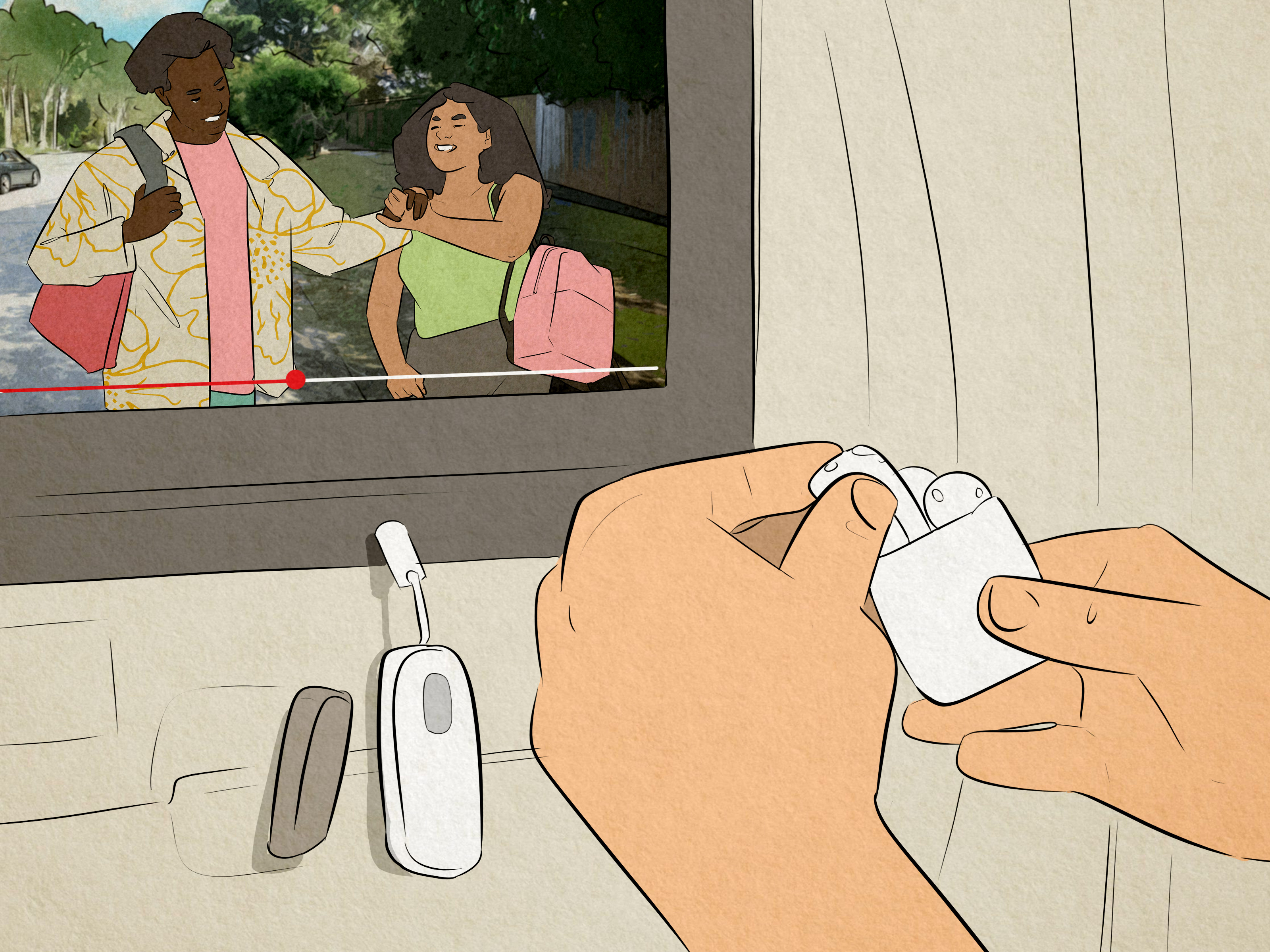
- Use a compatible Bluetooth audio transmitter plugged into the seat’s headphone jack.
A Bluetooth transmitter receives audio through the traditional headphone jack and sends it wirelessly to your headphones. Frequent travelers often carry one because it works around one of aviation’s stranger modern problems: owning $300 wireless headphones and discovering that a 200-ton jet wants a $3 cable.
Can You Use Bluetooth During Takeoff and Landing?
On many U.S. airlines, small handheld electronic devices can remain in use during taxi, takeoff, and landing when they are placed in airplane mode and operated according to airline rules.
The FAA has allowed airlines to expand the use of portable electronics during all phases of flight after determining that most commercial aircraft can tolerate interference from such devices.
There can still be exceptions. During particular operations, including certain low-visibility conditions, crews may instruct passengers to shut down electronic devices.
If that happens, arguing that your Bluetooth headphones use low-power radio signals will not earn you bonus frequent-flier miles. Follow the crew’s instructions.
Why Laptops May Have Different Rules
Wireless technology is not the only issue during takeoff and landing.
A smartphone weighs a few ounces. A laptop can become a considerably less charming object if severe turbulence or sudden deceleration sends it flying across the cabin.
For that reason, airlines commonly require larger portable electronic devices such as laptops to be stowed during taxi, takeoff, and landing even though smaller devices may remain in use.
The restriction is largely about securing larger objects during critical phases of flight rather than Bluetooth itself.
What Bluetooth Devices Can You Usually Use?
Subject to airline rules, common Bluetooth accessories that may be usable aboard a plane include:
- Wireless headphones
- Bluetooth earbuds
- Smartwatches
- Wireless keyboards
- Bluetooth mice
- Fitness trackers
- Some hearing devices
- Bluetooth game controllers
- Approved baggage tracking devices
Bluetooth luggage trackers deserve a separate mention. Small location trackers can generally travel in luggage when their batteries meet applicable requirements. Because international and airline-specific policies can vary, travelers should check their carrier’s latest guidance before departure.
Bluetooth Is Not the Same as Cellular Service
This is probably the most important technical distinction.
Bluetooth, Wi-Fi, and cellular service are all wireless technologies, but they serve different purposes.
Bluetooth
Bluetooth is primarily designed to connect nearby devices. Your earbuds talk to your phone. Your smartwatch communicates with your tablet. The operating range is relatively short.
Wi-Fi
Wi-Fi connects your device to a local network. If your aircraft provides an approved onboard Wi-Fi system, airlines can allow you to connect to it while airplane mode remains enabled.
Cellular
Normal cellular communication connects your phone with mobile carrier infrastructure. Airborne cellular operation is subject to separate restrictions in the United States, which is why passengers are instructed to disable cellular service or activate airplane mode.
So when the flight attendant says, “Please place your devices in airplane mode,” that does not necessarily mean your Bluetooth headphones must spend six hours living a lonely existence inside their charging case.
Can You Use AirPods on a Plane?
Yes. AirPods are Bluetooth earbuds, so the same general rules apply.
Place your iPhone or iPad in airplane mode, make sure Bluetooth is active, and connect the AirPods normally.
For the best experience, download entertainment before boarding. Airport Wi-Fi has a remarkable talent for becoming slow precisely when you attempt to download a two-hour movie five minutes before boarding begins.
Downloading content also prevents you from depending on inflight internet availability or speed.
Can You Use Bluetooth Without Wi-Fi?
Absolutely.
Bluetooth does not require an internet connection. Your headphones can connect to your phone even if Wi-Fi is completely disabled.
For example, you could put your phone in airplane mode, leave Wi-Fi off, enable Bluetooth, and listen to an audiobook stored locally on the phone.
This is useful on aircraft without inflight Wi-Fi or when you simply do not want to purchase an internet package.
Does Bluetooth Interfere With Airplanes?
Airlines and aviation regulators take electromagnetic interference seriously. Portable electronic device policies exist because aircraft contain sensitive communication, navigation, and electronic systems.
However, modern commercial aircraft and modern passenger-device policies account for common low-power electronics. Airlines evaluate whether portable devices can safely be used on their fleets, and Bluetooth accessories are routinely permitted by U.S. carriers.
The practical rule is simple: passengers do not need to personally calculate radio-frequency emissions from their earbuds. Follow the airline’s instructions.
What If a Flight Attendant Tells You to Turn Bluetooth Off?
Turn it off.
Even if Bluetooth is normally permitted, crew instructions take precedence over general guidance. Airlines may impose temporary restrictions because of aircraft-specific circumstances, operational requirements, or another safety concern.
You should also pause audio during the safety briefing. Noise-canceling headphones are excellent at defeating engine noise, crying babies, and occasionally your desire to acknowledge civilization, but you still need to hear important crew announcements.
Are Bluetooth Rules Different on International Flights?
They can be.
U.S. regulations do not automatically determine the policies used by every airline or aviation authority around the world. An international itinerary can involve foreign carriers, different aircraft policies, or country-specific restrictions.
Most major international airlines accommodate common Bluetooth accessories today, but you should still check the operating carrier’s electronic-device policyespecially when flying on regional airlines or unfamiliar carriers.
The person who sold your ticket may not even be the airline operating your aircraft. With codeshare flights, checking the operating carrier is particularly important.
Tips for Using Bluetooth Headphones on Your Next Flight
Pair Everything Before Boarding
Connect your headphones to your phone or tablet at home. Troubleshooting Bluetooth while 180 passengers are boarding is an excellent way to discover previously unknown levels of irritation.
Download Entertainment in Advance
Save movies, playlists, podcasts, and audiobooks offline before heading to the airport.
Charge Your Headphones
A wireless headset with a dead battery is essentially an expensive headband.
Charge both your headphones and their case before departure.
Bring a Wired Backup
For long flights, headphones with optional wired operation are extremely useful. They can connect to older entertainment screens even when Bluetooth pairing is unavailable.
Consider a Bluetooth Transmitter
If you regularly watch seatback entertainment, a compact transmitter can bridge the gap between older headphone jacks and modern wireless earbuds.
Keep Batteries in Mind
Portable chargers and spare lithium batteries are subject to aviation battery rules and generally belong in carry-on baggage rather than checked luggage. Check current airline requirements before packing.
Frequently Asked Questions About Bluetooth on Planes
Can I listen to music through Bluetooth while flying?
Yes, assuming the airline allows Bluetooth devices. Put your phone in airplane mode, reactivate Bluetooth if necessary, and listen to downloaded music normally.
Can I use Bluetooth earbuds during takeoff?
Often yes on U.S. commercial airlines, but the carrier and crew determine what is permitted. Listen to announcements and comply with any instruction to disconnect or turn off devices.
Does airplane mode automatically disable Bluetooth?
It depends on the device and settings. Airplane mode may initially disable Bluetooth, but modern iPhones and Android phones generally allow Bluetooth to be turned back on independently while cellular service remains disabled.
Can I use Bluetooth and inflight Wi-Fi simultaneously?
Usually yes. You can keep airplane mode active while enabling both the aircraft’s approved Wi-Fi connection and Bluetooth headphones.
Can Bluetooth headphones connect directly to airplane TVs?
Only when the entertainment system supports Bluetooth. Otherwise, you will need wired headphones or a Bluetooth transmitter connected to the seatback audio jack.
Can I make phone calls through Bluetooth headphones?
Bluetooth headphones themselves may be permitted, but that does not mean ordinary cellular phone calls are allowed while airborne. Inflight calling and communication depend on the airline’s approved connectivity services and applicable regulations.
What Using Bluetooth on a Plane Is Actually Like: Practical Travel Experiences
Knowing the regulations is useful, but the real-world Bluetooth experience aboard an airplane is less about federal law and more about batteries, seatback screens, pairing menus, and whether your left earbud mysteriously decides to retire halfway across Kansas.
A common traveler setup begins before reaching the airport. Movies and podcasts are downloaded at home, headphones are fully charged, and the devices have already been paired. This eliminates most problems before the cabin door closes.
Once seated, the routine is usually simple: activate airplane mode and check Bluetooth. On many newer phones, previously paired earbuds reconnect almost immediately. A downloaded movie starts playing, noise cancellation softens the engine rumble, and suddenly seat 31B feels approximately 14 percent more luxurious.
The biggest surprise for inexperienced travelers is usually the seatback entertainment system. They see a modern touchscreen filled with hundreds of movies and naturally assume their wireless earbuds will connect. Sometimes they do. Newer aircraft increasingly include Bluetooth pairing, and when it works, the experience is wonderfully straightforward.
Older systems can be different. You may search every menu only to discover that the screen still expects wired headphones. This is where travelers with a Bluetooth transmitter feel unusually clever. Plug the transmitter into the headphone port, pair the earbuds, and the older entertainment system suddenly joins the wireless era.
Another common issue is device switching. Suppose your earbuds are paired with both your laptop and phone. You start watching a movie on the laptop, but the headphones unexpectedly jump to your phone because a notification arrives. Multipoint Bluetooth is convenient on the ground but can occasionally become a tiny game of electronic musical chairs in the air. Turning Bluetooth off on unused devices often solves the problem.
Battery management becomes more noticeable during long-haul flights. Earbuds advertised with impressive battery life may still need charging during a 12-hour trip, particularly when active noise cancellation is running constantly. Keeping the charging case accessible in a personal item is much easier than discovering it is inside a suitcase several rows away in an overhead compartment.
Over-ear noise-canceling Bluetooth headphones often provide the most comfortable long-flight experience. Aircraft cabins generate continuous low-frequency noise, and active noise cancellation can reduce the fatigue associated with listening over that background sound. Earbuds are more compact, however, making them convenient for short flights and travelers trying to keep their bags light.
There is also an etiquette component. Bluetooth gives passengers private audio, which is much better than playing videos through a phone speaker. Still, headphones should come offor transparency mode should go onwhen flight attendants are speaking directly to you. Nobody wants to repeat “coffee or water?” four times while watching you enjoy an apparently gripping episode of a crime documentary.
The best overall experience comes from redundancy. Download entertainment. Charge the headphones. Carry a cable or transmitter if seatback movies matter to you. Keep airplane mode enabled. And follow crew instructions if circumstances require electronics to be switched off.
With those habits, Bluetooth is usually one of the least complicated pieces of modern air travelwhich is refreshing, considering that everything else may involve boarding groups, baggage measurements, security lines, and a sandwich that somehow costs $17.
Conclusion: Bluetooth Is Usually FineJust Follow the Rules
So, can you use Bluetooth on a plane? For most passengers flying on U.S. commercial airlines, the answer is yes.
The standard approach is to put your smartphone or tablet into airplane mode so normal cellular transmission is disabled, then enable Bluetooth separately to connect headphones, earbuds, smartwatches, keyboards, or other permitted accessories.
The main limitations are practical rather than dramatic. Your airline can set its own portable electronic device policy, the flight crew can instruct you to switch equipment off, larger electronics may need to be stowed during takeoff and landing, and older seatback entertainment systems may not support Bluetooth headphones directly.
Prepare before departure and the process is easy: download your entertainment, charge your devices, pair your headphones, and consider carrying a wired cable or Bluetooth transmitter for older entertainment systems.
Note: Airline electronic-device, battery, and onboard connectivity policies can change and may differ internationally. Always follow instructions from your operating airline and flight crew.