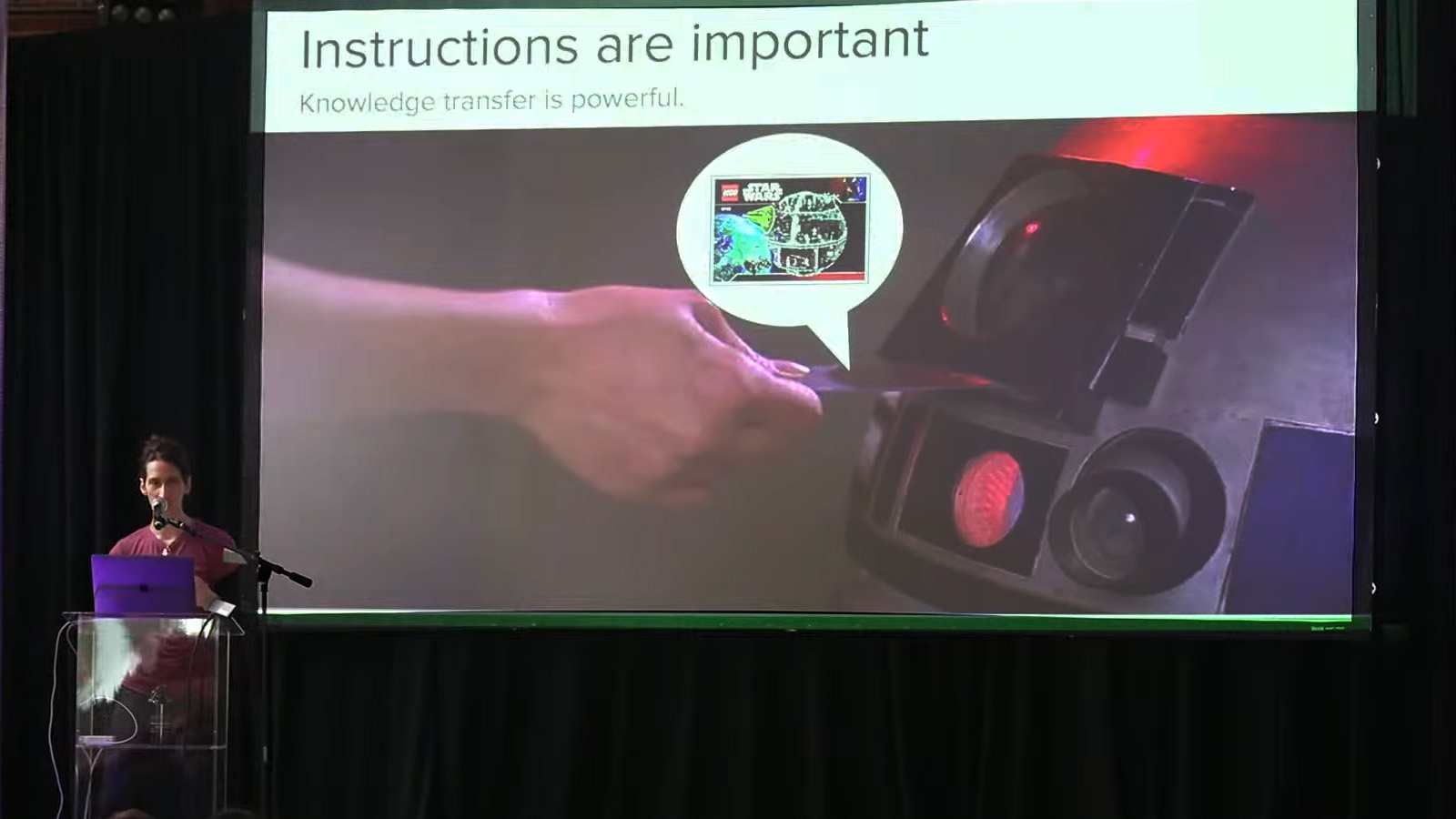
Great step-by-step instructions are not decoration. They are engineering. That was the big, refreshingly practical message behind Sonya Vasquez’s Supercon 2023 talk, “The Road To Writing Great Step-by-Step Instructions.” In a room full of hackers, hardware builders, coders, soldering heroes, badge artists, and people who can probably identify a resistor value from across a parking lot, the topic might sound humble. Instructions? Really? We came for oscilloscopes, robots, weird PCBs, and magnificent technical chaos.
But anyone who has ever tried to reproduce a project from a half-written build log knows the truth: a brilliant invention with confusing documentation is basically a puzzle box with attitude. The files may be online. The CAD may be gorgeous. The bill of materials may technically exist. Yet if the builder has to guess which screw goes where, what direction the bracket faces, or whether “attach the cable” means “attach it gently” or “summon a small thunderstorm,” the project becomes frustrating fast.
Supercon 2023 offered the perfect setting for this lesson. Hackaday’s Superconference is a celebration of hands-on technology, and the 2023 event in Pasadena brought together talks, workshops, badge hacking, soldering challenges, and plenty of maker-community show-and-tell. In that environment, instructions are more than text on a page. They are the bridge between “I made this cool thing” and “we can all make this cool thing.”
Why Step-by-Step Instructions Matter More Than Makers Think
Many creators assume that sharing the design files is enough. Upload the STL files, drop the schematic, toss in a parts list, and declare victory. That is a generous start, but it is not the finish line. A project is not truly reproducible until someone else can build it without borrowing your brain.
Sonya Vasquez’s talk used real project experience to show how documentation grows up. Early work such as her GameCube-Bot, a robot chassis built into a Nintendo GameCube shell, raised the classic maker question: “How do I share this with people?” That question sounds simple until you answer it honestly. Sharing means reducing expensive custom parts, making the build method accessible, documenting the bill of materials, photographing the process, explaining the order of assembly, and testing whether a person outside your head can follow along.
That is where many instructions collapse. The expert writes from memory. The beginner reads from uncertainty. Between those two worlds is a canyon filled with missing photos, vague verbs, unlabeled parts, and the immortal phrase “simply attach.” Nothing is simple when the builder is holding three nearly identical brackets and wondering whether one of them is upside down.
The LEGO Lesson: Show the Next Action Clearly
LEGO instructions are famous because they do not ask the builder to become a detective. They break a model into small, visible changes. Each step answers a few essential questions: What pieces do I need? Where do they go? What changed from the previous step? What should the result look like?
LEGO’s own description of its instruction process emphasizes repeated building, feedback, decisions about how many pieces to add per step, and careful control of viewing angles. That is a powerful reminder for hardware projects, robotics kits, open-source machines, and DIY electronics. The best instruction writers do not merely explain the finished object. They design the builder’s experience from confusion to confidence.
This is also why color matters. In Sonya’s Supercon talk, color diagrams, false color, real color, and accessible color choices all came up as practical tools. Color can separate parts, clarify orientation, and reveal what changed. But color should not be the only signal. A builder with color-vision differences, a grayscale printout, or a dimly lit bench should still be able to follow the work. Good diagrams use labels, shape, position, contrast, and sequencenot just a rainbow and a prayer.
From Photos to CAD: Choosing the Right Visual Tool
Photographs are often the first tool makers reach for, and for good reason. They are fast, familiar, and honest. A clear photo can show texture, real-world fit, wire routing, tool position, and the exact “yes, it really looks like this” moment that CAD sometimes smooths away.
But photos also bring problems. Lighting can hide details. Focus can betray you. A hand may block the important part. A shiny screw may reflect the overhead lamp like it is auditioning for a superhero movie. Worse, if the design changes, the photo set may need to be rebuilt from scratch.
CAD-based diagrams can solve many of those issues. When a project is already designed in CAD, the same models can generate clean assembly views, exploded diagrams, part callouts, and even animated GIFs. Sonya’s later work, including her animatronic Tentacle project and the Jubilee multi-capable CNC platform, showed how CAD assets can become documentation assets. That is a major efficiency gain: the design model becomes the instruction model, and updates can be easier to manage.
Write for the Builder, Not for the Inventor
The most common documentation mistake is writing for yourself. You know why the spacer goes there. You know the left-side bracket looks almost identical to the right-side bracket except for one tiny notch. You know the cable should pass under the plate before the screws are tightened. The builder does not know any of that until you say it, show it, or design the step so the answer is obvious.
Professional documentation guides from Google, Microsoft, GitLab, IBM, and Red Hat all point toward the same principle: clarity beats cleverness. Use task-focused headings. Start steps with action. Provide prerequisites before the procedure. Use numbered lists for ordered tasks. Avoid unnecessary information inside the step itself. Make the result visible. Keep the user moving.
A Weak Step
“Install the carriage assembly.”
A Stronger Step
“Place the carriage assembly on the two linear rails with the belt clamp facing the front of the machine. Slide it left and right to confirm that it moves smoothly before tightening the four M3 screws.”
The stronger version gives orientation, location, verification, and timing. It prevents the builder from tightening parts too soon. It also includes a small test, which is one of the most underrated tools in step-by-step writing.
The Anatomy of Excellent Step-by-Step Instructions
A great instruction set is not just a list. It is a controlled path. Every section should reduce uncertainty. Every image should answer a question. Every note should prevent a mistake that someone is likely to make.
1. Start With the Outcome
Tell readers what they will build, configure, repair, or test. A short outcome statement prepares the mind. For example: “In this guide, you will assemble the lower frame, mount the motor bracket, and verify that the belt path is clear.” That is much better than dropping the reader directly into Step 1 like a trapdoor.
2. List Prerequisites Honestly
Before the first step, include required tools, parts, files, skills, safety equipment, and expected time. Do not hide a required crimping tool halfway through the guide. That is how innocent people learn new vocabulary at high volume.
3. Use One Main Action Per Step
A step can include context, but it should not become a paragraph-shaped obstacle course. “Insert the shaft, add the washer, tighten the nut, route the cable, update the firmware, and question your life choices” is too much. Break steps where the builder needs to change tools, change location, check orientation, or verify a result.
4. Show the Result After Important Steps
Verification photos and diagrams are documentation gold. After a tricky assembly, show what success looks like. Add “Your assembly should now look like this” and include a clear image. This simple habit catches errors early, before the builder has buried a backwards part under twelve layers of perfectly tightened regret.
5. Separate Assembly From Explanation
Build instructions should help someone build. They do not need to explain the entire design theory at every step. If background matters, place it in a short note, sidebar, or separate “How it works” section. The builder who is holding a hot soldering iron does not want a lecture on the philosophy of torque.
Use Subassemblies to Reduce Mental Load
One of the strongest ideas from Sonya’s talk is the value of subassemblies. Instead of forcing the builder to juggle the entire project at once, break the build into meaningful chunks: motor mount, frame side, electronics plate, cable harness, control panel, enclosure lid.
Subassemblies make instructions easier to follow because each section has a smaller goal. They also make testing easier. The builder can confirm that one unit is correct before adding it to the next. This is especially useful for machines, robots, CNC platforms, animatronics, and electronics projects where one hidden mistake can create a dramatic debugging adventure later.
A good subassembly section usually includes a mini bill of materials, a finished-view image, a numbered procedure, and a quick check. For example: “The belt should move freely without rubbing the printed bracket.” That single check may save an hour of troubleshooting.
Bill of Materials: The Unsung Hero of Build Guides
A bill of materials is not a boring shopping list. It is the inventory map for the entire journey. A strong BOM includes part names, quantities, specifications, acceptable substitutes, source notes, and identification images when parts are easy to confuse.
Sonya emphasized the usefulness of managing parts lists and BOM data through CAD tools when possible. That matters because hardware evolves. Screws change length. Plates get revised. A bracket becomes mirrored. If the BOM lives in a disconnected spreadsheet and the CAD changes somewhere else, your instructions can quietly become wrong. The scariest documentation error is the one that looks professional while lying.
For physical builds, 1:1 reference sheets are also incredibly helpful. If a guide includes several similar fasteners, print-size references let builders place a screw directly on the page and confirm whether it is M3x8 or M3x10. That tiny detail can prevent stripped threads, cracked plastic, and the universal workshop ritual of crawling under the desk looking for the screw that definitely teleported.
Make Wiring Diagrams Beautifully Boring
Wiring diagrams should not be artistic mysteries. They should be boring in the best possible way: unambiguous, consistent, labeled, and easy to verify. Use connector names, pin numbers, wire colors, polarity markings, and physical routing clues. Show where the wire starts and where it ends. If a connector can be reversed, warn the builder before the smoke test becomes an actual smoke test.
For electronics projects, pair diagrams with checkpoints. Examples include: “Confirm 5 V between VCC and GND before connecting the display,” or “The red wire should be on the pin marked +.” These checks turn instructions into a safety net.
Scannability Is Not Optional
People do not read technical pages like novels. They scan, jump, compare, and look for the next relevant action. That is why headings, short paragraphs, numbered lists, bold labels, tables, and front-loaded information matter. Nielsen Norman Group’s research on online reading strongly supports the idea that users scan pages and rely on clear formatting to find what they need quickly.
For step-by-step instructions, scannability is even more important because the reader is often multitasking. They may be standing at a workbench, holding a tool, watching a 3D printer, or trying not to lose a washer. Your formatting should respect that reality.
Good Scannable Patterns
- Task heading: “Install the motor bracket” instead of “Motor bracket installation considerations.”
- Prerequisites: Short list before the procedure.
- Numbered steps: Use numbers only when order matters.
- Warnings: Place them before the risky action, not after.
- Results: Explain what the builder should see after key steps.
Test the Instructions With Real Humans
The most humbling moment in documentation is watching someone follow your “perfectly obvious” guide and immediately do something unexpected. This is not failure. This is treasure. Every hesitation, wrong turn, and repeated question tells you where the instructions need work.
LEGO’s instruction process involves feedback and repeated building. Professional usability practice also values observing real users performing real tasks. Makers can use the same approach without a lab coat or a clipboard empire. Hand the guide to a friend, intern, workshop participant, or community member. Ask them to speak aloud while building. Do not rescue them too quickly. Take notes. Then revise.
A simple testing checklist can transform your guide:
- Where did the builder pause?
- Which part did they confuse with another part?
- Which image did they zoom into?
- Which step caused a wrong assembly?
- Which warning arrived too late?
- What question did they ask more than once?
Community Feedback Makes Documentation Stronger
Open-source projects thrive when documentation invites participation. Good instructions expand the possible community because they reduce the amount of prior knowledge required. The fewer guesses and leaps of logic a builder must make, the more people can succeed.
This is not just kindness; it is project strategy. Clear instructions reduce support burden, repeated forum questions, workshop confusion, and abandoned builds. They also help contributors improve the project. Someone who can build your machine successfully is much more likely to modify it, document a variant, submit a fix, or teach someone else.
Bad documentation creates a gate. Good documentation creates a road.
Common Mistakes That Ruin Step-by-Step Instructions
The first mistake is assuming the reader knows what you know. The second is hiding order-dependent information in long paragraphs. The third is using photos that are too dark, too close, too far away, or too mysterious. The fourth is failing to update instructions after the design changes. The fifth is treating documentation as something to do after the “real work.”
Documentation is real work. In many projects, it is the work that determines whether the invention survives outside its creator’s workshop.
Practical Experience: Lessons From Building, Breaking, and Rewriting Instructions
Anyone who has written step-by-step instructions for a real project learns the same lesson quickly: the first draft is usually a confession. It reveals what you forgot to explain, what you never fully understood, and what you did automatically because your hands knew the project better than your words did.
One of the best ways to write a guide is to build the project slowly while documenting every action. Do not rely on memory. Memory is a charming liar. It will tell you that you installed the spacer after the plate, when in reality you installed it before the plate because otherwise the screwdriver did not fit. That tiny sequencing detail is exactly what the reader needs.
Another useful habit is to photograph or render the project at decision points. A decision point is any moment where the builder could choose the wrong orientation, part, hole, connector, firmware option, or measurement. If there are two possible ways to do something and one of them is wrong, the guide should make the correct choice obvious.
In workshops, the difference between good and weak instructions becomes visible immediately. With weak instructions, the same question echoes around the room: “Which way does this go?” With strong instructions, the room becomes quieter. People build. They compare their result to the diagram. They move forward. The instructor can spend time helping with genuine edge cases instead of repeating Step 4 until it becomes a folk song.
There is also an emotional side to instructions. A good guide makes people feel capable. It turns a pile of parts into progress. A bad guide makes people feel foolish, even when the guide is the problem. That matters. Makers, students, interns, hobbyists, and first-time builders often judge their own ability by whether they can follow the documentation. Clear instructions are a form of respect.
My favorite practical technique is the “cold build.” Finish the instructions, step away for a day or two, then rebuild using only the guide. Do not use memory. Do not peek at the finished model. Do not forgive missing details just because you happen to know them. If the guide tells you to attach a cable but does not say which end, the guide fails. If it says “tighten the screws” but not whether the part should still slide afterward, the guide fails. Each failure is a gift because it happens to you before it happens to your users.
For software or firmware steps, the same rule applies. Show the expected result after commands. Include version notes. Tell users what directory they should be in. Explain whether a warning can be ignored or means the process has gone sideways. A command-line guide without expected output is like a treasure map that says, “Dig somewhere emotional.”
Finally, maintain the guide like part of the product. When the CAD changes, update the images. When a supplier changes a connector, update the BOM. When three users ask the same question, add the answer where they needed it. The best step-by-step instructions are not frozen monuments. They are living tools.
Conclusion: Better Instructions Build Bigger Communities
“Supercon 2023: The Road To Writing Great Step-by-Step Instructions” is more than a talk about documentation. It is a reminder that sharing a project means designing the path someone else will walk. The path needs signs, checkpoints, warnings, landmarks, and the occasional friendly nudge that says, “Yes, this weird-looking stage is correct.”
Whether you are documenting a robot in a GameCube shell, an animatronic tentacle, a CNC platform, a badge hack, a software workflow, or a weekend garage invention that currently smells faintly of acrylic and ambition, the same principle applies: remove guesswork. Use clear steps. Show the result. Test with real people. Update relentlessly.
Great instructions do not make the builder think less because builders are lazy. They reduce unnecessary thinking so the builder can focus on the work that matters. That is how a personal project becomes a shared project. That is how a clever hack becomes a community platform. And that is how documentation earns its place right beside the soldering iron, the CAD file, and the coffee mug labeled “definitely not flux.”