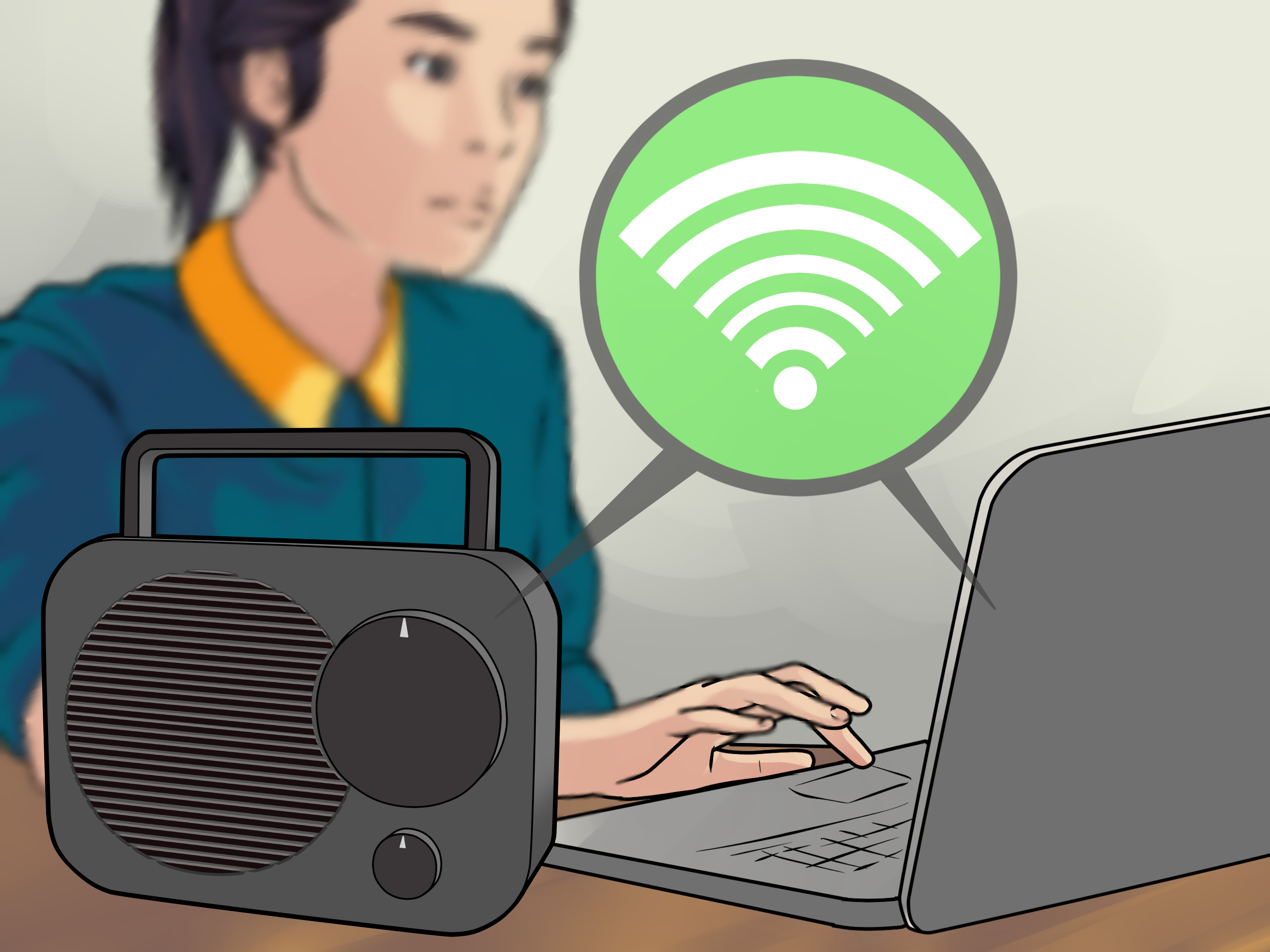
If your CB radio sounds like it is whispering from the bottom of a cereal box, it may not need replacing. It may need a proper peak and tune. But before you grab a screwdriver and start twisting anything that looks twistable, let’s clear up one important point: “peak and tune” should mean optimizing a CB radio and antenna system for clean, legal performancenot turning your radio into a noisy little lightning goblin that splatters across everyone else’s channel.
A well-tuned CB radio can improve transmit clarity, receive quality, and overall reliability. The biggest gains usually come from the antenna system, SWR adjustment, clean power wiring, correct microphone gain, and a careful alignment check. Internal radio adjustments should be handled only by someone with the right test equipment and experience. In the United States, CB radios must stay within legal limits: 4 watts carrier power for AM/FM and 12 watts PEP for SSB. External RF amplifiers are not permitted for CB use.
This guide walks you through 14 practical steps to peak and tune a CB radio the smart way. We will focus on real-world performance, safe setup, clear audio, legal operation, and the kind of signal that makes people say, “Good sounding radio,” instead of, “Who parked a blender on Channel 19?”
What Does “Peak and Tune” Mean?
In CB radio slang, “peak and tune” usually refers to adjusting a radio so it performs at its best. In a responsible sense, that includes checking output power, modulation, frequency accuracy, receiver sensitivity, SWR, antenna length, grounding, coax condition, and audio settings. The goal is not simply to make the watt meter jump. A louder-looking signal is not always a better signal. If the radio is overdriven, clipped, or misaligned, it may sound distorted and create interference.
A proper tune-up balances three things: clean transmit audio, safe transmitter operation, and efficient antenna performance. Think of it like tuning a guitar. You do not improve the song by tightening the strings until they snap. You improve it by getting everything in harmony.
Tools You Need Before You Start
You do not need a full commercial radio bench for basic CB tuning, but you do need a few essentials. For antenna tuning, you will need an SWR meter unless your radio has a reliable built-in one. You will also need a short coax jumper, usually with PL-259 connectors, to connect the meter between the radio and antenna cable.
Useful tools include a multimeter, basic hand tools, electrical tape, zip ties, a notebook for readings, and a clean 12-volt power source. If you are checking internal radio alignment, you need proper equipment such as a dummy load, wattmeter, frequency counter, oscilloscope, modulation meter, and ideally a spectrum analyzer. Without those tools, internal adjustments are guesswork wearing a tool belt.
How to Peak and Tune a CB Radio: 14 Steps
1. Start With a Legal and Realistic Goal
Before touching anything, decide what “better” means. For most CB users, better means lower SWR, clearer audio, stronger receive, stable transmit, and fewer noise problems. It does not mean illegal power levels or disabled modulation limiters. A clean 4-watt radio with a good antenna often outperforms a hacked-up radio connected to a poor antenna.
Set your goal as clean communication. If your radio is used in a truck, Jeep, RV, farm vehicle, or base station, reliable range matters more than bragging rights. A radio that sounds natural and does not overheat will serve you better than one that looks impressive on a cheap meter but annoys everyone nearby.
2. Inspect the Radio Before Testing
Look over the radio carefully. Check the microphone plug, power cord, fuse holder, antenna connector, knobs, display, and speaker. A loose microphone connector can cause weak or scratchy audio. A corroded antenna connector can create poor SWR. A damaged power wire can reduce voltage and make the radio act like it had a rough Monday.
If the radio smells burnt, has missing screws, rattles inside, or has obviously been modified by a “golden screwdriver” enthusiast, do not transmit until it has been inspected. Internal damage can lead to spurious emissions, overheating, or a dead final transistor.
3. Use a Proper Power Source
A CB radio needs stable DC power. In a vehicle, connect the power leads properly, with the correct fuse installed. Avoid thin, damaged, or mystery wires that disappear into the dashboard like spaghetti. Poor power wiring can cause low output, dim displays, engine noise, hum, and inconsistent transmit performance.
For a base station, use a regulated 12- to 13.8-volt DC power supply rated for enough current. Do not run a mobile CB radio from a weak wall adapter. If the voltage drops when you transmit, your radio may sound weak or distorted even if everything else is fine.
4. Check the Antenna Mount and Ground
The antenna system is the heart of CB performance. On a mobile setup, the antenna mount must be solid, secure, and properly grounded unless you are using a no-ground-plane antenna system designed for fiberglass vehicles, boats, or RVs. A poor ground can cause high SWR across the band and make tuning frustrating.
Check for paint, powder coating, rust, loose bolts, and weak brackets. Metal-to-metal contact matters. On pickup trucks, mirror mounts, stake-pocket mounts, and bed-rail mounts can work well when properly bonded. On modern vehicles with complex body panels, extra bonding straps may help reduce RF problems and improve performance.
5. Inspect the Coax Cable
Coax cable is easy to ignore because it usually hides under seats, carpets, trim panels, and other places where dropped French fries go to retire. But bad coax can ruin a CB setup. Look for crushed spots, sharp bends, water intrusion, damaged connectors, or cable pinched in doors.
Use 50-ohm coax suitable for CB radio. Make sure the PL-259 connectors are tight but not abused. If your SWR is suddenly terrible and the antenna has not changed, suspect the coax. A continuity check with a multimeter can reveal shorts or open connections, though some antenna designs may show DC continuity by design, so always compare with the manufacturer’s instructions.
6. Place the Vehicle in an Open Area
To get accurate SWR readings, park in an open space away from buildings, trees, metal fences, overhead wires, and other vehicles. Close the doors, hood, and trunk. The vehicle body is part of the antenna system, so the reading can change when doors are open or when the vehicle is near large metal objects.
This step sounds small, but it matters. Tuning a CB antenna in a garage is like trying to judge a singer’s voice while they perform inside a broom closet. The reflections and nearby objects can mislead your meter.
7. Connect the SWR Meter Correctly
Turn the radio off before connecting anything. Disconnect the antenna coax from the back of the CB radio. Connect that antenna coax to the “ANT” or “Antenna” side of the SWR meter. Then connect a short coax jumper from the “TX,” “Transmitter,” or “Radio” side of the meter to the CB radio.
Double-check the connections before transmitting. A transmitter should never be keyed without a proper antenna or dummy load attached. Transmitting into an open circuit can damage the radio’s final output stage. That tiny part is not cheap, and it has no sense of humor.
8. Calibrate the SWR Meter
Set the radio to Channel 20, which is near the middle of the CB band. Set the SWR meter to “FWD” or “CAL,” press and hold the microphone transmit button, and adjust the calibration knob until the needle reaches the calibration mark. While still holding transmit, switch the meter to “REF” or “SWR” and read the value.
Keep transmissions short while testing. A few seconds is enough. Write down the SWR reading. If your radio has a built-in SWR meter, follow the radio manufacturer’s calibration steps. Built-in meters are convenient, but an external meter is often preferred for careful setup.
9. Test SWR on Channels 1, 20, and 40
After checking Channel 20, repeat the process on Channel 1 and Channel 40. These three readings tell you whether the antenna is too long, too short, or generally mismatched. The ideal result is low SWR across the band, usually with the lowest reading near the middle channels.
A reading under 1.5:1 is excellent. Under 2:1 is usually acceptable for most CB setups. A reading near or above 3:1 is a warning sign. Do not keep transmitting with high SWR because the radio may overheat or become damaged.
10. Adjust the Antenna Length
If SWR is higher on Channel 40 than on Channel 1, the antenna is usually too long and needs to be shortened. If SWR is higher on Channel 1 than on Channel 40, the antenna is usually too short and needs to be lengthened. Make tiny adjustments, then recheck readings.
Many steel whip antennas adjust by loosening a set screw and raising or lowering the whip. Some fiberglass antennas use a tunable tip. Others require careful trimming, which should be done slowly because you can always cut more, but you cannot magically glue radio waves back onto the antenna after cutting too much.
11. Confirm SWR After Every Adjustment
Do not adjust once and declare victory. Recheck Channels 1, 20, and 40 after each change. Your goal is to bring the end-channel readings closer together while keeping the overall SWR low. When Channels 1 and 40 are roughly balanced and Channel 20 is low, the antenna is usually tuned well for general CB use.
If SWR stays high on all channels, the problem may not be antenna length. Check grounding, coax, mount location, antenna type, and connector quality. A short antenna mounted low on a vehicle may be convenient, but it may not perform as well as a properly mounted longer antenna.
12. Set Microphone Gain for Clean Audio
Mic gain controls how strongly your voice drives the transmitter’s audio circuit. Too low, and you sound distant. Too high, and you sound crunchy, distorted, or overmodulated. Start around the middle setting. Ask a nearby station for an honest radio check, or monitor your transmitted audio with proper test equipment.
Speak normally into the microphone from about two to three inches away. Do not yell. CB microphones are not carnival games. If people say your audio is loud but garbled, reduce mic gain. If they say you are clear but quiet, increase it slightly.
13. Fine-Tune Receive Controls
Peaking a CB radio is not only about transmitting. Good receiving matters just as much. Set squelch only high enough to silence background noise when no one is talking. If you crank squelch too high, you may block weaker stations. Use RF gain, if available, to reduce overload in crowded areas or improve comfort during noisy conditions.
Noise blanker and automatic noise limiter controls can reduce ignition noise, alternator whine, and electrical interference. However, they can also slightly change the sound of received signals. Try them on and off while listening. The best setting is the one that improves intelligibility without making everyone sound like they are talking through a wet sock.
14. Leave Internal Alignment to Qualified Technicians
Internal alignment is where many CB radios are ruined. A proper technician may check frequency accuracy, carrier power, modulation percentage, receiver sensitivity, adjacent-channel behavior, and unwanted emissions using test equipment. Randomly turning internal coils and potentiometers can create distortion, off-frequency transmission, and interference.
If your radio truly needs bench service, choose a reputable CB radio technician who understands legal limits and clean alignment. Ask what equipment they use and what measurements they provide. A professional tune should produce a clear signal, not just a bigger number on a wattmeter.
Common CB Radio Tuning Mistakes
Chasing Watts Instead of Clarity
Many beginners focus only on output power. That is understandable because watts are easy to measure and fun to talk about. But CB communication depends heavily on antenna efficiency, installation quality, clean modulation, receiver performance, and local conditions. A slightly stronger but distorted signal can be harder to understand than a clean legal signal.
Ignoring SWR Until Something Fails
SWR is one of the first things to check on any CB installation. High SWR means power is being reflected back toward the radio instead of radiating efficiently from the antenna. This can reduce range and stress the transmitter. Check SWR after installing a new antenna, moving the antenna, changing coax, or relocating the radio.
Using the Wrong Antenna for the Vehicle
Antenna choice matters. A short magnet-mount antenna may be easy to install, but it may not match the performance of a taller, properly mounted antenna. Fiberglass RVs and boats often need no-ground-plane antenna systems. Off-road vehicles need sturdy mounts that survive vibration, branches, and the occasional “I definitely meant to drive through that” moment.
Overdriving the Microphone
More mic gain is not always better. Overdriven audio can sound harsh and may bleed into nearby channels. A clean, natural voice cuts through better than a distorted blast. Good CB audio should be strong, understandable, and pleasant enough that people do not immediately reach for the channel knob.
How to Know Your CB Radio Is Properly Tuned
A properly tuned CB setup usually has low SWR, clear transmit audio, stable receive, and no strange warning lights or squealing sounds. Other operators should report that your signal is understandable and not distorted. Your radio should not become excessively hot during normal use. The antenna mount should be secure, and the coax should remain protected from moisture and physical damage.
For mobile users, test the radio while parked and then again during normal driving conditions. Electrical noise may appear only when the engine is running, lights are on, or accessories are active. If you hear alternator whine, ignition ticks, or buzzing, check grounding, power routing, and noise filtering.
Practical Example: Tuning a Mobile CB Setup
Imagine you install a CB radio in a pickup with a 4-foot tunable fiberglass antenna mounted on the bed rail. Your first SWR readings are 2.8 on Channel 1, 2.2 on Channel 20, and 1.7 on Channel 40. Because SWR is higher on Channel 1 than Channel 40, the antenna is too short. You lengthen the tunable tip slightly and recheck.
After adjustment, the readings become 1.7 on Channel 1, 1.3 on Channel 20, and 1.6 on Channel 40. That is a solid result for many real-world mobile installations. You then set mic gain to a moderate level, ask for a radio check, and receive reports of clear audio. That is a successful tunenot dramatic, not smoky, not mysterious, just effective.
Maintenance Tips After Peaking and Tuning
Once your CB radio is tuned, keep it that way with simple maintenance. Check antenna tightness regularly, especially after rough roads or off-road use. Inspect coax routing to make sure it has not rubbed against sharp metal. Recheck SWR after storms, car washes, antenna impacts, or any major vehicle work.
Keep microphone cords from being stretched or pinched. Clean power connections if corrosion appears. If your signal gradually gets worse, do not assume the radio has failed. Many problems come from mounts, grounds, coax, or antennas rather than the CB unit itself.
of Real-World Experience: What Actually Makes the Biggest Difference
In real CB radio use, the most surprising lesson is that the radio itself is often not the weak link. Many people buy a new CB, complain about poor range, and immediately blame the box on the dashboard. But when you inspect the installation, the antenna is mounted too low, the coax is pinched under a door seal, the mount is not grounded, and the SWR is high enough to make the meter look nervous.
The best improvement usually comes from the antenna system. A basic legal CB radio connected to a well-mounted, properly tuned antenna can sound better and reach farther than an expensive radio connected to a poor antenna. Height helps. Grounding helps. Clean coax helps. A sturdy mount helps. There is nothing glamorous about tightening bolts and scraping paint for better ground contact, but that boring work is often where the magic lives.
Another real-world lesson is that radio checks are useful, but they are not perfect. The person giving the report may be using a poor receiver, sitting in a bad location, or judging your audio through their own noise problems. One driver may say you sound excellent while another says you sound weak. That does not always mean your setup changed. CB radio depends on terrain, distance, skip conditions, local interference, and antenna placement on both ends.
When tuning a mobile CB, patience matters. Make one change at a time. Write down readings. If you adjust the antenna, recheck all three channels. If you move the coax, recheck again. If you change the mount location, treat it like a new installation. Many people get frustrated because they adjust three things at once and then have no idea which change helped or hurt.
Mic technique also matters more than beginners expect. Holding the microphone too close can make audio boomy or distorted. Holding it too far away can make you sound like you are calling from across a parking lot. A steady voice, moderate mic gain, and consistent distance from the microphone can make a stock radio sound surprisingly good.
Finally, the best CB operators understand radio courtesy. A clean signal is part of being a good neighbor on the air. Overpowered, distorted, off-frequency radios may get attention, but not the good kind. A properly peaked and tuned CB radio should help you communicate clearly without causing problems for others. The goal is not to dominate the channel. The goal is to be heard, understood, and maybe even appreciated. In the CB world, that is a pretty strong signal.
Conclusion
Learning how to peak and tune a CB radio is really about learning how the whole system works. The radio, microphone, coax, antenna, ground plane, power supply, and operator habits all affect performance. The smartest path is to tune the antenna first, verify SWR, clean up the installation, set audio controls carefully, and avoid illegal or sloppy internal modifications.
A CB radio does not need to be wild to work well. It needs to be matched, grounded, powered, adjusted, and used correctly. Keep the signal clean, stay within legal limits, and your radio will be more reliable, more understandable, and far less likely to become the neighborhood interference monster.
Note: This article is for educational and legal CB radio optimization. Internal transmitter alignment should be performed only by qualified technicians using proper test equipment, and CB operation must comply with applicable FCC rules.