Note: This article is written for web publishing and is based on verified information from official what3words resources, app-store descriptions, U.S. public-safety guidance, emergency-response examples, privacy documents, and independent technical analysis.
Finding a place should be easy. After all, we have smartphones, GPS, satellite maps, voice assistants, and cars that can politely tell us to make a U-turn after we have already missed the exit. Yet somehow, “I’m by the second entrance near the weird tree behind the parking lot” remains a very real location-sharing strategy. That is exactly the kind of chaos the What 3 Words app, officially branded as what3words, tries to fix.
The idea is refreshingly simple: the world is divided into tiny squares, and each square gets a unique three-word address. Instead of reading out a long latitude and longitude or dropping a pin that lands somewhere between “close enough” and “good luck,” you can share three words that point to a specific spot. For hikers, delivery drivers, event organizers, travelers, 911 dispatchers, and anyone who has ever tried to meet a friend at a giant festival, the app offers a practical way to say, “No, I mean exactly here.”
But like any location technology, what3words is not magic. It is useful, clever, and sometimes genuinely important, especially in places where street addresses are messy, missing, or too broad. At the same time, users should understand how it works, when to trust it, and why it should complementnot replacecommon sense, official emergency instructions, and traditional GPS tools.
What Is the What 3 Words App?
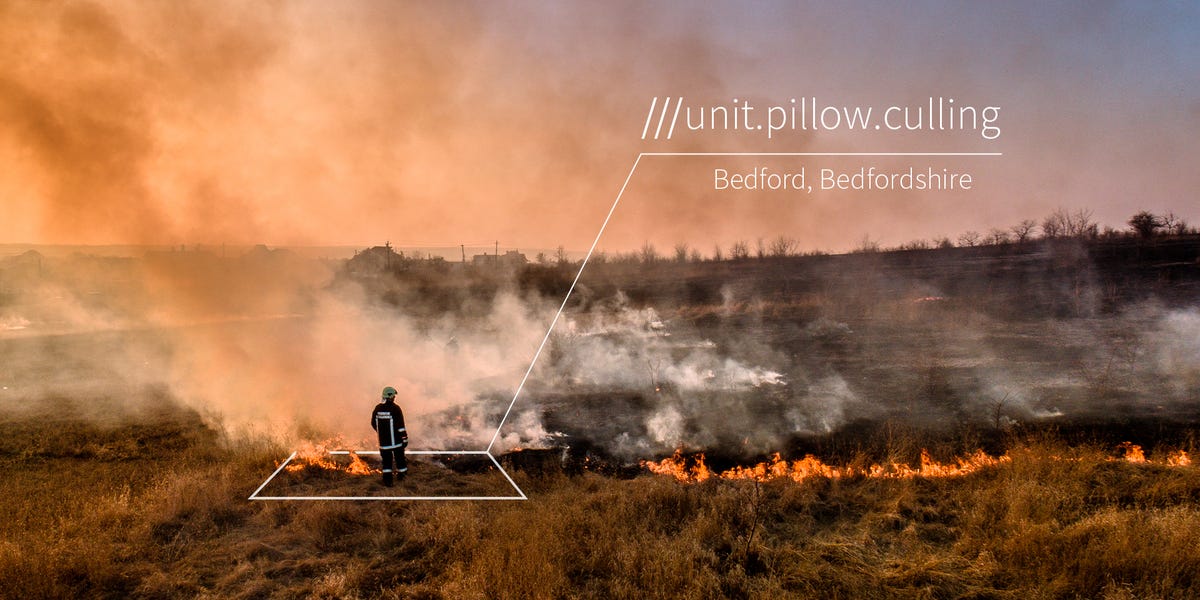
The What 3 Words app is a location-sharing and navigation tool that gives every small square on Earth a unique combination of three words. The company says the system divides the world into 3-meter squares, which is about 10 feet by 10 feet. Each square has its own “three-word address.” For example, instead of saying, “I’m somewhere near the north side of the park,” a user can share a three-word address that identifies a much more precise location.
This is especially helpful because traditional addresses are not always precise. A street address might take you to the center of a building, the front of a campus, or the wrong entrance of a hospital. A GPS coordinate can be accurate, but it is not exactly fun to read aloud. Nobody wants to shout a long string of decimals while standing in the rain, watching their phone battery behave like it has entered retirement.
The what3words app aims to make exact locations easier to communicate. It does not replace Google Maps, Apple Maps, Waze, or other navigation apps. Instead, it works alongside them. You can find a three-word address in what3words, then open that location in a mapping app for directions.
How Does what3words Work?
The system assigns a fixed three-word label to each square in its global grid. When you open the app, it uses your phone’s location services to identify your current square. You can also search for a place, move around the map, tap a square, and copy or share the three-word address for that exact point.
The Basic Process
Using the app usually looks like this:
- Open the what3words app on your phone.
- Allow location access if you want it to detect where you are.
- Look at the three words shown for your current location.
- Share those words by text, phone, messaging app, email, or verbally.
- Use a compatible navigation app to get directions to that exact square.
For everyday users, the appeal is convenience. For emergency services, the appeal is speed and clarity. When a person is lost, injured, or unable to describe their surroundings, three words can help responders narrow down the search area faster than vague landmarks.
Why Three Words Instead of Numbers?
Words are easier for many people to remember and communicate than long numerical coordinates. If someone says three familiar words over the phone, a dispatcher, friend, or delivery driver may be able to enter them more easily than a full latitude-longitude pair. That said, spelling and pronunciation still matter. “Beach” and “beech” may sound alike, and autocorrect is always waiting in the bushes like a tiny digital gremlin.
To reduce confusion, what3words includes suggestions and error-checking features. Still, users should always double-check the location on the map before sharing it, especially in important situations.
Key Features of the What 3 Words App
The what3words app is built around one main purpose: finding, saving, and sharing exact locations. Its features are simple, but they can be useful in many real-world situations.
Precise Location Sharing
The main feature is the ability to identify a specific 3-meter square and share it using three words. This can help when a regular address is too general. Think of a large stadium, a theme park entrance, a trailhead, a festival gate, a parking-lot row, or a beach access point. “Meet me at the west entrance” is fine until there are three west entrances and everyone is suddenly playing detective.
Navigation App Compatibility
what3words can work with popular navigation tools. After finding a three-word address, users can open it in apps like Google Maps or Apple Maps to receive directions. This makes the app more of a precision layer than a full navigation replacement.
Offline Use
The app can identify what3words addresses offline, which is useful in remote areas. However, there is an important catch: to share your location by phone, text, or online messaging, you still need phone signal or a data connection. Offline capability helps you find the words, but it does not magically send them through a mountain, forest, canyon, or your phone provider’s sense of humor.
Saved Locations
Users can save important locations for later. This is handy for remembering where you parked, where you found a great camping spot, where a trail starts, or where a specific entrance is located. For travelers, it can be a lightweight way to bookmark exact places that do not have clean addresses.
Emergency Use
Many U.S. public-safety teams and 911 communications centers have promoted or adopted what3words as an additional tool for locating callers. In some areas, a dispatcher may send a caller a link that helps generate the three-word address without requiring the caller to already have the app installed. This can be especially helpful when someone is in a park, on a trail, near water, or in a large public area with no clear street address.
Who Should Use the What 3 Words App?
The What 3 Words app is not just for people who love maps, gadgets, or saying mysterious three-word combinations like they are unlocking a secret door. It has practical uses for many different groups.
Travelers
Travelers can use what3words to save hotel entrances, meeting points, tour pickup spots, scenic overlooks, and places that are hard to describe in a new city. In busy tourist areas, a precise meeting point can prevent the classic vacation argument known as “I said the other fountain.”
Outdoor Enthusiasts
Hikers, campers, cyclists, kayakers, and runners may benefit from saving exact locations before heading out. Trailheads, campsites, water access points, and remote parking spots often do not have traditional addresses. what3words can make those places easier to describe.
Delivery and Service Workers
Delivery drivers and service providers can use three-word addresses when traditional addresses point to the wrong building entrance, loading dock, apartment gate, or rural driveway. For businesses, the app may reduce confusion around drop-off points.
Event Organizers
At large events, small differences matter. A medical tent, VIP entrance, food truck, security checkpoint, or lost-and-found desk may be located within a large venue. what3words can help organizers share exact points with staff, vendors, and visitors.
Emergency Callers
In emergencies, location matters first. If someone cannot describe where they are, a three-word address may help responders find them faster. However, users should not assume every emergency center accepts what3words. The safest approach is to call 911, follow dispatcher instructions, and provide any location information requested, including street signs, landmarks, coordinates, floor level, and the what3words address if it is useful.
What Makes the App Useful?
The biggest advantage of what3words is that it gives people a simple language for precise location. Addresses are excellent when they work, but they often stop being useful at the edge of a building, park, campus, trail, or rural road. The app helps answer a more specific question: where within the address?
Imagine a hospital with multiple entrances. A standard address may guide a visitor to the main building, but not to the emergency-room entrance, the outpatient pickup zone, or the correct parking garage elevator. A three-word address can describe the exact doorway. That is the app’s sweet spot.
It also helps when a location has no address at all. A picnic spot in a park, a boat launch, a farm gate, or a stretch of roadside may be hard to explain. With what3words, users can share a point without needing to invent directions like, “Turn left where the old barn used to be.” That sentence may work for locals, but for everyone else, it sounds like a riddle written by a GPS with trust issues.
Limitations and Criticism
what3words is useful, but it is not perfect. Independent researchers and some emergency professionals have raised concerns about possible confusion between similar-sounding or similar-looking word combinations. If a user mishears, mistypes, or misspells one word, the wrong location could be entered. The app includes suggestion tools to reduce errors, but users should still verify the map location before relying on it.
Another criticism is that what3words is a proprietary system. Unlike latitude and longitude, the full word-location mapping is controlled by a private company. For casual users, that may not matter much. For public infrastructure, open mapping advocates often prefer systems that are transparent, interoperable, and not dependent on one company’s rules or licensing.
Privacy is another point to consider. Like many location-based apps, what3words has a privacy policy explaining how it handles personal data. Users should review permissions and settings, especially location access. A practical rule is simple: give the app only the access it needs, and check your phone’s privacy settings if you are unsure.
How to Use the What 3 Words App Safely
Using the app safely is mostly about verification. Three words are easy to share, but easy does not mean automatic. Before you send a what3words address, zoom in and make sure the map pin is actually where you are or where you want someone to go.
Best Practices
- Check the map before sharing a three-word address.
- Read the words clearly and in the correct order.
- Spell the words if sharing by phone.
- Use the app as a supplement to normal addresses and GPS coordinates.
- In an emergency, follow 911 dispatcher instructions first.
- Mention extra details like floor level, trail name, landmark, or entrance when available.
The app is most powerful when paired with other information. “I am at ///example.words.here” is helpful. “I am at ///example.words.here, near the north trail entrance, wearing a blue jacket, and my phone battery is low” is better. Context still wins trophies.
What 3 Words App vs. Google Maps
People often compare what3words with Google Maps, but they serve different jobs. Google Maps is a full navigation and discovery platform. It helps users search for businesses, get routes, check traffic, view public transit, and explore nearby places. what3words focuses on communicating exact locations in a simple format.
A better comparison is this: Google Maps tells you how to get there; what3words helps you define exactly where “there” is. They can work together very well. You can find a precise three-word address, then open it in Google Maps or Apple Maps for turn-by-turn directions.
Is the What 3 Words App Free?
The what3words app is free for individuals to download and use, though app listings may show in-app purchases or paid features depending on platform and region. For most everyday users, the core ability to find and share three-word addresses is the main attraction.
Businesses and developers may use what3words through APIs, integrations, and commercial services. That is where the company’s business model becomes more relevant. For a regular person trying to meet friends at a concert gate, the practical question is simpler: can the app help everyone stop wandering in circles? Often, yes.
Real-World Examples of How the App Helps
Consider a hiker who leaves a marked trail and cannot explain their location. A phone’s map may show a blue dot, but describing that dot over a call can be difficult. A three-word address gives the caller a simple way to share a precise location with responders if the local emergency center can use it.
In another example, a food truck at a festival can post a what3words address so customers can find the exact stall. A rural homeowner can share the three-word address for a driveway entrance rather than the mailbox, which may be far from the actual house. A photographer can save the exact spot where the sunset lined up perfectly, because “near the big rock” is not a professional archiving system.
For urban use, the app can help with confusing apartment complexes, university campuses, mall entrances, airports, and parking lots. Anyone who has ever told a rideshare driver, “I’m outside,” while standing outside one of twelve possible exits understands the value of precision.
Should You Download the What 3 Words App?
The app is worth considering if you travel, hike, camp, work in delivery, organize events, visit large venues, or live somewhere with confusing addresses. It is also a useful safety tool to understand before you need it. The worst time to learn a location app is when you are stressed, lost, cold, tired, and trying to remember whether your phone is waterproof.
That said, what3words should not be your only safety plan. For outdoor trips, tell someone your route, carry enough battery, download offline maps, know emergency numbers, and bring basic supplies. For business use, test the app with your team before relying on it. For emergency use, always prioritize official instructions from dispatchers and responders.
Experiences Related to the What 3 Words App
One of the most interesting things about the What 3 Words app is how quickly people understand the idea once they try it. The first experience is usually a tiny “aha” moment. You open the app, see three words, move the map slightly, and suddenly those words change. That small shift makes the concept real: every nearby spot has its own label. It feels a little like discovering that the ground has invisible name tags.
For everyday meetups, the experience can be surprisingly smooth. Instead of sending a vague message like “I’m near the entrance,” a person can share a what3words address for the exact corner of a park, the right door of a building, or the spot where they parked. It is especially helpful in crowded places where landmarks repeat themselves. At a concert, “near the food stand” is not enough when there are eight food stands and all of them smell like fries. A precise three-word location can save time, reduce confusion, and protect friendships from unnecessary snack-related tension.
Outdoor users often describe the app as a confidence booster, not because it solves every problem, but because it gives them another way to explain where they are. A camper can save the location of a tent before walking away. A runner can mark a trail entrance. A photographer can record the exact spot for a future shoot. These are small conveniences, but small conveniences become big deals when the location is hard to describe.
There is also a learning curve. Users should practice before they need the app. The three words must be shared in order, and the map should be checked carefully. If a word sounds unusual, spelling it out helps. If the app suggests multiple possible addresses, users should verify the correct one by looking at the map and nearby context. The experience is best when people treat what3words like a helpful tool, not a superhero cape.
In emergency-related situations, the emotional experience can be different. When someone is scared or disoriented, simple instructions matter. Three words may be easier to read aloud than coordinates, especially under stress. But a calm process is still important: call 911, explain the situation, provide the what3words address if asked or accepted, and give supporting details such as landmarks, road names, nearby signs, clothing descriptions, or whether you are above or below ground level.
For businesses, the experience often comes down to fewer “Where are you?” conversations. A venue can publish the exact entrance. A delivery customer can share the correct gate. A property manager can identify a maintenance location on a large site. In these cases, the app does not feel futuristic; it feels practical. It is less “space-age technology” and more “finally, the driver found the correct driveway.” Sometimes innovation wears sensible shoes.
Final Thoughts
The What 3 Words app is a clever answer to a common problem: addresses are often not precise enough, and coordinates are often not human-friendly enough. By turning exact locations into three-word addresses, what3words gives people a simpler way to share where they are, where they want to meet, or where help is needed.
Its strengths are clear. It is easy to understand, useful in places without good addresses, compatible with popular navigation apps, and helpful for outdoor activities, events, travel, deliveries, and certain emergency situations. Its limitations are also important. Users must check the map, avoid spelling mistakes, understand privacy settings, and remember that official emergency guidance comes first.
In short, what3words is not a replacement for maps, addresses, coordinates, or common sense. It is a practical extra layer of precision. And in a world where “I’m by the big tree” can describe approximately 40 percent of Earth’s outdoor meeting points, three clear words can be a surprisingly powerful upgrade.