3D printing looks magical until your first print becomes a plastic spaghetti sculpture at 2:00 a.m. That is the unofficial welcome ceremony. One minute you are imagining custom tools, cosplay armor, replacement knobs, and world-changing prototypes. The next minute you are peeling a failed Benchy off the build plate like a disappointed archaeologist.
The good news is that reliable 3D printing is not wizardry. Professionals do not succeed because they whisper motivational quotes to their printers, although many of us have tried. They succeed because they follow repeatable best practices: good design, clean calibration, smart slicer settings, material discipline, safety habits, and patient troubleshooting. This guide breaks down the practical lessons a pro would teach a beginner, hobbyist, designer, or small business owner who wants better prints with fewer failures.
What Professionals Understand About 3D Printing
A pro does not think of 3D printing as “push button, receive object.” They think of it as a workflow. The model, material, machine, slicer, environment, and post-processing steps all affect the final result. Change one variable and the part may become stronger, weaker, smoother, uglier, faster, slower, or suitable only as a tiny modern-art doorstop.
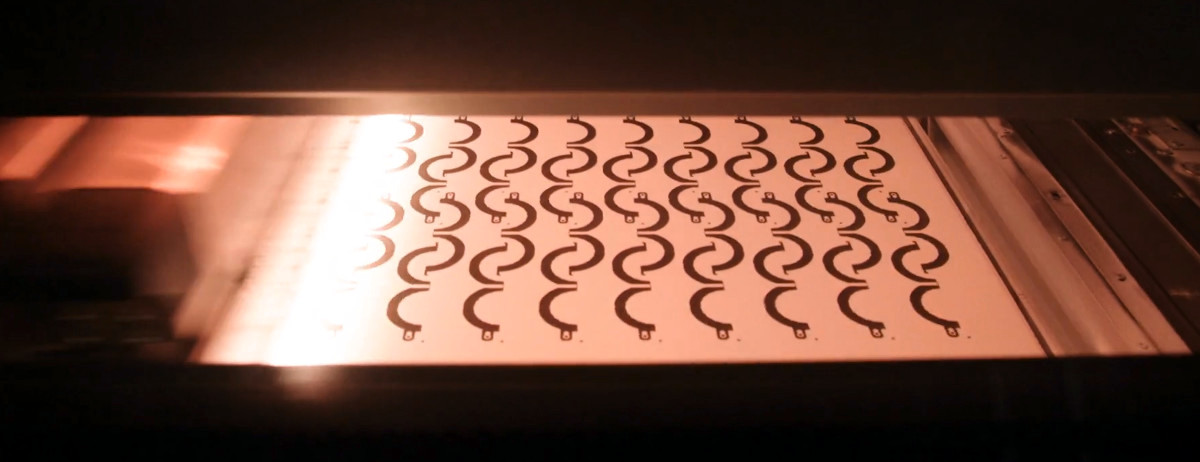
For most desktop users, fused deposition modeling, also called FDM or FFF, is the starting point. It melts plastic filament and deposits it layer by layer. Resin printers, often SLA or MSLA machines, cure liquid resin with light and can produce excellent detail. SLS printers use powder and can create complex parts without traditional support structures because surrounding powder supports the object during printing. Each process has strengths, limitations, and safety considerations.
Start With The End Use, Not The Printer
One of the biggest professional habits is asking, “What does this part need to do?” before opening the slicer. A display figurine, a phone stand, a gear, a bracket, and a medical prototype should not be designed or printed the same way. A decorative object may need surface detail. A functional part may need strength, dimensional accuracy, heat resistance, or flexibility.
For example, PLA is easy to print and great for prototypes, models, organizers, and classroom projects. PETG is tougher and more temperature-resistant, making it useful for practical parts. ABS and ASA can handle more heat but need better ventilation and enclosure control. Nylon can be strong and durable, but it absorbs moisture like it has emotional problems. Flexible TPU is wonderful for grips, bumpers, and gaskets, but it demands slower speeds and careful feeding.
Design For The Process
Wall Thickness, Tolerances, And Fit
Professional 3D printing begins in CAD. Thin walls, unsupported overhangs, sharp internal corners, and unrealistic tolerances cause problems long before the printer moves. If a part needs to fit with another part, design clearance into the model. Printed plastic expands, shrinks, squishes, and cools in ways that depend on the printer, material, geometry, and orientation.
For snap-fit parts, hinges, threaded inserts, and assemblies, test small sections before committing to a 16-hour print. A pro will print a tiny tolerance gauge, adjust the CAD model, then print the real part. A beginner prints the whole enclosure first, discovers the lid does not fit, and learns several new emotional tones of silence.
Orientation Is A Strength Decision
Layer lines are not just visual. They affect strength. FDM parts are usually strongest along continuous extruded paths and weaker between layers. If a hook, bracket, or lever will be pulled in one direction, orient it so the main load does not simply peel layers apart. This is one reason professionals spend time rotating parts in the slicer instead of accepting the first position that looks convenient.
Orientation also affects supports, surface finish, print time, and dimensional accuracy. A flat face against the build plate may look clean, but it might create elephant’s foot, visible texture, or a weaker load path. A slightly angled orientation may reduce support scars or improve accuracy. The “best” orientation is usually a compromise, not a default.
Master The First Layer
If 3D printing had a sacred law, it would be this: respect the first layer. Many failed prints begin with poor bed adhesion, incorrect nozzle height, a dirty build plate, uneven leveling, or the wrong bed temperature. The first layer is the foundation of the entire print. If it is too high, the filament sits loosely on the surface. If it is too low, the nozzle scrapes, clogs, or smears plastic like peanut butter applied by a robot having a bad day.
Clean the build plate before important prints. Finger oils are invisible villains. Use the cleaning method recommended for your surface, whether that means isopropyl alcohol, dish soap and water, or another manufacturer-approved approach. Level the bed or run mesh bed leveling when needed. Adjust Z-offset until the filament is slightly squished, smooth, and consistent.
Use Slicer Settings Like A Technician
Layer Height
Layer height controls the vertical thickness of each printed layer. Smaller layers produce smoother surfaces and better detail, but increase print time. Larger layers print faster, but show more visible lines. For many FDM printers with a 0.4 mm nozzle, a layer height around 0.15 mm to 0.25 mm is a practical range for balancing quality and speed.
Use fine layers for miniatures, curved surfaces, and parts that need cosmetic polish. Use thicker layers for large prototypes, jigs, and utility parts. Do not use ultra-fine settings just because they sound premium. Printing a garage hook at 0.08 mm is like wearing a tuxedo to clean the gutters.
Infill And Walls
Beginners often crank infill to 100% when they want strength. Professionals usually add walls first. More perimeters can improve strength more efficiently than dense infill, depending on the part. A bracket with four or five walls and moderate infill may outperform a thin-walled part stuffed with plastic.
Choose infill based on purpose. Low infill is fine for display objects. Moderate infill works for common functional parts. Higher infill helps compression strength but increases material use, print time, and internal heat buildup. For load-bearing parts, test real-world performance instead of trusting a slicer preview like it is a crystal ball.
Temperature And Retraction
Nozzle temperature affects layer adhesion, stringing, surface quality, and flow. Too cold, and layers may not bond well. Too hot, and the print may ooze, string, sag, or lose detail. Temperature towers are a professional shortcut: one test print reveals how a filament behaves across several temperatures.
Retraction settings control how the printer pulls filament back to reduce stringing during travel moves. Retraction, temperature, travel speed, and filament condition all interact. If your print looks like it was attacked by spider silk, do not panic. Test temperature first, then retraction distance and speed, then check whether the filament is wet.
Treat Filament Like A Real Material
Filament is not just colored plastic rope. It is a manufacturing material, and it changes with moisture, age, heat, and storage. Wet filament can cause popping sounds, rough surfaces, bubbles, weak layers, stringing, and inconsistent extrusion. Nylon, PETG, TPU, and PVA are especially moisture-sensitive, but even PLA benefits from dry storage.
Store filament in sealed bags or boxes with desiccant. For important prints, especially with nylon or engineering materials, dry the filament according to the manufacturer’s recommendations. Do not guess wildly with kitchen ovens unless you enjoy turning a $30 spool into a modern pancake. A filament dryer or temperature-controlled dehydrator is a safer, more predictable option.
Supports Are A Tool, Not A Punishment
Supports let printers create overhangs, bridges, and complex shapes. They also consume material, increase print time, scar surfaces, and occasionally fuse themselves to the model with the dedication of a clingy ex. A pro tries to reduce supports through better orientation and smarter design.
Use chamfers instead of steep overhangs when possible. Split large models into printable sections. Add flat registration features, pins, or screw holes for assembly. Consider tree supports or organic supports for models with delicate overhangs. For functional parts, place support contact points where scars will not affect fit or strength.
Calibrate Before You Blame The Printer
A professional troubleshoots in order. They do not randomly change 12 settings and then wonder which one worked. Start with the basics: clean nozzle, dry filament, correct material profile, leveled bed, calibrated Z-offset, and stable temperature. Then test extrusion flow, temperature, retraction, pressure advance or linear advance, and input shaping if your printer supports it.
Print calibration objects with a purpose. A temperature tower tests heat. A retraction tower tests stringing. A flow cube checks dimensional consistency. A bridging test checks cooling and sag. A tolerance test checks fit. Printing a dragon is fun, but it is not a diagnostic tool unless your business manufactures tiny dragons, in which case congratulations on your excellent life choices.
Safety Is Part Of Professional Quality
3D printers use heat, moving parts, electrical systems, resins, powders, adhesives, solvents, and materials that may release particles or gases. Treat the workspace seriously. Keep printers on stable surfaces. Avoid leaving high-risk jobs unattended. Use smoke detection near printer areas. Keep flammable clutter away from hot components.
Ventilation matters. FDM printers can emit ultrafine particles and volatile organic compounds, and emissions vary by material and temperature. Resin printing requires gloves, eye protection, ventilation, careful handling, and proper curing and disposal. Do not wash uncured resin down the sink. Do not touch liquid resin with bare skin. Do not put resin tools next to your coffee mug unless you enjoy living like a safety training video’s villain.
Post-Processing Makes Prints Look Professional
The print is not always the finished product. Removing supports, sanding, drilling, heat-set inserts, priming, painting, vapor smoothing, tumbling, dyeing, and curing can transform a rough part into a professional result. However, post-processing should be planned before printing.
If a part will be sanded, allow extra wall thickness. If it needs threaded inserts, design proper bosses. If it will be painted, choose layer height and orientation to reduce visible lines. If it will be glued, design mating surfaces with alignment features. Professionals do not “fix it later” blindly. They design the later step into the part.
Common Mistakes Pros Avoid
Changing Too Many Variables
When troubleshooting, change one variable at a time. If you alter temperature, speed, retraction, cooling, nozzle size, bed adhesive, filament brand, and moon phase all at once, you have not solved the issue. You have created a mystery novel.
Ignoring The Environment
Drafts, room temperature, humidity, vibration, and dust affect print quality. ABS and ASA benefit from enclosure control. PLA may warp less, but it still dislikes greasy beds and unstable cooling. Keep the printer clean, stable, and protected from sudden airflow.
Skipping Test Prints
Small tests save time. Before printing a full mechanical assembly, test one joint. Before printing a huge vase, test the wall mode. Before printing expensive carbon-fiber nylon, test the material profile. Professional printing often feels slower at first because it includes validation. Then it becomes much faster because fewer jobs fail.
How A Pro Builds A Reliable 3D Printing Workflow
A strong workflow looks like this: define the part’s purpose, choose the material, design for the process, check tolerances, orient the model, slice with intentional settings, verify the first layer, monitor the early print, inspect the result, record what worked, and revise. That final step, recording, is underrated. Keep notes on filament brands, temperatures, bed surfaces, drying time, failures, and successful settings.
Over time, your printer becomes less of a mysterious appliance and more of a predictable tool. You will know which PLA likes 205°C, which PETG strings at high heat, which build plate needs extra cleaning, and which support setting removes cleanly. That knowledge is where “pro” skill really lives.
Experience Notes: Learning 3D Printing Best Practices From A Pro
The most useful lesson I have learned from experienced 3D printing professionals is that they are not obsessed with perfection; they are obsessed with control. A beginner often wants a perfect print immediately. A pro wants a controlled process that can be repeated. That difference changes everything.
Imagine a small workshop printing custom camera mounts. The first version looks good but cracks when tightened. A beginner might increase infill to 100% and hope for the best. A pro checks the failure direction, increases wall count, changes the print orientation, adds fillets around stress points, selects PETG or nylon instead of PLA, and prints a small test section before running the full batch. The solution is not one magic setting. It is a chain of better decisions.
Another real-world experience is the importance of cleaning. It sounds boring because it is. Nobody buys a 3D printer because they dream of wiping build plates. Yet build plate cleaning solves an absurd number of problems. I have seen prints fail repeatedly, settings blamed, filament cursed, slicers reinstalled, and then the entire issue disappeared after washing the plate with dish soap and warm water. The glamorous secret of advanced manufacturing is sometimes “remove the fingerprints.”
Material discipline is another pro habit. A spool of nylon left open in a humid room can ruin prints even when the slicer profile is correct. Wet filament may still extrude, but the part can look rough and feel weak. Professionals label materials, store them dry, and dry them before critical jobs. They treat filament like ingredients in a kitchen. You can technically make soup with stale vegetables, but do not act surprised when the result tastes like regret.
The best pros are also calm troubleshooters. They do not panic when a print fails. They read the failure. A lifted corner suggests adhesion, temperature, cooling, or draft issues. Gaps in top layers may suggest low infill, insufficient top layers, or under-extrusion. Stringing points to moisture, temperature, retraction, or travel settings. Layer shifts suggest belt tension, acceleration, obstruction, or mechanical looseness. Every failure leaves clues.
Finally, the professional mindset includes humility. Even experts run test prints. Even excellent machines fail. Even expensive filament behaves badly if stored poorly. The goal is not to eliminate every surprise; it is to reduce surprises until printing becomes dependable. That is the real best practice: make 3D printing boring in the best possible way. When your printer quietly produces accurate parts again and again, you have graduated from “hope-based manufacturing” to skill-based making.
Conclusion
Learning 3D printing best practices from a pro means learning to think beyond the machine. Great prints come from smart design, proper calibration, clean first layers, tuned slicer settings, dry materials, safe workspace habits, and careful post-processing. The printer is only one part of the system. Your process is the real upgrade.
Do not chase every shiny modification or mystery setting. Start with fundamentals. Make one change at a time. Keep notes. Test small. Respect materials. Clean the build plate. Dry the filament. Watch the first layer. Soon, failed prints will become lessons instead of disasters, and your printer will become what it was supposed to be all along: a practical, powerful tool for turning ideas into useful objects.