PokEdit was once a popular destination for Pokémon fans who wanted to experiment with custom Pokémon, review battle-ready builds, and explore save-editing tools from the Nintendo DS and Nintendo 3DS era. It had an editor, community tools, and transfer-related features that made it feel a little like a Pokémon workshop with more buttons than a spaceship dashboard.
Today, the smartest way to approach PokEdit is as a legacy Pokémon editing resource. Some older features and transfer methods are no longer practical or supported because the online services they depended on have changed or disappeared. Still, the basic lessons behind PokEdit remain useful: understand Pokémon data, build sensible movesets, keep clean backups, and never confuse a good battle plan with a button that magically makes everything work.
Note: This guide is for educational and offline planning purposes. Do not use altered Pokémon data in online battles, trades, official competitions, or Pokémon HOME services. Always respect game rules, platform policies, and other players.
What Is PokEdit?
PokEdit was a third-party Pokémon editing community and tool hub. Its best-known features included a Pokémon Maker, downloadable utilities, forums, and services built around creating or modifying Pokémon data. In its heyday, users could choose a species, adjust battle-related details, save a Pokémon file, and explore methods for using that data with compatible games.
The important phrase there is in its heyday. PokEdit is strongly associated with older Pokémon generations, especially the DS and 3DS period. That means not every guide, screenshot, video, or forum post you find will apply to modern games. A 2014 tutorial can be charming, nostalgic, and about as current as a flip phone.
For modern readers, PokEdit is best understood as part of the history of Pokémon save editing. Its interface and concepts are still useful for learning how Pokémon information is structured, including species, level, nature, ability, moves, held items, trainer information, and battle stats.
Before You Use PokEdit: Know What You Are Trying to Do
Before opening any Pokémon editor, define your goal. The difference between “I want to understand how a competitive Garchomp is built” and “I want to change data and use it online” is enormous. The first goal is educational. The second can create account, game, and community problems.
Good reasons to study PokEdit-style tools
- Learning how natures, abilities, moves, IVs, and EVs affect a Pokémon.
- Planning an offline team before breeding or training it in a legitimate game.
- Studying older Pokémon game mechanics for a personal collection or single-player project.
- Reviewing a backup of your own save data without overwriting the original file.
- Comparing several movesets before investing time and in-game resources.
Bad reasons to use editing tools
- Trying to bypass online rules, trading checks, or competition restrictions.
- Creating impossible Pokémon with unavailable moves, abilities, forms, or origins.
- Sending altered data to unsuspecting players.
- Replacing your only save backup with an edited file.
A good rule is simple: use an editor as a learning notebook, not as a shortcut that spoils someone else’s game. Pokémon battles are more fun when both trainers brought a team, not one trainer and a suspiciously talented spreadsheet.
How to Use PokEdit as a Legacy Pokémon Builder
Even if the original PokEdit transfer methods are outdated, the building process is still easy to understand. Think of it as designing a Pokémon profile from the ground up. The safest approach is to create a battle blueprint first, then recreate that Pokémon legitimately in a supported game whenever possible.
Step 1: Start With the Pokémon’s Role
Do not begin with shiny colors, maximum stats, and ten ribbons before deciding what your Pokémon is supposed to do. Start with a role. Is it a fast attacker? A defensive wall? A support Pokémon? A weather setter? A Trick Room specialist? A friendly mascot whose main job is looking adorable while fainting dramatically?
For example, a defensive Corviknight may focus on bulk, recovery, and utility. A fast special attacker such as Gengar may prioritize speed and special attack. The Pokémon’s role should guide every later choice: nature, ability, item, moves, EV spread, and teammates.
Step 2: Choose the Correct Species, Form, and Level
Select the species carefully. Some Pokémon have multiple forms, regional variants, gender differences, or battle-specific transformations. A form can affect typing, abilities, move access, and base stats, so this is not a cosmetic detail.
Then set a realistic level for your intended format. Casual story teams often use uneven levels because real adventures are messy. Competitive formats often use fixed levels, commonly Level 50 or Level 100 depending on the rules. For an offline planning exercise, choose the level that matches the format you want to study.
Step 3: Pick a Nature That Matches the Build
A Pokémon’s nature usually boosts one stat and lowers another. The simplest approach is to support your Pokémon’s main job. A physical attacker often benefits from a nature that improves Attack, while a special attacker may prefer one that improves Special Attack. Fast Pokémon often want more Speed; bulky Pokémon may prefer a defensive nature.
For instance, a physical attacker that never uses special moves usually does not need a nature that improves Special Attack. That would be like putting racing tires on a refrigerator. Technically possible, perhaps, but not especially useful.
Step 4: Select an Ability That the Pokémon Can Actually Have
Abilities are one of the most important parts of a Pokémon build. They can provide immunity, weather benefits, damage boosts, recovery, status protection, or tactical utility. When studying a PokEdit-style interface, make sure the selected ability belongs to that species and form.
Some Pokémon have regular abilities, hidden abilities, or abilities that were only available through special events or specific game mechanics. Do not assume an ability is valid just because it appears in a list. Use reliable Pokédex and moveset databases to confirm what the Pokémon can legitimately have in the game generation you are studying.
Step 5: Build a Legal, Useful Moveset
Moves are where many beginner-made Pokémon builds go off the rails. A move may look perfect, but the Pokémon might not learn it in that generation. It may require breeding, tutoring, a limited event, a transfer path, or a feature that no longer exists.
Choose moves that work together. A balanced moveset often includes one or two primary attacks plus coverage, recovery, setup, disruption, or pivoting. For example, a physical attacker may use a strong same-type attack, a coverage move, a setup move such as Swords Dance, and a utility move. A support Pokémon may use status moves, healing, protection, or team assistance instead.
Do not chase maximum damage on every move slot. A team needs answers to common threats, reliable accuracy when possible, and a plan for bad matchups. Four moves that all do the same thing are not a strategy; they are a group project where nobody read the instructions.
Step 6: Understand IVs and EVs Before Editing Stats
Pokémon stats are influenced by several factors, including base stats, level, nature, individual values, and effort values. In the generations that use the modern IV and EV system, IVs generally range from 0 to 31 for each stat. EV spreads have limits, typically with a total cap and a cap per stat.
For a simple offline build, use a focused spread. A fast special attacker may prioritize Special Attack and Speed. A defensive Pokémon may prioritize HP and one defensive stat. Some advanced builds deliberately use lower values, such as minimum Speed for Trick Room teams or a reduced Attack stat to limit confusion and Foul Play damage.
This is why blindly setting every number to the maximum is not always smart. “Perfect” stats can actually be wrong for the role. A Trick Room attacker with maximum Speed is like arriving early to a surprise party: enthusiastic, but missing the point.
Step 7: Check Held Items and Battle Details
Held items can transform how a Pokémon functions. Leftovers may improve long-term durability. Choice items may increase a stat while limiting move selection. Focus Sash can help fragile Pokémon survive one hit under the right conditions. Berries can provide emergency healing, resist a specific type, or reduce damage from a super-effective attack.
When reviewing an item in a legacy tool, ask two questions: does this Pokémon benefit from it, and was the item available in the relevant game or format? A great item in one generation may not exist in another. Pokémon history is packed with retired mechanics, limited distributions, and battle rules that changed more often than a Rotom appliance form.
Step 8: Review Origin and Trainer Information Carefully
Older editing tools may include fields for original trainer name, trainer ID, met location, met level, Poké Ball, encounter type, ribbons, memories, and dates. These are not decorative stickers. They are part of the Pokémon’s data history.
For educational planning, use this information to understand how a legitimate Pokémon would normally be obtained. If a Pokémon supposedly came from a route it never appears on, was caught in a ball unavailable in that generation, or knows a move it cannot learn, the data becomes inconsistent.
Do not use an editor to imitate official event Pokémon, fabricate ownership history, or attempt to make altered data look authentic. That crosses the line from learning game mechanics into deceptive behavior.
Step 9: Save a Copy, Never Overwrite Your Only File
If you are working with your own offline save backup, make at least two untouched copies before doing anything else. Label them clearly with the game name and date. Keep one copy in a folder you will not edit. Then work only on a duplicate.
Save corruption is not funny when it happens to someone else. It is also not funny when it happens to you, although you may eventually laugh about it in the same way people laugh about stepping on a LEGO brick: only after the pain has become a distant memory.
Why Old PokEdit Transfer Guides May Not Work
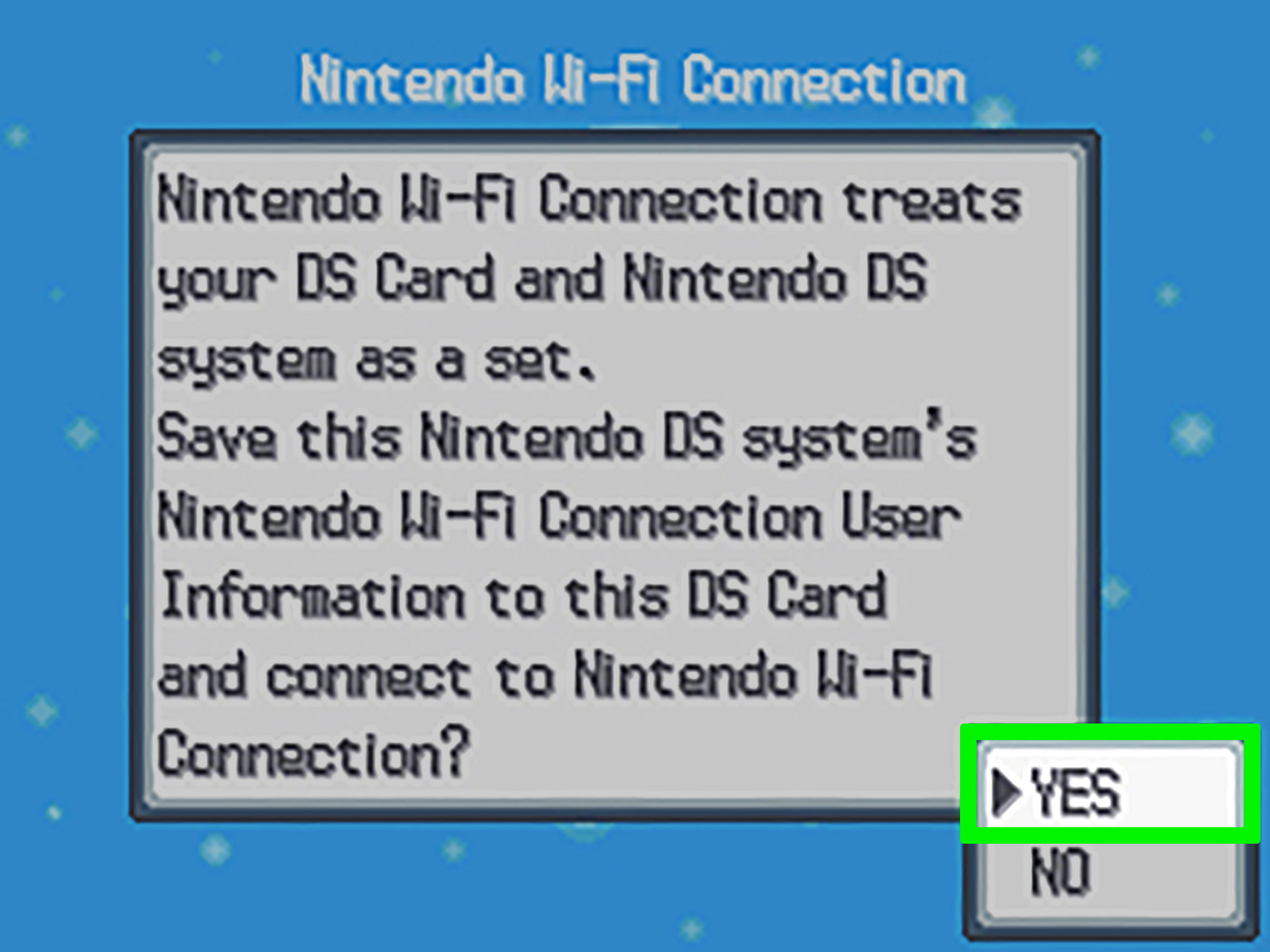
Many old PokEdit tutorials focus on sending Pokémon through the Global Trade Station or Nintendo Wi-Fi Connection. Those instructions are tied to older online infrastructure. Nintendo discontinued Nintendo Wi-Fi Connection support for many Nintendo DS and Nintendo DSi games, including features such as online trading and GTS access.
That means a guide telling you to configure a DS connection, use an old GTS service, or scan a code from a decade-old webpage may not work today. It may also refer to unsupported services, outdated browser features, broken links, or hardware setups that are no longer reliable.
Do not treat an old YouTube tutorial as a modern guarantee. Check its upload date, read comments for recent reports, and confirm whether the method applies to your exact game, console, region, and software version. In Pokémon terms, context is super effective against confusion.
PokEdit Alternatives for Safer Team Planning
If your goal is simply to create a competitive team concept, there are safer ways to do it without altering a save file. Use team-building simulators, matchup calculators, official in-game tools, and reliable Pokémon databases to test ideas before investing time in breeding, training, raids, or item farming.
A practical workflow looks like this:
- Choose a battle format or game generation.
- Pick a core of two or three Pokémon that work well together.
- Assign clear roles, such as offense, defense, speed control, hazard removal, or support.
- Test movesets and items in a simulator or calculator.
- Identify weaknesses to common types, abilities, and strategies.
- Build the team legitimately in your game if you plan to play online.
This gives you the creative benefit of a Pokémon editor without risking save corruption, online restrictions, or an awkward conversation where someone asks why your Pikachu has a move it learned from a parallel universe.
Common PokEdit Mistakes to Avoid
Using a guide for the wrong generation
Pokémon mechanics change from generation to generation. A move, ability, item, or form that exists in one game may not exist in another. Always match the guide to your game.
Assuming every shiny or legendary build is possible
Some Pokémon are shiny locked in certain games. Some event Pokémon have specific moves, ribbons, balls, or locations. Some legendary Pokémon cannot be obtained at particular levels or in particular forms. Research before building a fantasy file.
Giving every Pokémon maximum stats
More is not always better. A slow Trick Room Pokémon may want low Speed. A special attacker may want a low Attack value. Good builds are deliberate, not just loud.
Ignoring team balance
Six powerful attackers can still lose if they all share the same weaknesses or cannot handle common threats. Build around coverage, defensive switching, speed control, and a clear win condition.
Skipping backups
Never edit the only copy of important save data. Backup first, then backup the backup. Storage is cheaper than regret.
PokEdit Experiences: Lessons From the Pokémon Editing Era
One of the most common experiences shared by players who explored PokEdit-style tools was the moment they realized that building a Pokémon is more complicated than selecting a species and pressing “make.” At first, it seems easy: choose Charizard, make it shiny, give it huge stats, add four powerful moves, and prepare for glory. Then the details arrive. Which ability is available? Can that move be learned in the game being used? Does the chosen item exist in that generation? Is the Pokémon’s form correct? Suddenly, the little orange dragon has become a paperwork assignment with wings.
That learning curve was not necessarily a bad thing. It taught many players how much invisible information sits behind a single Pokémon. A creature in a battle has a species, level, nature, ability, moves, individual values, effort values, friendship data, encounter history, trainer information, ribbons, and more. For casual fans, those details may feel overwhelming. For players who enjoy strategy, they become part of the fun. Pokémon is cute on the surface, but underneath it sometimes behaves like an accounting course taught by a raccoon in a lab coat.
Another common lesson involved team-building discipline. Players often began by making six favorites with enormous damage potential. The problem appeared in battle. The team might have no answer to Ground-type attacks, no safe switch into a fast special attacker, no recovery, no status control, and no plan after the first opponent used a defensive move. This is when editing tools became unexpectedly educational. They showed players that a powerful Pokémon is not always a useful Pokémon and that a team needs roles, not just stars.
Many experienced players also learned the value of restraint. The temptation to give a Pokémon every advantage is strong, especially when a tool displays a giant menu of options. Yet a believable, balanced build is usually more interesting than an exaggerated one. Choosing a realistic moveset, an appropriate held item, and a focused EV spread creates a team that feels intentional. It also helps players understand what makes official battle formats enjoyable: limits force creativity. Without limits, every team becomes a parade of absurd superpowers, and the parade gets boring fast.
There were practical lessons, too. People learned to backup files before editing because accidental overwrites and corrupted saves can turn a relaxing hobby into a digital disaster movie. They learned that old tutorials age quickly, especially when online services change. They learned that a tool can be technically impressive while still being a poor choice for online use. Most importantly, they learned to separate curiosity from competition. Experimenting with data privately is one thing; bringing altered Pokémon into trades or official battles affects other people.
The lasting appeal of PokEdit is not simply that it let players change things. It gave them a closer look at how Pokémon games are assembled behind the scenes. For some fans, that spark led to competitive team building. For others, it led to save preservation, ROM-hack communities, programming, statistics, or a renewed appreciation for breeding a team the old-fashioned way. The best experience is not owning an unstoppable Pokémon. It is understanding why a well-built Pokémon works.
Conclusion
Learning how to use PokEdit today means understanding both its legacy and its limits. The original service helped introduce many fans to Pokémon creation, team building, and save-data concepts, but its historical transfer methods are not a reliable blueprint for modern games. Use the ideas behind PokEdit to study roles, natures, abilities, moves, IVs, EVs, and team synergy. Keep backups, verify mechanics by generation, and keep altered data out of online play.
The real power move is not creating the most outrageous Pokémon imaginable. It is learning enough about Pokémon strategy to build a team that wins because you made smart choices, not because your Snorlax somehow learned Thunderbolt, Fly, Surf, and tax preparation.