You open your school Chromebook, type “Roblox,” and… bamblocked. It’s the digital equivalent of showing up to a pizza party
and finding out it’s a “salad appreciation event.” Frustrating? Totally. But here’s the deal: school Chromebooks and school networks are
often filtered and managed for safety, focus, and legal compliance. So instead of trying to “outsmart the system” (spoiler: it usually ends
with a call to the office), this guide walks through five legit, school-friendly ways to enjoy Robloxwithout breaking rules
or messing with school security.
This article is written for students, parents, and educators who want practical options. You’ll also learn why Roblox gets blocked, what
“managed” really means, and how to make a strong request if you want Roblox approved for an after-school club or a class project.
First, Why Roblox Gets Blocked on School Chromebooks
“Blocked” can mean a few different things on a school Chromebook:
- Network filtering: The school Wi-Fi blocks gaming sites/apps during school hours (common on campus networks).
- Device management: The Chromebook is controlled by the school’s admin settings, which can prevent installing apps or changing settings.
- Age/safety settings: Roblox account settings or parental controls can restrict certain experiences, chat, or features.
Schools typically filter content to protect students and keep learning on track. If you’re using a school-issued device, it’s also part of
the school’s responsibility to maintain a safe environment online. That’s why the smartest path is finding an option that works with
the rulesnot against them.
Way #1: Ask for Roblox to Be Unblocked the Right Way (Yes, This Actually Works Sometimes)
If Roblox is blocked on the school network or disabled on the device, the most direct (and drama-free) solution is to request access through the
proper channels. This works best when you can connect Roblox to a clear educational purposelike game design, digital citizenship lessons,
3D world-building, or an after-school club.
How to make a request that gets taken seriously
- Be specific: Ask for access during a certain time (lunch, study hall, after school), not “all day forever.”
- Offer boundaries: Suggest it be limited to a supervised room, club, or a designated network.
- Show your plan: If it’s for a club or project, share what you’ll do (build teamwork activities, create a simple obstacle course, etc.).
- Highlight safety: Mention that you’ll use age-appropriate settings and follow school rules.
A quick script you can use (student-friendly)
Hi [Teacher/IT Coordinator Name],
I’m interested in using Roblox for [after-school club/game design learning/project]. Would it be possible to allow Roblox access
during [specific time] in [specific location] under supervision? I’m happy to follow any limits you set (chat restrictions, time limits,
approved experiences only). Thank you for considering it!
Even if the answer is “no,” you’ll often get a helpful explanationlike whether the block is policy-based, safety-based, or simply because the app
isn’t supported on your managed setup.
Way #2: Play Roblox on Your Personal Device (Off Campus or After School)
If you’re using a school-issued Chromebook, it’s usually meant for schoolworkperiod. So the cleanest solution is to play Roblox on a
personal device on your own time (after school, at home, or on weekends).
Roblox is designed to be cross-platform, so you can use the same account across devices. That means your avatar, friends, and progress can come with you
(depending on the experience).
Personal devices that commonly work well
- Phone or tablet (iOS/Android) easiest setup for most families
- Windows PC or Mac great for performance and controls
- Console (like Xbox or PlayStation) good for living-room play and family visibility
Make this option smoother (and parent-approved)
- Set a schedule: “Homework first, Roblox later” keeps everyone sane.
- Use built-in safety tools: Adjust chat, spending, and content settings so gameplay stays age-appropriate.
- Choose a few go-to experiences: Picking a short list helps avoid wandering into random, low-quality content.
This approach may not be as thrilling as “playing during math,” but it’s reliableand it won’t risk your school account or device privileges.
Way #3: Use a Personal (Non-Managed) Chromebook at Home With Official Roblox Support
Here’s an important distinction: a school Chromebook is often “managed” by the school. A personal Chromebook you own is
usually not managed (unless you enrolled it in a work/school system).
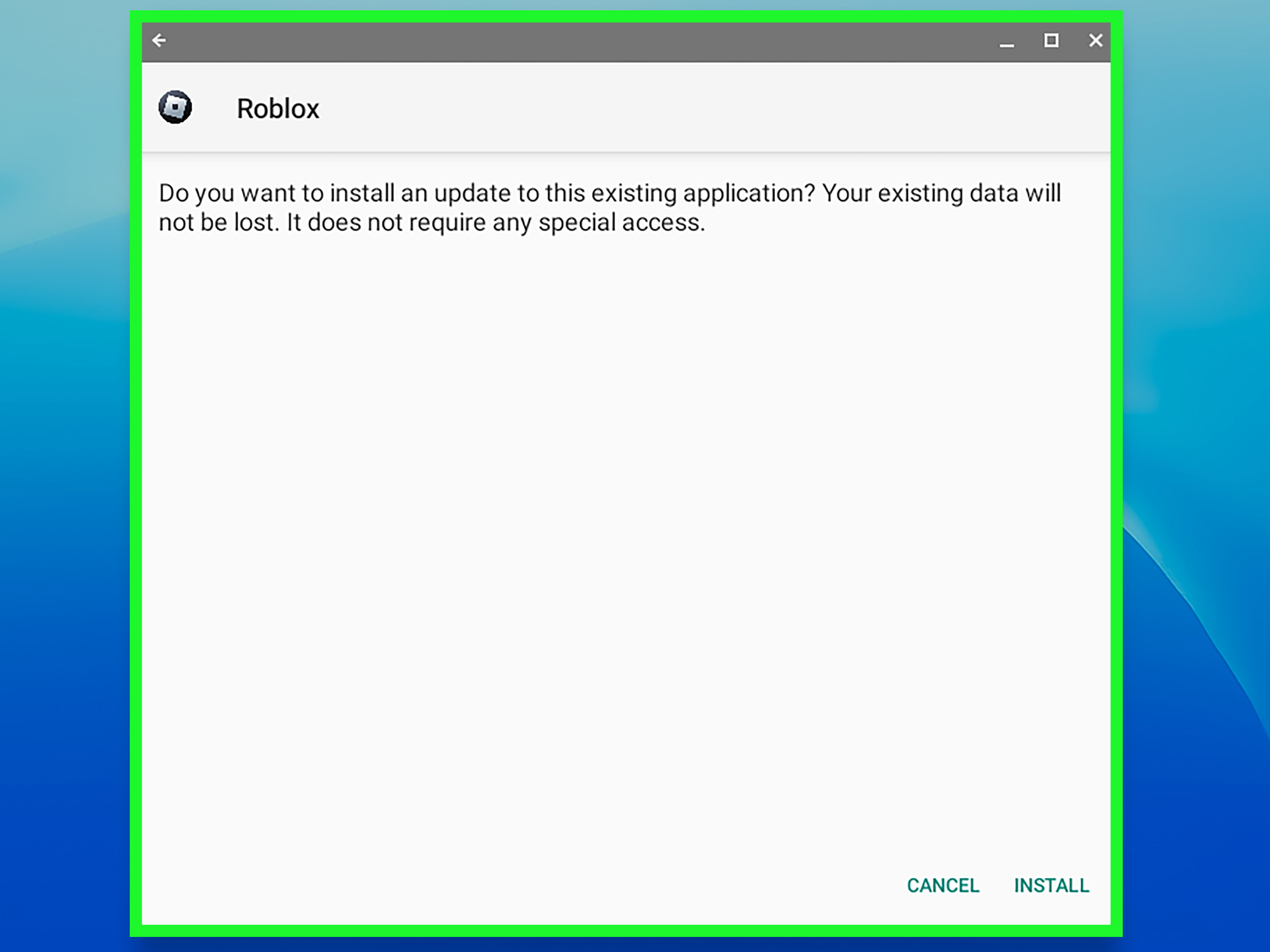
On many personal Chromebooks, Roblox can work through official supported methodstypically relying on the Android app version via Google Play
(device compatibility and settings matter).
What to check on a personal Chromebook
- Is your ChromeOS up to date? Updates can improve compatibility and performance.
- Is Google Play enabled? Some Chromebooks support Android apps, some don’t.
- Is your device powerful enough? Roblox can run on modest hardware, but smoother experiences often need more RAM and a decent processor.
If your Chromebook is school-managed, you may not be able to enable Google Play or install appsso this “way” is mainly for students who
have a personal Chromebook at home.
Pro tip: if Roblox runs but feels laggy, try simpler experiences, close extra tabs, and avoid running heavy extensions while playing. Your Chromebook will thank you
by sounding less like it’s about to take off into the sky.
Way #4: Join (or Start) an After-School Roblox or Game Design Club
If you want Roblox to be available in a school setting, an organized club is one of the most realistic pathwaysbecause it adds:
supervision, structure, and purpose. Schools are far more likely to approve something when it comes with guardrails.
What a school-friendly Roblox club can look like
- Build challenges: Teams design a theme park ride, obstacle course, or mini-town layout.
- Digital citizenship: Practice respectful communication, reporting, and privacy habits.
- Creator focus: Learn how game concepts are designed (story, level layout, objectives, playtesting).
- Showcase day: Students present what they built and what they learned.
How to pitch it (without sounding like “I just want games”)
Frame it around skills: creativity, collaboration, problem-solving, basic design thinking, and responsible online behavior. If you can pair it with a teacher sponsor
(technology, art, STEM, or library staff), your chances go way up.
If Roblox remains blocked during normal hours, the school might still allow it on a specific device set, during club time, or on a separate supervised network.
That’s not “getting around” rulesit’s working within them.
Way #5: “Roblox-Adjacent” School Time + Roblox Play Time Later (The Strategy That Saves Your Sanity)
Okay, this one is a mindset shiftbut it’s powerful: use school Chromebook time for Roblox-adjacent activities that are usually allowed, then play Roblox on your own
device after school. That way, you’re still leveling up your Roblox skills without needing the game itself unblocked.
Roblox-adjacent things you can do at school
- Sketch game ideas: Map out a simple “obby” concept, a roleplay town, or a tycoon layout.
- Write a mini design doc: Goal, rules, obstacles, win condition, and how players progress.
- Study safety and settings: Learn how to keep accounts secure and interactions respectful.
- Watch approved learning videos: If your school allows certain educational platforms, you can learn general game design principles.
Then, when you’re on a personal device after school, you already have a planso you’re not just “scrolling for a game.” You’re executing your brilliant blueprint.
(Yes, that makes you the CEO of Fun.)
Quick FAQ
What if Roblox works at home but not at school?
That usually points to school network filtering. The best move is to request access through a teacher or IT administrator for an approved time/place.
What if I can’t install anything on the Chromebook?
That’s a classic sign the device is school-managed. In that case, your realistic options are permission-based access (Way #1 or #4) or playing on a
personal device (Way #2 or #3).
Is it worth asking, or will they automatically say no?
It’s worth asking if you’re respectful and specific. Schools say “no” to vague requests. They’re more open to structured, supervised useespecially for clubs or projects.
How do I keep Roblox safer for younger players?
Use strong passwords, enable account protections, and review privacy/content settings with a parent or guardian. Keeping chat and content appropriate goes a long way
toward making Roblox a better experience.
Real Experiences: What It Feels Like When Roblox Is Blocked (And What Students Do That Actually Helps)
Let’s talk about the part nobody puts in the official handbook: the emotional roller coaster of seeing “Blocked” on a day when you were already running on two hours
of sleep and cafeteria fries. Students often describe Roblox being blocked as a weird mix of frustration and confusionbecause, in their minds, Roblox is “just a game,”
while the school sees it as “one more website that can derail a class in 30 seconds.”
One common story goes like this: a student finishes an assignment early, opens a new tab, and tries to hop into a quick Roblox roundonly to get a block page that
looks like it was designed in 2007. The first reaction is usually, “Why does the school hate joy?” The second reaction is asking a friend for a “secret trick.”
But the students who avoid trouble tend to do something different: they ask a teacher if there’s an approved game time or an after-school option, or they save Roblox
for later and use the extra class time to plan what they’ll play.
Another real-world scenario: a student has a personal Chromebook at home that runs Roblox just fine, but the school Chromebook won’t install apps. That’s when the lightbulb
moment happens“Oh, this device is managed.” Students who understand this faster usually stop wasting energy fighting the device and start choosing smarter options:
they play at home, they join a club, or they focus on Roblox-adjacent tasks at school (like sketching a level layout) so they’re ready to build and play later.
There’s also the “teacher ally” experience. Students who approach a teacher with a real planlike starting a small game design club, using Roblox for a supervised project,
or proposing a digital citizenship lessonoften get a much better response than students who lead with “Can you unblock Roblox?” The difference is tone and structure.
Teachers and IT staff hear requests all day; a thoughtful pitch stands out. Even when the answer is still “no,” students often walk away with a clearer explanation
and sometimes an alternative: a different creative platform, an approved time window, or a pathway to revisit the request later.
Finally, many students describe a surprising win: using Roblox as motivation. They set up a routinefinish homework, knock out chores, then Roblox time on a personal device.
It’s not as exciting as playing during school, but it feels better because it’s consistent and doesn’t come with the stress of “Am I going to get caught?” In the long run,
the students who build a healthy rhythm (schoolwork first, gaming after) tend to enjoy Roblox morebecause it becomes a reward, not a constant battle.
Bottom line: getting blocked is annoying, but it can also be a turning point. When students switch from “How do I get around this?” to “How do I make this possible the right way?”
they usually end up with more freedom, less stress, and a better relationship with the adults who control the Wi-Fi.
Conclusion
If Roblox is blocked on a school Chromebook, your best options are the legitimate ones: request supervised access, play on a personal device off campus, use a personal (non-managed)
Chromebook at home, join/start a club, and use school time for Roblox-adjacent planning so your playtime is smoother later. You’ll protect your school privileges, avoid policy problems,
and still get your Roblox fixjust in a way that won’t summon the IT department like an end-boss.