LED animation projects have a funny way of starting small. First, it is “just a little glowing shelf.” Next thing you know, your desk looks like a tiny sci-fi runway, your backpack has mood lighting, and you are arguing with yourself about whether 300 pixels is “basically modest.” Choosing the best board to animate your LEDs is what keeps that adventure fun instead of frustrating.
The good news is that there is no shortage of excellent boards for addressable LEDs. The less-good news is that they are not all good at the same job. Some are perfect for plug-and-play animation with almost no coding. Others are better when you want custom effects, sound reactivity, sensor input, Wi-Fi control, or huge installations with multiple strips running in parallel. In other words, the “best” board depends on what you are building, how many LEDs you want to drive, and how much tinkering makes you smile instead of sigh.
This guide breaks down the real decision points: pixel type, power needs, software, parallel output, beginner friendliness, and project scale. By the end, you should know whether you need a simple ESP32-based controller, an RP2040 board for custom animation, or a heavy hitter for giant LED builds.
Why the Board Matters More Than Most Beginners Expect
At first glance, an LED project seems simple: board, strip, code, done. But animated LEDs are picky little drama queens. They care about signal timing, voltage, current, memory, refresh rate, and wiring quality. Pick the wrong board and you may get flicker, brownouts, laggy animation, or the classic maker rite of passage: “Why does only the first third of the strip look normal?”
A good LED board does more than blink lights. It can simplify wiring with screw terminals or JST connectors, protect your project with level shifting and power safeguards, and give you software that makes effect design far easier. Some boards are designed for browser-based pattern editing. Others are built for code-first creators who want maximum control over every fade, sparkle, and rainbow chase.
Start With the Most Important Question: What Kind of LEDs Are You Animating?
WS2812 and NeoPixel-style LEDs
These are the crowd favorites for a reason. WS2812-compatible LEDs, commonly called NeoPixels, use a single data line, come in tons of shapes and densities, and are affordable enough to encourage ambition. They are fantastic for signs, costumes, shelves, props, holiday decor, and artistic light builds.
But they also have strict timing requirements. As pixel counts rise, the demand on RAM, power, and frame time rises too. That means your board choice matters a lot more at 500 pixels than it does at 30.
APA102 and DotStar-style LEDs
These use separate data and clock lines, which makes them easier to drive in some advanced situations. They can often handle faster updates and are a smart pick for persistence-of-vision projects, light painting tools, or animations where smooth high-speed refresh really matters. If your project involves fast motion or you are picky about refresh behavior, APA102-compatible strips deserve a serious look.
The Three Main Board Categories for LED Animation
1. Pre-programmed boards for fast results
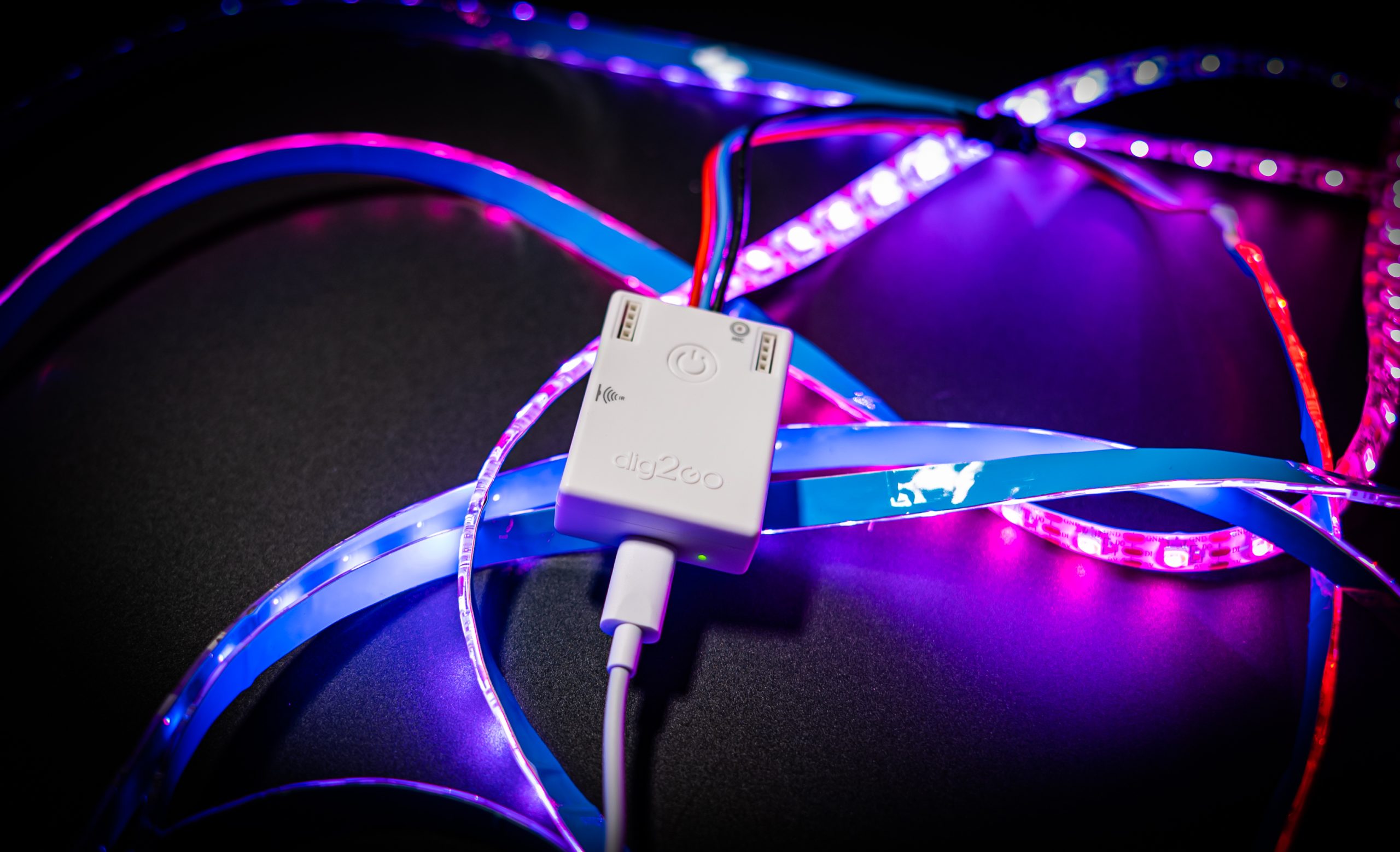
These boards are ideal if your goal is “make the lights look amazing tonight” instead of “spend the weekend writing animation code and naming variables like a sleep-deprived wizard.” They often use ESP32 hardware and web-based software, letting you control patterns, playlists, brightness, and sometimes sound reactivity through a browser.
Best for: decor, wearables, art pieces, event props, holiday builds, and anyone who wants results without a deep coding session.
2. Codeable boards for creative flexibility
These boards are for makers who want to build custom interactions, combine LEDs with sensors, or write their own effects in Arduino, CircuitPython, or similar environments. They are better when your LEDs are part of a bigger system rather than the whole show.
Best for: custom projects, prototypes, interactive installations, educational builds, and developers who enjoy writing their own logic.
3. High-output boards for big installations
Once your project grows from “cool strip under a shelf” to “giant wall, stage prop, wearable sculpture, or a suspiciously ambitious garage ceiling,” you need hardware that can manage parallel outputs, cleaner timing, and serious power planning. This is where specialized LED boards really earn their keep.
Best for: large matrices, multiple strips, synchronized installations, architectural accents, and projects where frame rate and reliability matter.
Best Board Choices by Project Type
For beginners: ESP32-based pre-programmed controllers
If you are new to LED animation, an ESP32 controller with browser-based pattern management is the easiest on-ramp. Boards in this class are great because they remove a lot of friction. You do not have to build your own animation engine from scratch, and you usually get features like Wi-Fi control, pattern playlists, and mobile-friendly setup.
Controllers in the Pixelblaze and WLED-style ecosystem are especially friendly here. They shine when you want to light up a costume, decorate a room, animate a sign, or create an art piece without spending half your life debugging timing issues. Many of them also include or support microphones, motion sensors, and mapping tools, which means you can go from “lights on” to “lights that react to music and movement” without reinventing the universe.
Choose this type if: you want fast setup, polished effects, and the option to expand later.
For custom coding and prototyping: RP2040 boards
The RP2040 family is a sweet spot for LED makers. It is affordable, fast enough for plenty of ambitious work, and its programmable I/O hardware is extremely helpful for driving WS2812-compatible LEDs cleanly. That makes RP2040 boards a favorite when you want to write custom animations while still keeping signal generation under control.
The standout here is the Adafruit Feather RP2040 SCORPIO. It was basically born to wrangle NeoPixels. With multiple level-shifted outputs and hardware designed for concurrent strip control, it is excellent for projects with several LED runs. You can write custom animations while the board’s hardware handles the repetitive signaling work in the background. That means smoother performance and more room for extras like buttons, audio, or sensors.
If you need a compact coding platform with room to experiment, RP2040 boards are hard to beat. They are especially strong for makers who want the magic of custom behavior without immediately jumping into industrial-grade complexity.
Choose this type if: you want to code your own patterns, combine inputs and outputs, and keep your project flexible.
For built-in visual prototyping: Arduino UNO R4 WiFi
The Arduino UNO R4 WiFi is a charming wildcard. It includes a built-in 12×8 LED matrix, which makes it wonderful for learning animation basics, testing timing ideas, and prototyping visuals directly on the board before you move to external strips. It is not the obvious king of giant LED strips, but it is a very approachable platform for learning animation logic, small displays, interfaces, and connected light experiments.
It is also handy in classrooms and quick concept builds. You can test patterns, scrolling text, icons, and status displays without adding external LED hardware right away. That is surprisingly useful when you want to prove an idea before you commit to a bigger build.
Choose this type if: you are learning, teaching, or building small connected LED interfaces.
For medium-to-large custom projects: ESP32-S3 boards
ESP32-S3 boards sit in a nice middle ground between creativity and convenience. They bring Wi-Fi and Bluetooth LE to the table, offer good performance, and can work nicely in both code-heavy and interface-heavy projects. A board like the Adafruit ESP32-S3 Feather or related Feather variants works well when your project needs wireless control, dashboards, or interactive features alongside LED animation.
ESP32-S3 hardware also plays nicely with newer multi-output LED approaches on some platforms. So if your project wants network features, sensor expansion, and strong general-purpose capability, this category is very attractive.
Choose this type if: your LEDs are part of a smart, connected, or app-controlled project.
For giant installs: Teensy and parallel-output systems
When the phrase “a lot of LEDs” quietly stops meaning 150 and starts meaning 1,500 or more, you should stop pretending a tiny beginner board will enjoy the experience. This is where Teensy boards and systems like OctoWS2811 become serious contenders. They are built for driving many LED strips in parallel, which improves throughput and helps keep frame rates reasonable on larger displays.
Large LED installations are not just a software problem. They are also a power and signal-integrity problem. Boards in this class are useful because they support robust output strategies and can scale better than a single-strip setup. If you are building an LED wall, a big sculpture, a ceiling array, or synchronized display sections, this category deserves your full attention.
Choose this type if: your project is large enough to require parallel outputs, organized wiring, and very deliberate power distribution.
How to Match the Board to the Job
Pick based on LED count
For a small project under 100 pixels, almost any decent microcontroller board can work if your software is simple. Between 100 and 500 pixels, board choice starts to matter more, especially if you want responsive interaction or more complex effects. Above that range, you should actively think about RAM, frame update time, and whether parallel outputs would help.
Pick based on power strategy
Here is the part people love to underestimate right before a strip turns the color of disappointment. LEDs need power, and lots of them need lots of power. Some control boards offer cleaner power handling, onboard fusing, level shifting, or easier access to higher current paths. Those features are not “nice extras.” They are often the difference between stable animation and mysterious gremlins.
If you are running long strips, plan for power injection. Do not expect one tiny feed point to keep a long 5V strip cheerful all the way down the line. Voltage drop is real, and it loves ruining pretty gradients.
Pick based on software style
If you want drag-and-drop ease, use a pre-programmed controller. If you want to tweak behavior endlessly, use a codeable board. If you want both, pick an ESP32-class board that can run flexible software now and custom firmware later. That way your project can grow with your skills instead of forcing you into a complete hardware swap six weeks from now.
Pick based on wiring comfort
Some boards expect soldering. Others offer screw terminals, JST connectors, or power-friendly layouts. Be honest about your build style. There is no shame in picking the board that saves you from a spaghetti pile of adapters and muttered apologies to your soldering iron.
Common Mistakes When Choosing an LED Animation Board
Ignoring logic levels
Many LED setups behave better with proper level shifting, especially with 5V NeoPixel-style strips. If your board has level-shifted outputs built in, that is a huge convenience and a big reliability win.
Buying for the processor but not the ecosystem
A powerful chip is nice. A powerful chip with solid libraries, examples, and community support is nicer. When comparing boards, look at the software ecosystem too. Adafruit, Arduino, SparkFun, PJRC, and other mature platforms are popular for a reason: they reduce pain.
Forgetting the difference between one strip and eight strips
Driving one strip really well is not the same thing as driving many strips at once. If your project is physically spread out, a multi-output board can simplify routing, improve performance, and keep your installation easier to maintain.
Choosing the cheapest board for the most expensive ambition
This is how weekend fun becomes a three-week troubleshooting saga. It is often smarter to spend a bit more on the right LED board than to save a few dollars and pay for it later in instability, adapters, and rewiring.
My Practical Recommendations
Best for total beginners: an ESP32-based pre-programmed controller with browser-based effects.
Best for custom LED coding: Adafruit Feather RP2040 SCORPIO or a strong RP2040 board.
Best for learning animation concepts: Arduino UNO R4 WiFi.
Best for connected smart-light projects: ESP32-S3 Feather-class boards.
Best for very large installs: Teensy with a parallel-output setup, or a dedicated large-project LED controller.
Best for high-speed visual effects: APA102 or DotStar-compatible setups with a board that supports them well.
Real-World Experience: What Makers Usually Learn the Hard Way
In real LED projects, the board choice often feels “good enough” right up until the moment the project becomes interesting. A maker starts with a simple shelf strip on a generic board and everything looks great. Then they add a button, a sound sensor, maybe Wi-Fi control, and suddenly the once-happy animation begins stuttering like it drank too much espresso. That is usually the moment people discover the difference between a board that can drive LEDs and one that is truly designed to animate them well.
Another common experience shows up with long strips. On paper, the idea seems easy: connect power at one end, upload a rainbow effect, admire your genius. In reality, the far end of the strip may dim, shift color, or behave like it has entered an existential crisis. Makers quickly learn that power injection is not a fancy advanced trick. It is basic survival for larger 5V LED builds. A board with better terminals, better protection, and cleaner layout suddenly feels like the smartest purchase in the room.
There is also the software lesson. Beginners often assume coding every effect from scratch is the “real” way to do it. Then they try to build ten effects, a playlist, brightness presets, and music response in one weekend. That is when pre-programmed controllers win a lot of hearts. Tools that let you test patterns in a browser or start with a built-in effect library can turn a stalled project into a finished one. More than a few makers discover that there is no trophy for suffering through code you did not actually want to write.
On the flip side, custom boards like RP2040 and Teensy platforms tend to become favorites after the honeymoon phase of plug-and-play tools. Once a builder wants unusual timing, game-like interactivity, sensor fusion, or tightly choreographed visuals, the freedom of a codeable board becomes addictive. Instead of asking, “Can this controller do what I want?” the question becomes, “How wild do I want this animation to get?” That is a much more fun problem to have.
Wearable projects teach another lesson: physical design matters. Tiny boards with sturdy connectors or compact footprints are not just convenient, they are the difference between a wearable that feels polished and one that feels like you attached a tech support ticket to your jacket. For backpacks, costumes, and portable props, smaller controllers with sound or motion features often beat large development boards, even if the larger board looks more powerful on paper.
And then there is the classic large-installation revelation. Makers who move into walls, ceilings, sculptures, or stage pieces almost always end up respecting parallel output hardware. What seemed excessive at first becomes beautifully sensible once strip counts multiply. Cleaner routing, better performance, easier maintenance, and smoother animation are hard to argue with when your project contains enough LEDs to briefly illuminate your life choices.
The biggest real-world takeaway is simple: choose the board for the project you are actually building next month, not the tiny demo you are testing tonight. A little foresight saves money, saves time, and saves you from explaining to friends why half your “immersive light environment” is currently displaying beige.
Conclusion
The best board to animate your LEDs depends on your balance of speed, scale, and control. For instant gratification, go with an ESP32-based controller that offers built-in patterns and browser setup. For creative coding and multi-strip projects, RP2040 boards are excellent. For learning and small matrix experiments, Arduino UNO R4 WiFi is a fun option. For huge builds, step up to specialized parallel-output hardware.
The smartest move is not chasing the most powerful board. It is choosing the one that matches your LED type, pixel count, power plan, and software style. Do that well, and your project will spend more time glowing beautifully and less time teaching you new vocabulary.