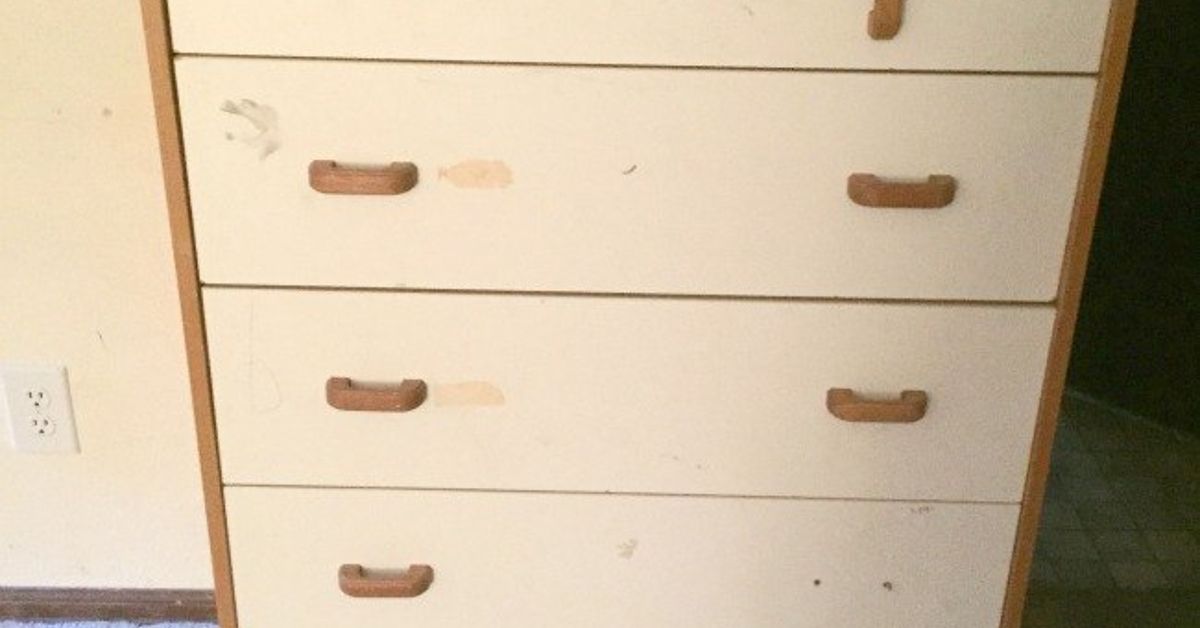
Every home has one drawer that quietly becomes a black hole. It begins innocently: a spare charging cable, a few receipts, one lonely AA battery, maybe a controller you “definitely plan to use again.” Then one day you open it and discover a civilization of tangled cords, loose game cases, mystery screws, and a Nintendo cartridge hiding under a sock. Congratulations. Your dresser drawer has become a video game storage unit without your consent.
The good news? That chaotic drawer can be turned into a smart, stylish, and surprisingly efficient gaming storage system. Whether you own a few favorite Switch games, a wall of PlayStation and Xbox cases, retro cartridges, controllers, headsets, cables, memory cards, or external drives, the same principles apply: protect your gear, make everything easy to find, reduce clutter, and stop treating expensive electronics like they are spare napkins.
This guide walks through how to transform dresser drawers into practical video game storage, what to store where, how to protect physical games and digital storage devices, and how to build a system that actually survives real life. Because organization should not require a museum curator, a label maker obsession, or a heroic personality change.
Why Dresser Drawers Work So Well for Video Game Storage
Dresser drawers are underrated heroes of gaming organization. They are already built for categories, hidden storage, and daily access. Unlike open shelves, drawers keep dust away. Unlike random bins, they slide out so you can see what you own. And unlike a pile next to the TV, they do not make your living room look like a game store was hit by a small tornado.
A dresser is especially useful for small bedrooms, apartments, dorm rooms, shared family spaces, and multipurpose home offices. The top can hold a TV, monitor, charging dock, or decorative display. The drawers below can separate games, controllers, cables, accessories, and backup hardware. With the right layout, even a basic secondhand dresser can become a neat gaming command center.
The Drawer Advantage
Drawers are excellent for items that do not need to be displayed all the time. Game cases, cartridge boxes, extra HDMI cables, rechargeable batteries, controller grips, thumbstick caps, cleaning cloths, and older accessories all benefit from enclosed storage. The key is to avoid the “dump and pray” method. A drawer without dividers is just a horizontal closet with commitment issues.
To make drawers work, give each drawer a job. One drawer might be for physical games. Another might be for controllers and handheld accessories. A third can handle cables, external drives, manuals, and repair tools. This approach keeps your system simple enough to maintain. If every drawer has a purpose, you do not have to perform an archaeological dig every time you want to play Mario Kart.
Start With a Full Gaming Declutter
Before buying organizers or rearranging furniture, take everything out. Yes, everything. Pull games from shelves, controllers from under the couch, old cables from drawers, and that one disc case from the car. Spread the items on a table or clean floor and sort them into categories.
Create Five Simple Piles
Use five groups: keep, repair, sell or donate, archive, and recycle. Keep the games and accessories you actually use. Repair items that are valuable but need attention, such as a drifting controller or scratched disc case. Sell or donate duplicates and games you no longer enjoy. Archive sentimental or collectible items that should not be in daily rotation. Recycle broken cables, dead batteries, and unusable accessories through proper electronics recycling programs when available.
This step matters because storage is not magic. If you try to organize too much stuff, you simply create a tidier-looking problem. A dresser drawer can hold a lot, but it should not be forced to hold your entire gaming history, your old phone chargers, three mystery adapters, and the emotional weight of every game you bought during a holiday sale.
Design a Drawer System by Gaming Category
Once you know what you are keeping, assign each drawer a clear purpose. The best video game storage systems are easy to understand at a glance. You should be able to open a drawer and immediately know what belongs there.
Drawer One: Current Favorite Games
Use the top drawer for games you play often. This might include Switch cartridges, PS5 discs, Xbox games, or handheld titles. Keep daily-use games near the front. Store cases vertically like books if the drawer is deep enough, or use small bins if the drawer is shallow. For cartridges, use a protective cartridge case rather than tossing loose games into the drawer. Small game cards are easy to lose and even easier to accidentally vacuum into another dimension.
Drawer Two: Controllers and Charging Gear
The second drawer is perfect for controllers, charging docks, battery packs, wrist straps, Joy-Con grips, and headset adapters. Use soft bins, fabric drawer organizers, or padded dividers to prevent scratches. Do not stack heavy objects on controllers. Joysticks and triggers are not drawer handles, no matter how determined the drawer becomes.
Drawer Three: Cables, Drives, and Tech Accessories
Cables need boundaries. Use small containers, elastic cable ties, or labeled pouches for HDMI cables, USB-C cords, Ethernet cables, charging cords, and power adapters. Keep external drives and microSD card cases in their own section. Labeling is helpful here because many black cables look identical until you are already frustrated.
Drawer Four: Retro and Collector Storage
If you collect older games, manuals, cartridges, memory cards, or limited-edition items, dedicate a lower drawer to archival storage. Use acid-free sleeves, protective cases, or individual storage boxes for valuable pieces. Keep this drawer less crowded than the others. Collectibles need protection, not a wrestling match with a power brick.
Protect Physical Video Games the Right Way
Physical games are durable, but they are not invincible. Optical discs, cartridges, manuals, and cases can be damaged by scratches, pressure, dust, humidity, and heat. Good storage helps preserve both playability and resale value.
For Discs: Keep Them in Cases
PlayStation, Xbox, Wii, GameCube, and older disc-based games should stay in their original cases whenever possible. Cases protect the readable surface from scratches and dust. If you need to save space, a high-quality disc binder can work, but avoid cheap sleeves that rub against the disc surface. Store discs upright rather than stacked flat for long periods, and keep them away from direct sunlight, heaters, damp basements, and hot cars.
When handling discs, hold them by the edges or center hole. Wipe dust with a soft microfiber cloth, moving straight from the center outward rather than in circles. Never use harsh cleaners unless the product is specifically safe for optical media. Your game disc is not a kitchen plate. It does not need aggressive scrubbing or a motivational speech.
For Cartridges: Protect the Contacts
Nintendo Switch, DS, 3DS, Game Boy, and other cartridge-based games should be stored in cases that protect their contacts. Avoid touching the metal contacts with your fingers, and do not blow into cartridges. That old-school habit may feel nostalgic, but moisture from breath can cause problems over time. Use a proper storage case, keep cartridges dry, and avoid extreme heat or cold.
Plan for Digital Game Storage Too
Modern game storage is not just about shelves and drawers. Digital libraries can fill up consoles quickly, especially with large updates, downloadable content, captures, and seasonal game installs. A smart storage setup should include both physical organization and digital planning.
PS5 Storage Basics
For PlayStation 5 owners, USB extended storage can be useful for moving PS5 games you are not currently playing, but PS5 games must be copied back to console storage before you play them. PS4 games can be played directly from compatible USB extended storage. This makes an external drive a practical “parking lot” for finished or low-priority games.
Xbox Storage Basics
Xbox players should separate active games from archived games. Compatible external USB storage can hold games and apps, but current-generation optimized titles may require faster internal or expansion storage to play. Keep the drive, cable, and any adapter in a labeled drawer section so you do not accidentally unplug your “entire weekend plan.”
Nintendo Switch Storage Basics
Nintendo Switch systems use microSD cards for expanded storage, while newer Switch 2 compatibility depends on microSD Express cards. Keep tiny memory cards in labeled protective cases. Do not leave them loose in a drawer. A microSD card is small enough to disappear under a sticker, a coin, or the concept of regret.
Make Cables Behave Like Civilized Objects
Cable clutter is the boss battle of gaming storage. HDMI cables, USB cables, headset cords, charging cords, power bricks, Ethernet cables, and old proprietary connectors can turn one drawer into a spaghetti festival. The solution is simple: sort, wrap, label, and limit.
First, test every cable. If it does not work, recycle it. If you cannot identify it, put it in a temporary “unknown cable” bag and review it in 30 days. If you still have no idea what it belongs to, it probably belongs to history. For cables you keep, wrap them loosely with Velcro ties or reusable bands. Avoid tight bends, especially near connectors, because that is where cables often fail.
Use labels such as “PS5 HDMI,” “Switch dock power,” “Xbox controller USB-C,” and “External drive cable.” Labels may not be glamorous, but neither is spending 18 minutes behind a TV stand whispering, “What are you?” to a cable.
Safety Matters When Repurposing a Dresser
Before turning a dresser into a gaming storage hub, check stability. Dressers can become top-heavy, especially if you place a TV, monitor, console, speakers, or collectibles on top. Anchor tall or heavy furniture to the wall, especially in homes with children, pets, or enthusiastic adults who open drawers like they are starting a lawn mower.
Do not overload upper drawers with heavy consoles, hard drives, or stacks of cases. Keep heavier items lower to improve balance. If the dresser wobbles, repair it or choose a sturdier piece. A storage upgrade should not create a furniture hazard. Your game collection deserves a safe home, and your toes deserve not to meet a falling drawer at full speed.
Ventilation: What Should Not Go Inside a Drawer
Drawers are great for storage, but not for operating consoles. Do not run a PlayStation, Xbox, gaming PC, or docked console inside a closed drawer. Consoles need airflow. Heat buildup can cause performance issues, shutdowns, or long-term wear. Store consoles on stable, ventilated surfaces with space around vents. Keep them away from direct heat sources, thick fabric, dusty corners, and sealed cabinets without airflow.
Controllers, games, cables, and inactive drives can live in drawers. Running hardware should breathe. Think of it like this: your console is not a vampire. It should not spend active hours sealed in a dark wooden box.
Use Budget-Friendly Organizers
You do not need custom cabinetry to organize video games. Many excellent solutions are inexpensive: drawer dividers, small fabric bins, bamboo trays, plastic containers, zip pouches, cable ties, label stickers, and book-style media holders. The best organizer is not necessarily the prettiest one. It is the one you will actually use after a long day.
Simple Organizer Ideas
Use narrow bins for controllers. Use shallow trays for memory cards and thumbstick caps. Use file-style dividers for game cases. Use small zip bags for cables by device. Use a larger bin for accessories that travel together, such as a Switch dock kit or portable gaming pouch. If you share the gaming area with kids, label drawers with words or simple icons so everyone knows where items belong.
Create a Rotation System for Games
One of the easiest ways to keep game storage manageable is to rotate what stays accessible. Put current games in the top drawer and move completed or rarely played games to a lower drawer, shelf, or archive box. This keeps the daily drawer light and useful.
You can also create a “next up” section for games you want to play soon. This helps reduce the strange modern problem of owning 87 games and claiming you have nothing to play. Place three to five titles in the front of the drawer. When you finish one, move it out and bring another in. It is like meal planning, but with dragons, racing, farming, football, or emotionally devastating indie games.
How to Store Gaming Accessories Without Losing Your Mind
Accessories multiply quickly. One controller becomes two. Two become four. Then come headsets, grips, cables, amiibo figures, charging docks, carrying cases, screen protectors, styluses, thumbstick caps, cleaning cloths, and that accessory you bought because a reviewer said it was “essential.”
Group accessories by system. Keep Switch accessories together, PlayStation accessories together, Xbox accessories together, and PC gaming accessories together. This reduces the chance of mixing incompatible cables or losing small pieces. For families, this also prevents the classic argument: “Who took the charger?” The charger did not run away. It moved into the wrong drawer.
Build a Cleaning and Maintenance Drawer
A small section of one drawer can hold maintenance supplies: microfiber cloths, screen-safe wipes, a soft brush, compressed air alternatives, extra batteries, cable ties, and a small screwdriver kit. Keep liquids sealed and separate from games or electronics. Do not store cleaning sprays loose next to cartridges, discs, or controllers.
A maintenance drawer encourages regular care. Wipe controllers occasionally, dust around vents, check cables for damage, and clean shelves or drawer interiors. A few minutes of maintenance can prevent the dusty, sticky, mysterious-controller situation that makes guests ask, “Is this safe to touch?”
Experience Section: What I Learned Turning Drawers Into Game Storage
The first time I tried to turn dresser drawers into video game storage, I made the classic beginner mistake: I organized by hope instead of behavior. I imagined a beautiful system where every controller returned to its padded spot, every game case stood in perfect alphabetical order, and every cable stayed wrapped like it had attended etiquette school. For about three days, it worked. Then real life entered the room wearing socks and carrying snacks.
The biggest lesson was that storage has to match how people actually play. If the most-used controller is stored in the bottom drawer behind three bins, nobody will put it back. It will live on the couch. If game cases are packed too tightly, people will shove them in sideways. If the charging cable is hard to reach, someone will borrow a random cable and never return it. Organization fails when it asks people to become better versions of themselves at 11:30 p.m. after a boss fight.
What worked best was creating a “daily gaming drawer.” This drawer held only the essentials: two controllers, the current five games, a headset, a short charging cable, and a microfiber cloth. Everything else moved to lower drawers. Suddenly the system felt easy. Instead of managing the entire collection every day, I only had to maintain one drawer. That one change made the whole setup calmer.
The second lesson was that labels are not just for neat people. Labels are for tired people. A small tag that says “Switch chargers” or “HDMI cables” saves time and prevents the drawer from becoming a guessing game. I used to think labels were too formal for a gaming area. Then I spent 20 minutes looking for a USB-C cable that was sitting inside a pouch labeled “old phone stuff.” Now I respect labels. Labels are tiny household peace treaties.
The third lesson was to leave empty space. This sounds wasteful until you realize that full drawers become messy drawers very quickly. Empty space gives your hands room to move. It allows a new game, replacement controller, or borrowed accessory to fit without destroying the system. A drawer that is 80 percent full is useful. A drawer that is 100 percent full is a dare.
I also learned that the top of the dresser matters as much as the inside. If the top surface becomes cluttered with controllers, snacks, mail, and random objects, the drawers below will eventually follow. Keeping the top simple made the entire setup feel intentional. A console with airflow, a controller dock, one decorative item, and maybe a small tray for daily accessories worked far better than a crowded display.
Finally, I discovered that good video game storage makes gaming more enjoyable. That sounds dramatic, but it is true. When games are easy to find, controllers are charged, cables are sorted, and discs are protected, you spend less time preparing to play and more time actually playing. The room feels better. The collection feels respected. And the dresser, once a humble sock container, becomes a quiet little headquarters for adventures, races, battles, puzzles, and cozy farming sessions.
Conclusion: A Better Home for Your Games Starts With One Drawer
Turning dresser drawers into video game storage is not about perfection. It is about creating a system that protects your gear, fits your space, and makes gaming easier. Start by decluttering. Give every drawer a purpose. Store discs and cartridges carefully. Keep cables wrapped and labeled. Use dividers or bins to stop small accessories from wandering. Keep consoles ventilated when in use. Anchor furniture when needed. Most importantly, design the setup around real habits, not fantasy habits.
A dresser can become more than bedroom furniture. With a little planning, it can hold your current games, protect your collection, organize your accessories, and make your gaming area look cleaner in minutes. The goal is simple: open the drawer, find what you need, play the game, and close the drawer without triggering an avalanche. That is not just organization. That is a quality-of-life upgrade with handles.