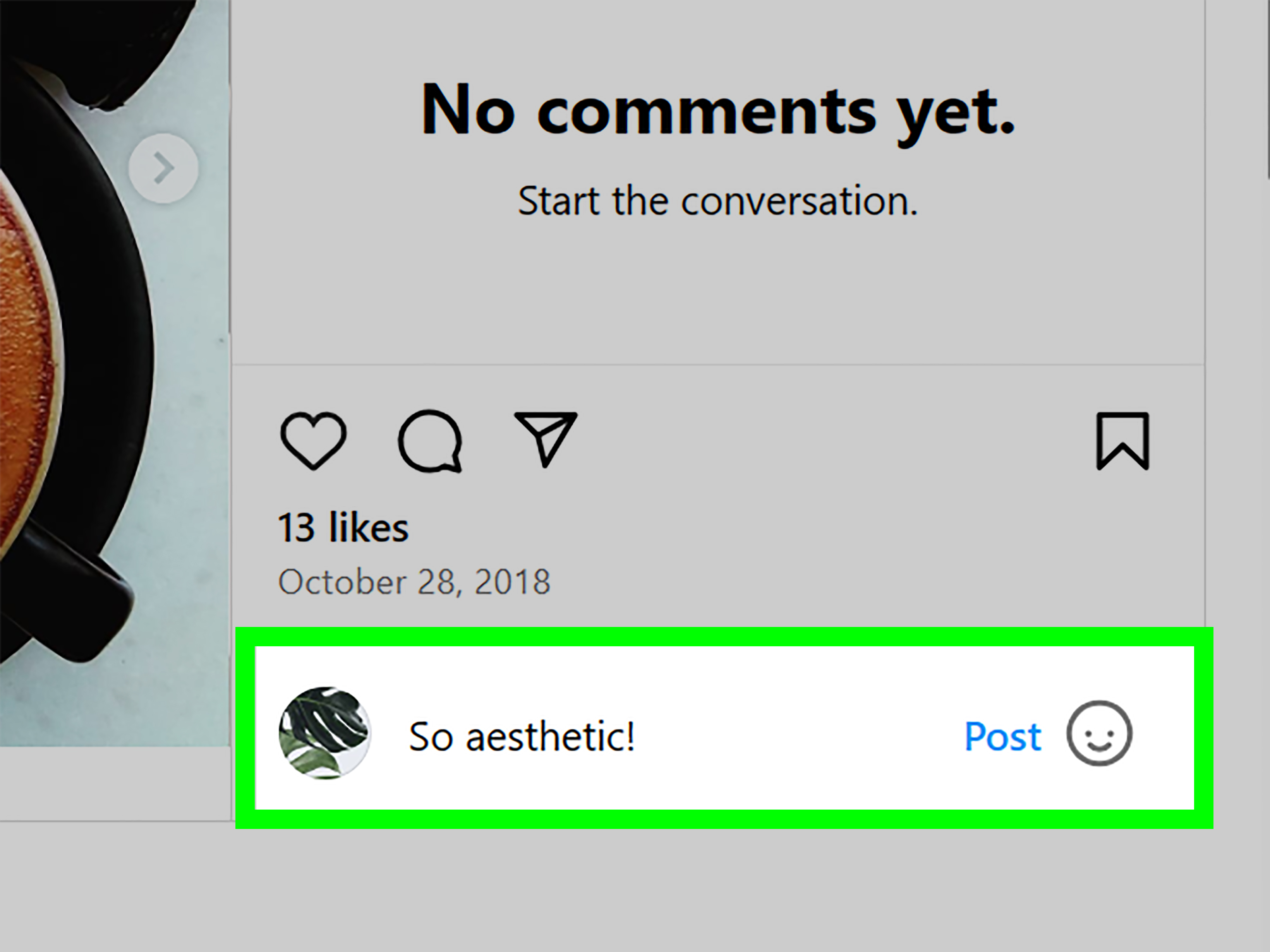
We’ve all done it. You leave a comment on Instagram, hit post with great confidence, and then immediately spot the typo. Or worse, autocorrect turns your thoughtful reply into something that reads like your phone was briefly possessed. For years, the answer to “Can you edit a comment on Instagram?” was a frustrating no. Now, the answer is more interesting: yes, sometimes.
Instagram has finally started allowing users to edit their own comments, but there’s a catch big enough to trip over in flip-flops: the edit option only works within a short window after posting. If that option does not appear on your account, or if your 15-minute grace period has already vanished into the social media void, you still need a backup plan.
In this guide, you’ll learn how Instagram comment editing works, why some people still think it is impossible, and the 2 best alternatives to use when the feature is unavailable. We’ll also cover what happens when you delete and repost a comment, how to manage older comments through Your Activity, and how to avoid turning a tiny typo into a surprisingly dramatic online moment.
The Short Answer: Can You Edit a Comment on Instagram?
Yes, Instagram now lets some users edit their own comments, but only within a limited time after posting. If you see an Edit option under your comment, you can fix the wording without deleting the comment and starting over. That is the good news.
The less exciting news is that the feature is not a magic wand. If the edit option does not show up for your account yet, or if too much time has passed, you cannot simply reopen a comment and rewrite it whenever you want. In those cases, your practical solution is still one of the older workarounds.
That is why so many people are confused. Some articles still say Instagram comments cannot be edited, and for a long time they were absolutely right. Instagram changed the experience recently, so both answers are floating around online like socks in a dryer. The updated reality is simple: comment editing exists, but it is limited.
Why This Topic Confuses So Many Instagram Users
Instagram has always let users edit some content, such as captions on posts, while comments played by different rules. That split created years of mixed advice. Someone might remember editing a caption and assume comments work the same way. Another user may have read an older tutorial that said comment editing was impossible and never checked again.
Then came the new rollout, which added even more confusion. Some users now see the edit option, while others do not. Some people have access on one device and not another. And because Instagram loves a staggered rollout almost as much as it loves reels, users can compare notes and get completely different answers.
So if you came here because your friend said, “Just edit it,” while your phone is stubbornly refusing to show that button, congratulations: you are not losing your mind. You are just living through a platform update.
How Instagram Comment Editing Works
If the feature is available on your account, the process is pretty straightforward. After posting your comment, look for the Edit option associated with your own comment. Tap it, revise the text, and save the updated version.
Instagram’s current setup is designed for quick corrections, not endless rewriting. Think of it as a typo rescue tool rather than a full-on rewrite studio. It is ideal for fixing spelling mistakes, polishing awkward phrasing, or removing that extra emoji that made your comment go from friendly to accidentally unhinged.
You should also know that edited comments are labeled as Edited. So yes, you can clean up your comment, but you cannot do it in complete stealth mode. The platform gives you flexibility, but not invisibility.
Best Uses for the Edit Feature
- Fixing typos and autocorrect mistakes
- Correcting a tagged username
- Cleaning up unclear wording
- Removing duplicate words or awkward punctuation
- Making a fast clarification without deleting the original comment
When Editing Is Not Enough
Even if you have the feature, editing will not solve every problem. If the comment is too old, if the option never appears, or if you want to completely rethink what you said, you may need to use one of the two alternatives below.
Alternative #1: Delete the Comment and Repost It
This is the classic workaround, and honestly, it still works just fine. If your edit window is gone, or the feature has not rolled out to your account, you can delete the original comment and post a corrected version.
It is not elegant. It is not glamorous. It is the social media equivalent of pretending you meant to walk into the wrong room. But it gets the job done.
How to Delete and Repost a Comment in the App
- Open the post containing your comment.
- Find your comment in the thread.
- Press and hold the comment, or use the available comment options on your device.
- Tap Delete.
- Type your corrected comment and post it again.
How to Delete and Repost a Comment on Desktop
- Open Instagram in your web browser.
- Go to the post where you commented.
- Hover over your comment and open the options menu.
- Select Delete.
- Write the corrected version and post it again.
This method is especially useful when you want a clean replacement and do not care about keeping the original comment intact. It is also your best option if you discover the mistake hours later, which is exactly when your brain likes to replay every awkward thing you have ever posted online since 2017.
The Main Downside of Deleting and Reposting
When you delete a comment and write a new one, you are not technically editing the old comment. You are creating a brand-new comment. That means any likes, replies, or context attached to the original comment may disappear with it. If people already responded to your first comment, deleting it can break the thread and make the conversation look weird.
So before you hit delete, ask yourself one simple question: is the typo annoying, or is it “I accidentally insulted a pie recipe” level serious? If it is minor, leaving the comment alone may be the more peaceful option.
Alternative #2: Manage Your Comments Through Instagram’s Your Activity
If you cannot remember where you left the comment, Instagram’s Your Activity area can help. This section lets you review comments you have made and remove them without hunting through your entire account history like a digital archaeologist.
This option is not a direct editing tool, but it is a smart alternative when you need to clean up older comments, delete something embarrassing, or manage multiple past interactions more efficiently.
How to Use Your Activity for Comment Cleanup
- Open your Instagram profile.
- Tap the menu icon.
- Go to Your Activity.
- Find the section for Comments.
- Review, select, and delete comments you no longer want associated with your account.
This is a great move when you do not want to scroll through old posts trying to remember where you commented. It is also useful if you are tidying up your digital footprint, reviewing old interactions, or removing comments that aged about as well as warm milk.
When This Alternative Makes the Most Sense
- You cannot find the original post quickly
- The comment is old and no longer editable
- You want to delete several old comments in one cleanup session
- You are managing your account more carefully for personal or brand reasons
Should You Edit, Delete, or Leave the Comment Alone?
Not every comment mistake deserves emergency action. Sometimes the smartest move is to edit. Sometimes it is better to delete and repost. And sometimes the best choice is to accept the typo and move on with your life like the strong, resilient Instagram citizen you are.
Edit the Comment If:
- You still have access to the edit feature
- The comment was posted recently
- You want to preserve the thread and any replies
- The fix is minor, like spelling or punctuation
Delete and Repost If:
- The edit option is missing
- The time window has expired
- You want to rewrite the comment more substantially
- The original wording could confuse people or reflect badly on you or your brand
Leave It Alone If:
- The error is tiny and harmless
- The comment already has an active discussion under it
- Deleting it would interrupt the conversation
- The “mistake” is just your perfectionism doing cardio again
What Businesses, Creators, and Brands Should Know
If you run a creator account or business profile, comment management matters more than it does for casual users. A typo in a random friend-to-friend exchange is one thing. A typo in a public reply to a customer, potential client, or follower question can look sloppy, confusing, or even unprofessional.
That is why the new Instagram comment editing feature is actually a meaningful upgrade for brands. It lets you fix small mistakes quickly without deleting a visible reply and re-entering the conversation from scratch. If you are handling community management, customer support, or social media engagement, this can save time and preserve continuity.
Still, brands should not rely on the feature as a substitute for thoughtful commenting. If the reply includes incorrect product information, a broken promo detail, or a tone problem, deleting and reposting a clean response may still be the better choice. Accuracy beats convenience every time.
Tips to Avoid Needing to Edit Instagram Comments in the First Place
Sure, editing is handy. But prevention is even better. Here are a few habits that can save you from the old post-comment-regret spiral.
1. Pause Before Posting
Read your comment once before you tap send. This takes three seconds and can prevent the kind of typo that makes you look like you typed with your elbow.
2. Watch Autocorrect Closely
Autocorrect is helpful until it is not. Usernames, slang, abbreviations, and brand names often get mangled. If your comment includes a handle or product name, double-check it.
3. Keep Brand Replies Clear and Short
Longer comments create more chances for mistakes. If you are replying as a business or creator, short and clear often beats clever and complicated.
4. Draft Sensitive Replies First
If the comment is important, emotional, or potentially controversial, write it in your notes app first. That gives you a chance to review the tone before it goes live.
5. Update the App
If you are waiting for the edit feature, keeping Instagram updated is a smart move. Rollouts can be gradual, and older app versions may not show the newest interface changes consistently.
Common Questions About Editing Instagram Comments
Can you edit a comment on someone else’s Instagram post?
You can edit your own comment if the feature is available and you are still within the allowed window. You cannot edit another person’s comment.
Can you edit Instagram comments after 15 minutes?
Generally, no. Once the edit window closes, the safest assumption is that you will need to delete the comment and post a corrected version instead.
Does Instagram show that a comment was edited?
Yes. Edited comments are labeled, so other users can tell that a change was made.
Can you edit comments from Your Activity?
No. Your Activity is mainly for reviewing and deleting comments you have made. It is a management tool, not a direct editing screen.
What if I do not see the Edit option?
If you do not see it, the feature may not have rolled out to your account yet, your app may need updating, or the comment may already be outside the allowed timeframe. In that case, use the delete-and-repost method.
Final Verdict
So, can you edit a comment on Instagram? Yes, but only under certain conditions. Instagram now supports comment editing for some users within a limited post-publishing window, which is excellent news for typo-prone humans everywhere. But if that option is missing, or if time has run out, the two best alternatives are still delete and repost or manage older comments through Your Activity.
The big takeaway is this: Instagram comment editing is no longer a flat-out myth, but it is not a universal, anytime feature either. Use the built-in edit option when you can. Use the workaround when you must. And maybe give your comment one quick proofread before posting, just so your future self can relax for once.
Extra Experiences: What This Feels Like in Real Life
In real-world use, Instagram comment mistakes usually fall into a few familiar categories. The first is the harmless typo. You comment on a friend’s vacation photo with “Looks amazing!” and somehow end up posting “Looks angling!” Nobody knows what it means. Not even you. In a case like that, the new edit feature feels like a tiny miracle. You tap, fix, save, and move on with your dignity mostly intact.
The second category is more stressful: the brand or professional reply. Imagine you manage a small business account and answer a customer question under a post. You mean to say shipping takes “3 to 5 business days,” but your comment says “3 to 5 business years.” Funny? A little. Helpful? Absolutely not. When the edit option is available, it can prevent a silly mistake from becoming a screenshot-worthy moment.
Then there is the classic late discovery. You leave a comment, put your phone down, live your life, and only notice the mistake much later. Maybe a friend liked the comment. Maybe someone replied. Maybe nobody noticed except you, which somehow makes it worse. This is where Instagram’s limits become obvious. If the edit window has passed, you have to decide whether the mistake is worth deleting the whole comment and replacing it. That decision is surprisingly emotional for something as small as punctuation on a social app.
Some users also run into the rollout problem. One person says, “Just tap Edit,” while another stares at their screen like it personally betrayed them. That mismatch can be frustrating, especially for creators and social media managers who need consistent tools. In practice, many people still rely on the old delete-and-repost method simply because it is dependable. It may not be elegant, but it is universal enough to remain relevant.
There is also a subtle social side to all this. Editing a comment feels cleaner because the conversation stays intact. Deleting and reposting, on the other hand, can change the flow of a thread. Replies may no longer make sense. The order of the conversation can shift. If the original comment had momentum, a repost can feel like stepping back into a room after dramatically leaving it five minutes earlier.
For everyday users, the best experience is usually simple: fix fast when the edit button appears, and do not overreact to tiny mistakes when it does not. For brands, creators, and anyone using Instagram professionally, comment management is now a little easier, but not effortless. You still need judgment. You still need timing. And yes, you still need to proofread before posting if you want to avoid a miniature digital identity crisis in the comments section.