If you have ever watched a TikTok and thought, “Okay, but where are all the duets?” you are not alone. TikTok makes a lot of things easy: scrolling for far too long, memorizing random audio, and convincing yourself that yes, you absolutely do need to learn a dance in your kitchen. Finding duets on a specific TikTok video, however, is not always obvious.
That is the weird part. Duets are one of TikTok’s most recognizable features, yet there is no giant glowing button that says, “Tap here to see every duet attached to this video.” Instead, you need to use a couple of reliable workarounds. The good news is that they are simple, fast, and usually get the job done in under a minute.
In this guide, you will learn exactly how to see duets on a TikTok video using two easy tricks that work. You will also learn why some videos have no visible duets, what settings can block them, and how to avoid the common mistakes that make people think TikTok is hiding everything in a digital broom closet.
Why Finding TikTok Duets Feels Harder Than It Should
A TikTok duet is a split-screen or side-by-side response to another video. Creators use duets for reactions, harmonies, commentary, comedy bits, tutorials, and the occasional masterpiece created by total accident. Because duets are built on top of an original post, many users assume TikTok would display them neatly under that video like replies under a social post.
Not quite.
TikTok does let people search for posts, sounds, hashtags, and creators, but duet discovery is more indirect. That means you often need to search by the creator’s username or use the original video’s sound page to uncover related duet content. Once you know that, the process becomes a lot less mysterious and a lot more useful.
Trick #1: Search “duet @username” in TikTok
This is the easiest method when you want to find duets made from a specific creator’s content. Think of it as the “just type the magic words” option.
How to do it
- Open TikTok and go to the original video.
- Note the creator’s username.
- Tap the search icon at the top of the app.
- Type duet @username into the search bar.
- Tap Search and browse the results.
For example, if the original creator is @janedoe, search duet @janedoe. Keep the @ attached to the username. That small symbol is doing a lot of heavy lifting here.
Why this works
People often label duet content in a way TikTok search can recognize, either through captions, context, or keyword matching. Searching with the word duet and the creator’s handle gives TikTok a much better clue about what you actually want. This is a lot smarter than just searching “duet” and then drowning in a sea of unrelated reaction videos, lip-syncs, and someone dramatically pointing at text you did not ask for.
How to make your results better
Be specific. If the first search feels messy, try variations like:
- duet @username
- duet with @username
- @username duet
You can also use TikTok’s filters after searching. Look at the Top, Videos, and sometimes Hashtags tabs to narrow things down. In some cases, the best duet results appear under Top because TikTok pushes the most relevant matches there first.
When this method works best
This trick is best when:
- you know the original creator’s username,
- the duet became popular enough to surface in search,
- you want a broad list of duet-related posts tied to that creator.
It is especially useful for creators who regularly invite responses. If someone posts singing prompts, challenge videos, or “duet this” content, the search method often pulls up a very usable list.
What can go wrong
If the creator has a common username theme or if a trend exploded around their content, search results can include videos that mention the creator without being true duets. That does not mean the trick failed. It just means TikTok search is acting like TikTok search: helpful, chaotic, and occasionally dramatic.
Trick #2: Tap the Sound on the Original Video
This is the best method when you are focused on one specific video rather than the creator as a whole. If the original TikTok uses an original sound, this trick can be surprisingly accurate.
How to do it
- Open the TikTok video you think has duets.
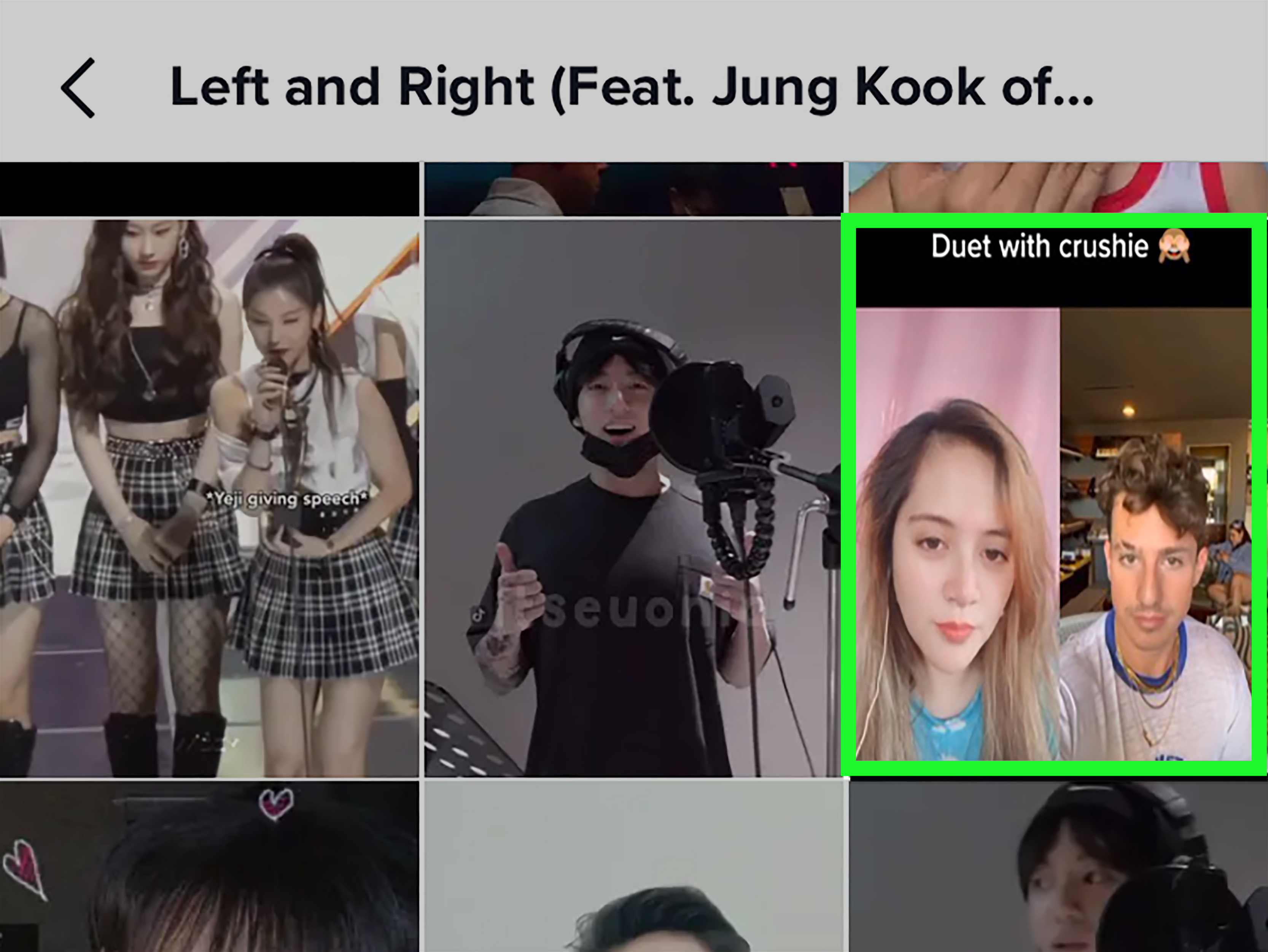
- Tap the sound name at the bottom of the video near the music note icon.
- Browse the videos that use that sound.
- Look for duet-style posts built from the original video.
If the sound is unique to that original post, many of the videos you see will be duets or closely related responses. That is because duet creators often reuse the original audio when making their own version.
Why this works
TikTok organizes videos by sound, and the sound page acts like a hidden pathway to connected content. When a creator’s original sound is used mostly for duets, that sound page becomes a shortcut to the duet ecosystem around the video.
It is a bit like following breadcrumbs, except the breadcrumbs are audio clips and the forest is the internet.
When this method works best
The sound method works best when:
- the original video uses an original sound,
- the duet creators kept that sound attached,
- you want duets tied to one exact post rather than every duet for that creator.
When it gets messy
If the video uses a popular trending song or widely reused audio, the sound page may include all sorts of unrelated videos. At that point, the method still works, but it becomes less precise. You may find the duet you want, but you might also scroll through dance trends, comedy sketches, and one dog wearing sunglasses for no clear reason.
That is why this trick is strongest with original sounds, spoken audio, niche clips, or posts that launched a response chain.
Bonus Tip: If It Is Your Own Video, Check Reuse of Content History
If you are the original creator, TikTok gives you a better tool than the average viewer gets. In your settings, you can review content associated with your post through Reuse of content history. This is useful when you want to see or manage duets connected to your own video.
That will not help you track every random duet on someone else’s post, but for creators it is a valuable shortcut. If you have ever posted something and suddenly wondered how many people turned it into reactions, covers, or comedy bits, this area is worth checking.
Why You Might Not See Any Duets at All
Sometimes the problem is not your search method. Sometimes there simply are no visible duets, or TikTok is not allowed to show any because the feature was limited from the start.
1. The creator did not allow duets
TikTok lets creators control who can duet with their videos. If duet permission is off for that post, there may be nothing to find because nobody could legally create a duet in the first place.
2. The account is private
A private account changes everything. TikTok requires a public account for others to duet your videos. So if a creator is private, duet discovery can hit a wall immediately.
3. Age and privacy restrictions apply
Some teen accounts have tighter privacy defaults. For younger users, duet permissions can be restricted or unavailable. That means the duet trail may be missing because TikTok intentionally keeps it missing.
4. The duet exists but is hard to surface
Some duets do not rank well in search, especially if they have low engagement, weak captions, or no obvious reference to the original video. This is where patience helps. Try both tricks before giving up.
Common Mistakes People Make When Looking for TikTok Duets
Searching only the video caption
If you rely on a caption alone, you may miss duet content that uses different wording. Search by username or sound instead.
Forgetting the @ symbol
Searching duet janedoe is not always as effective as duet @janedoe. That little symbol gives TikTok a stronger identity signal.
Assuming every related video is a duet
Some creators use similar sounds, copy trends, or mention the original creator without actually posting a duet. Look for the side-by-side format or other clear signs.
Using only one method
If username search is messy, switch to the sound page. If the sound page is a zoo, switch back to search. The smartest TikTok users do not marry one method. They date both.
Which Method Is Better?
If you want the short answer, here it is:
Use the username search method for broader discovery.
Use the sound-page method for a more specific video connection.
The best approach is often to use both. Start with duet @username to spot obvious results. Then open the original video and check the sound page to see whether more duet content is hiding there. Doing both takes only a minute or two and usually gives you the fullest picture.
Practical Examples
Example 1: Finding reactions to a comedy clip
You see a funny TikTok and want to know whether other users made reaction duets. Search duet @creatorname. If the results are broad, tap the sound from the original video and inspect the sound page.
Example 2: Tracking a singing duet chain
A creator posts a piano track and invites others to sing over it. In this case, the sound method is often excellent because many duet creators will keep the original audio attached.
Example 3: Investigating a viral challenge prompt
If a creator says “duet this” and the post goes viral, start with the search method. Viral content tends to surface more easily when tied to the creator’s handle.
Experiences Real Users Often Have When Trying to See Duets
One of the most common experiences people have is assuming TikTok will show duets the same way other platforms show replies or reposts. So they tap the comments, look around the profile, swipe a bit, and then conclude that there must not be any duets. In reality, the duets might exist; they are just not gathered in one obvious place. That first moment of confusion is almost universal.
Another very normal experience is getting wildly different results from the two methods. Someone might search duet @username and find five strong matches right away. Then they tap the sound and suddenly see dozens of posts, some clearly duets and others only loosely related. That can make TikTok feel inconsistent, but it is really a clue that the platform organizes content in layers. Search surfaces relevance, while the sound page surfaces usage.
People also notice that niche videos are often easier to track than famous ones. A small creator with an original spoken clip may have a sound page packed with clean, obvious duets. But a viral creator using a trending song can be much harder to investigate because the sound page becomes crowded with unrelated content. Ironically, the more popular the audio, the less helpful that route can become.
Creators themselves often have a different experience from casual viewers. When someone posts a video and later learns others have turned it into duets, there is usually a mix of excitement and detective work. They may start by searching their own username, then discover that TikTok has privacy and reuse settings that explain why some videos generate duet activity and others do not. For many creators, this is the moment they realize TikTok is not just an entertainment app. It is also a settings maze wearing trendy shoes.
There is also the classic experience of finding one duet and then falling into a rabbit hole. You open a single response, then another, then another, and suddenly you have watched an entire chain of singers harmonizing, comedians reacting, or strangers finishing each other’s jokes like they have been rehearsing all week. In that sense, learning how to see duets on a TikTok video is not just a search trick. It changes how you explore the app. You stop seeing one post as a single piece of content and start seeing it as the center of a larger conversation.
That is why these two easy tricks matter. They turn duet discovery from random luck into something repeatable. Once users learn them, they usually stop asking, “Can TikTok even show me this?” and start asking the better question: “Which path will get me there faster?” That is a much nicer problem to have.
Conclusion
If you want to see duets on a TikTok video, the process is easier than it first appears. TikTok may not offer a giant “view all duets” button for every post, but the two methods that work are simple: search duet @username and tap the sound on the original video. One helps you discover creator-based duet content, and the other helps you trace audio-based responses tied to a specific post.
Use them together for the best results. If one path gets noisy, switch to the other. If neither shows anything, check whether duets were disabled, the account is private, or the post never generated much public response in the first place. Once you understand those pieces, finding TikTok duets becomes a lot less mysterious and a lot more fun.