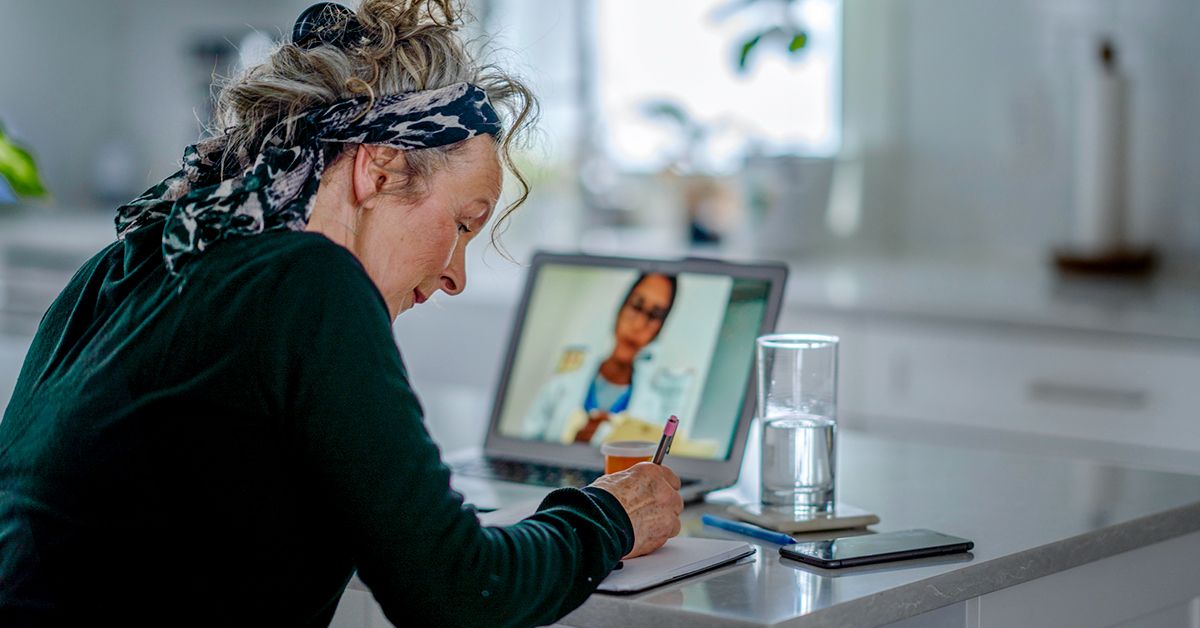
Telehealth used to sound like something out of a sci-fi movie. Now it is just health care with Wi-Fi. A virtual doctor visit can save travel time, keep you out of waiting rooms, and make it easier to fit care into a packed schedule. But convenience does not mean you should roll into your appointment from a noisy kitchen, with 3% battery, no medication list, and your dog auditioning for a speaking role.
If you want your telehealth appointment to feel smooth, useful, and surprisingly human, a little preparation goes a long way. The good news is that getting ready for a telemedicine visit is not complicated. It is really about doing the same things you would do for an in-person appointment, plus a few technology checks that keep the visit from turning into an accidental reality show.
This guide walks through practical, real-world tips for preparing for a telehealth appointment, from setting up your device to asking better questions. Whether this is your first virtual doctor visit or your fifteenth, these steps can help you make the most of your time with your provider.
Why Preparing for a Telehealth Appointment Matters
A telehealth visit may happen through a phone, tablet, or computer, but it is still a medical appointment. That means your provider needs clear information, your full attention, and a way to assess what is going on. If you show up prepared, the appointment is more likely to stay focused on your health instead of your microphone settings.
Preparing ahead can help you:
- Use appointment time more efficiently
- Reduce technical problems and delays
- Share symptoms clearly and accurately
- Get better follow-up instructions
- Feel less stressed and more confident
In other words, a little prep helps the visit feel less like “Can you hear me now?” and more like actual care.
1. Confirm the Basics Before the Appointment
Know what kind of telehealth visit you are having
Not all virtual care works the same way. Some visits are video-based. Others are phone calls. Some happen through a patient portal app, while others use a secure link sent by text or email. Read the appointment instructions carefully so you know exactly how to join, when to log in, and whether you need to download anything ahead of time.
Check the date, time, and time zone
This sounds obvious, but telehealth has a sneaky way of making people casual. Do not let “I am already home” trick you into forgetting it is a real appointment. Double-check the time, especially if your provider is in another city or state.
Complete forms and eCheck-in early
Many health systems ask patients to complete pre-visit paperwork online. That may include your medical history, current symptoms, pharmacy information, insurance details, and consent forms. Fill these out before the day of the appointment so you do not waste the first ten minutes typing while your provider waits.
2. Test Your Technology Like a Responsible Adult
One of the smartest telehealth tips is also the least glamorous: test your device before the visit. Not during the visit. Not while your provider is already on screen. Before.
Make sure your device can handle the visit
You will usually need one of the following:
- A smartphone
- A tablet
- A laptop or desktop computer
- A stable internet or cellular connection
- A working camera, microphone, and speakers
Charge your device fully or plug it in. Update the app if needed. Test the camera and audio. Make sure you remember your login credentials. If the platform requires a browser, use a supported one. This is not the time to discover your browser has not been updated since dinosaurs roamed the earth.
Log in early
Try to join 10 to 15 minutes before your appointment. That gives you time to handle surprise issues like app permissions, forgotten passwords, frozen screens, or the classic “Your microphone is muted” situation.
Have a backup plan
Write down the clinic’s phone number in case the video fails. If the connection drops, you do not want to be hunting through old emails while wondering if your doctor has vanished into the digital void. Some offices can switch the visit to a phone call if necessary.
3. Set Up Your Space for Privacy, Comfort, and Visibility
A telemedicine visit works best when your provider can see and hear you clearly, and when you feel comfortable discussing personal health information.
Pick a private location
Choose a quiet place where you can speak freely without being overheard. Your bedroom, home office, or parked car may work better than a busy living room, coffee shop, or sidewalk. Health conversations are personal, and privacy matters.
Fix your lighting
Good lighting helps your provider evaluate you, especially if you are discussing skin issues, swelling, eye irritation, or anything visible. Sit facing a light source if possible. Avoid sitting with a bright window behind you unless your goal is to appear as a mysterious silhouette from a crime documentary.
Reduce background noise
Turn off the television. Pause the music. Silence notifications. Ask roommates, family members, or tiny chaos goblins known as children to give you a little space if possible. The quieter the setting, the easier it is to focus and communicate.
Position the camera well
Keep the camera at eye level and steady. Your provider should be able to see your face clearly. If you may need to show a rash, injury, or another body area, wear clothing that makes that practical without turning the visit into an awkward costume change.
4. Gather Your Health Information Before You Join
This step is where a good telehealth appointment becomes a great one. Having your information ready helps your provider make faster, more informed decisions.
Prepare a medication list
Write down all prescription medications, over-the-counter drugs, vitamins, supplements, and herbal products you take. Include dosages if you know them. Better yet, keep the bottles nearby so you can read labels if needed.
Write down your symptoms
Before the appointment, jot down:
- When the problem started
- How often it happens
- What makes it better or worse
- How severe it feels
- Any new or unusual changes
This is especially helpful if you tend to forget details once the appointment starts. Many people do. The brain loves to go blank the second a clinician asks, “So, what brings you in today?”
Have your home measurements ready
If relevant to your condition, keep recent numbers close by, such as:
- Temperature
- Weight
- Blood pressure
- Blood sugar readings
- Pulse oximeter results
These details can be especially useful during follow-up visits for chronic conditions like hypertension, diabetes, or thyroid concerns.
Keep your pharmacy information nearby
If your provider wants to send in a prescription, having your pharmacy name, address, and phone number ready can save time and prevent mix-ups.
5. Make a Short List of Questions You Want Answered
One of the best ways to prepare for a telehealth visit is to think beyond the main symptom. What do you actually want to know by the end of the appointment?
Your questions might include:
- What do you think is causing this problem?
- Do I need testing, labs, or imaging?
- What symptoms should make me seek in-person care?
- What treatment options are available?
- When should I follow up?
- What side effects should I watch for?
Keep your list short and prioritized. If you have three must-ask questions, put those at the top. That way, even if the visit runs shorter than expected, you will still cover the essentials.
6. Know What Telehealth Can and Cannot Do
Virtual care can be excellent for many situations, including medication follow-ups, mental health visits, mild illnesses, chronic disease management, reviewing test results, and certain skin or symptom-based concerns. But it is not perfect for everything.
Telehealth is often a good fit for:
- Cold, flu, and upper respiratory symptoms
- Rashes and minor skin concerns
- Mental health check-ins
- Medication adjustments
- Follow-up care for ongoing conditions
- Questions about treatment plans or results
You may need in-person care for:
- Chest pain
- Trouble breathing
- Possible broken bones
- Severe infections
- Heavy bleeding
- Symptoms of stroke or other emergencies
If something feels urgent or dangerous, do not wait for a video appointment. Seek emergency care right away. Telehealth is convenient, but it is not magic, and it is definitely not a replacement for 911.
7. Ask About Cost, Coverage, and Follow-Up
A smooth telehealth appointment is not just about the visit itself. It is also about what happens around it.
Check insurance coverage ahead of time
Coverage for telehealth services varies by plan, provider type, and state rules. Some virtual visits may be covered similarly to in-person appointments, while others may involve a copay or out-of-pocket charge. Call your insurance company or check your portal before the visit so there are no surprise bills lurking around the corner.
Ask how follow-up works
Before the appointment ends, make sure you know:
- Whether you need another visit
- How prescriptions will be sent
- Where to find the after-visit summary
- How to message the office with follow-up questions
- What symptoms should prompt an urgent call or in-person evaluation
Taking notes during the appointment can help. If someone joins the visit with you, they can also help remember instructions.
8. Bring a Support Person if You Need One
Telehealth does not mean you have to do everything alone. A family member, caregiver, or trusted friend can often join the appointment to help ask questions, take notes, or provide context. This can be especially helpful for older adults, people managing complex conditions, or anyone who feels anxious during appointments.
If you need language support, ask the clinic in advance about interpreter services. Do not wait until the appointment is already starting. Planning this ahead can make the visit much smoother and more effective.
9. During the Visit, Communicate Clearly and Honestly
Once the appointment begins, treat it like you would an in-person visit. Be present. Speak clearly. Be honest, even if the answer is “No, I did not take the medication exactly as prescribed,” or “Yes, I did Google my symptoms and now I am emotionally attached to the worst-case scenario.”
Good communication helps your provider help you. If you do not understand something, ask for clarification. If you are showing a body part on camera, move slowly and follow instructions. If the audio cuts out, say so right away rather than nodding politely through important medical advice you cannot actually hear.
10. A Simple Telehealth Appointment Checklist
Here is a quick pre-visit checklist you can use every time:
- Confirm the appointment date, time, and platform
- Complete forms and eCheck-in
- Test your camera, microphone, and internet
- Charge your device
- Log in 10 to 15 minutes early
- Choose a quiet, private, well-lit location
- Have your medication list ready
- Write down symptoms and questions
- Keep recent health readings nearby
- Know how to reach the office if tech problems happen
Conclusion
Preparing for a telehealth appointment does not need to be complicated, but it does need to be intentional. A successful virtual doctor visit depends on a few simple things: the right technology, the right setting, and the right information at your fingertips. When those pieces come together, telehealth can be efficient, personal, and genuinely helpful.
The best part is that once you do it once or twice, the process gets easier. You learn where the lighting works best, which app behaves itself, and why writing down your questions beforehand saves you from that post-appointment moment of “Wait, I forgot to ask the one thing I actually cared about.”
Think of telehealth prep as the modern version of bringing your insurance card and arriving early. Same mission, slightly more Wi-Fi. And with the right approach, your next telemedicine visit can feel less awkward, more productive, and a whole lot more human.
Real-World Experiences With Telehealth Appointments
One reason telehealth has stuck around is simple: when it works well, it really works well. Many patients say their first reaction to a virtual appointment is skepticism. They wonder whether a doctor can actually help through a screen, whether the technology will behave, and whether the whole thing will feel rushed or impersonal. Then the visit happens, and the surprise is not that it feels futuristic. The surprise is that it often feels normal.
A common experience is the patient who finally keeps an appointment because telehealth removes the biggest obstacles. There is no commute, no parking drama, no taking half a day off work just to ask a few important questions. Parents can connect during a child’s nap. People with mobility challenges can avoid exhausting travel. Patients managing chronic conditions often appreciate being able to check in more often without turning every follow-up into a full expedition.
There is also the emotional side. Some people feel more relaxed talking from home, especially during mental health visits or follow-up conversations about ongoing care. Being in a familiar space can lower stress and make it easier to speak openly. For others, though, the experience is only comfortable if they protect their privacy. That is why so many telehealth veterans say the same thing: shut the door, silence the chaos, and make sure nobody unexpected can overhear the conversation.
Then there are the lessons people learn the hard way. Someone logs in one minute before the appointment and spends the next ten minutes updating the app. Someone else forgets their medication names and ends up walking to the bathroom cabinet mid-visit while balancing a phone like a circus act. Another person sits in front of a bright window and becomes an unrecognizable shadow. None of these are disasters, but they are perfect examples of why a little preparation makes a big difference.
Many patients also discover that telehealth works best when they treat it like real care, not casual screen time. The people who get the most out of their appointments usually keep notes, have questions ready, and understand what they want from the visit. They ask what comes next, when to follow up, and what symptoms should send them to urgent care or the emergency room instead. In other words, the best telehealth experiences tend to happen when patients show up prepared, curious, and honest.
That is really the takeaway. Telehealth is not about replacing good medical care with convenience. It is about combining convenience with good medical care. And when patients prepare well, the experience often feels less like a backup plan and more like a smart, modern way to stay connected to the care they need.