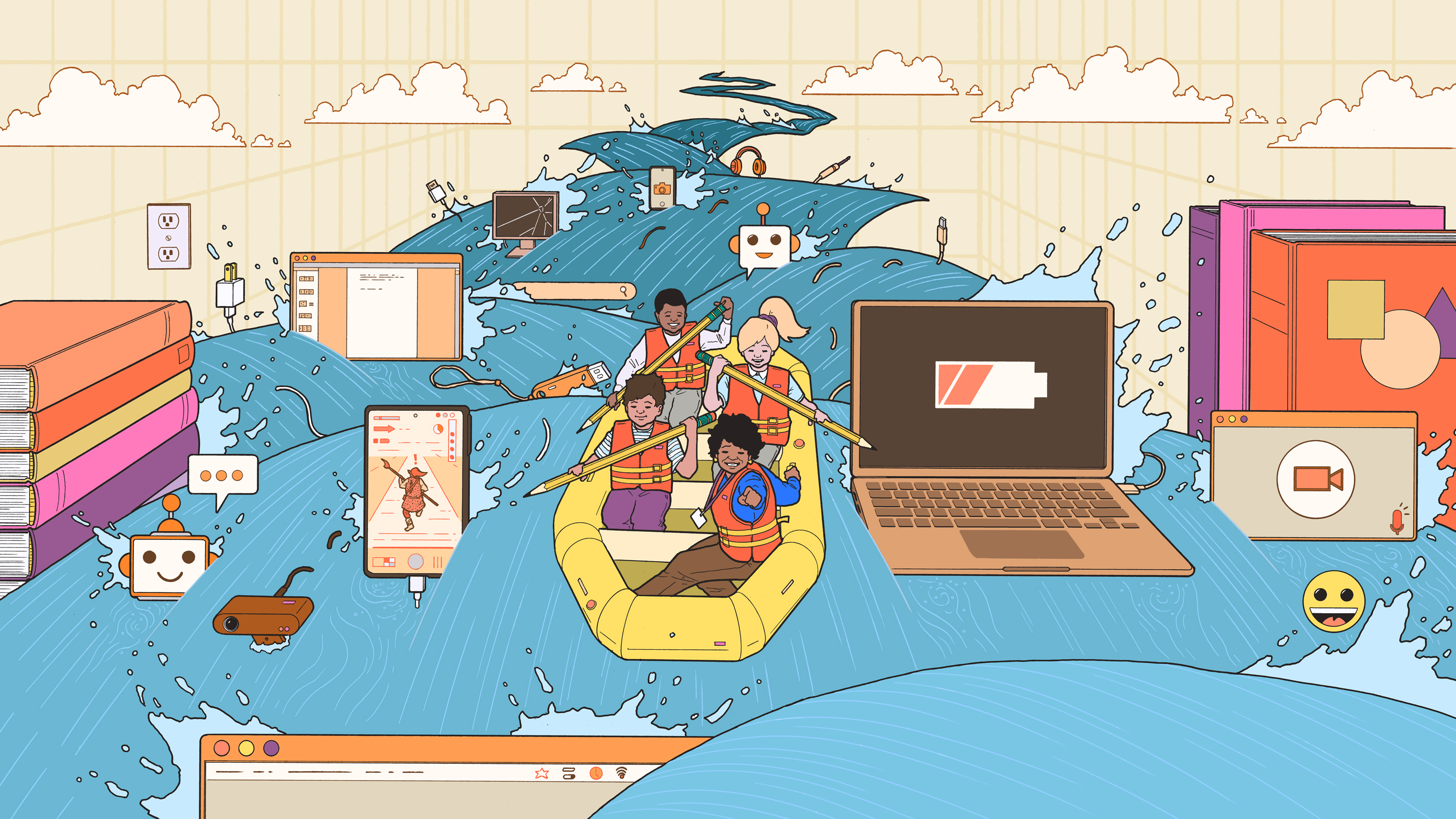
Technology is no longer the “extra credit” section of life. It is the classroom, the library, the job interview, the bank, the social hangout, the creative studio, and sometimes the tiny glowing rectangle that keeps asking whether you are still watching. For students, understanding technology is not just about knowing how to open an app or submit homework online. It is about thinking clearly in a digital world that moves fast, remembers everything, and occasionally asks you to accept cookies before you even know what the website is serving.
The best students today are not necessarily the ones who know every shortcut key or can fix the classroom projector by breathing near it. They are the ones who understand how technology works, how it affects people, and how to use it wisely. Whether a student plans to become a doctor, designer, teacher, engineer, entrepreneur, journalist, or professional “I’ll figure it out on YouTube” specialist, a strong foundation in tech literacy can make learning easier and future careers more flexible.
This guide breaks down five essential tech topics that students should understand: artificial intelligence, cybersecurity, data literacy, coding and computational thinking, and digital citizenship. These are not random buzzwords tossed into a digital blender. They are practical skills students can use in school, work, and everyday life.
1. Artificial Intelligence Literacy
Artificial intelligence, or AI, is one of the most important technology topics students need to understand because it is already woven into daily life. AI helps recommend videos, correct grammar, translate languages, sort photos, detect spam, generate images, answer questions, and power chatbots. In other words, AI is not waiting politely in the future. It has already walked into the room, taken a seat, and started suggesting what you should watch next.
What Students Should Know About AI
Students do not need to become machine learning engineers overnight. They should, however, understand the basics: AI systems learn patterns from data, make predictions, and produce outputs based on training and design. A chatbot does not “think” like a person. A recommendation engine does not truly “know” a student’s personality. These systems calculate likely results from massive amounts of information.
That distinction matters. When students understand that AI tools can be useful but imperfect, they become better users. They learn to check facts, question results, and avoid treating AI-generated answers as automatic truth. AI can help brainstorm essay ideas, explain a math concept, organize notes, or create a study plan. But it can also make mistakes, invent details, reflect bias, or miss important context.
Why AI Ethics Matters
AI literacy is not just about using tools. It is also about understanding fairness, privacy, bias, and responsibility. If an AI system is trained on incomplete or biased data, its results may also be biased. If students use AI to complete assignments without learning the material, they may get a short-term grade boost but lose the long-term skill. That is like buying running shoes and expecting them to jog for you.
Students should learn to ask smart questions: Where did this AI answer come from? Can I verify it? Am I using this tool to support my thinking or replace it? Does this use follow my school’s rules? These questions help students use AI as a learning assistant rather than a shortcut machine with confidence issues.
2. Cybersecurity and Online Privacy
Cybersecurity sounds dramatic, as if every student needs a hoodie, a dark room, and six monitors full of green code. In reality, cybersecurity begins with simple habits: strong passwords, multi-factor authentication, careful clicking, software updates, and healthy suspicion when a “free gift card” appears out of nowhere.
Students are frequent targets for scams because they use school platforms, email, social media, cloud storage, gaming accounts, payment apps, and shared devices. A hacked student account can expose private messages, school documents, photos, financial information, or even family data. Online privacy is not paranoia. It is digital hygiene.
Core Cybersecurity Skills for Students
Every student should understand how to create strong, unique passwords and why reusing the same password across accounts is risky. A password manager can help students store complex passwords safely. Multi-factor authentication adds another layer of protection, making it harder for someone to access an account even if a password is stolen.
Students should also learn how phishing works. Phishing messages often pretend to be urgent, official, exciting, or scary. They may claim that an account will be closed, a package is waiting, a scholarship is available, or a school document must be opened immediately. The goal is usually to make the student click before thinking.
Privacy Is a Life Skill
Online privacy includes understanding what information students share, who can see it, and how platforms may use it. Students should be careful with birthdates, addresses, school names, schedules, location tags, personal photos, and private conversations. Even harmless-looking posts can reveal more than intended when combined with other information.
A good privacy habit is to pause before posting and ask: Would I be comfortable with a teacher, future employer, family member, or stranger seeing this? If the answer is “absolutely not, please delete the internet,” it is probably better left offline.
3. Data Literacy
Data is everywhere. Grades, fitness trackers, search results, social media analytics, sports statistics, weather apps, online shopping suggestions, and school dashboards all rely on data. Students who understand data can make better decisions and avoid being fooled by impressive-looking numbers wearing a fancy chart costume.
Data literacy means knowing how to collect, read, question, interpret, and communicate data. It is not just for future scientists or business analysts. A student comparing college costs, evaluating a health claim, reading election statistics, checking product reviews, or analyzing a science experiment is already using data literacy.
How Students Can Read Data Better
Students should understand averages, percentages, sample size, correlation, causation, bias, and visualization. For example, if a study says “students who use a certain app score higher,” that does not automatically mean the app caused the higher scores. Maybe those students already had more support, more study time, or stronger academic habits. Correlation is a clue, not a confession.
Charts also deserve careful attention. A graph can look dramatic if the axis is cropped or the scale is manipulated. A tiny difference can appear massive when presented in the right visual outfit. Students should check labels, sources, dates, sample sizes, and what the data does not show.
Data and Everyday Decisions
Data literacy also helps students become smarter consumers. Before buying a laptop, choosing a course, believing a viral claim, or downloading a productivity app, students can compare evidence instead of relying on hype. A five-star review average is useful, but only if there are enough reviews, real details, and patterns that make sense.
In school, data skills help with science projects, research papers, surveys, math assignments, and presentations. In careers, data skills support marketing, healthcare, finance, engineering, sports, journalism, education, and public policy. Simply put, data literacy is one of the most transferable digital skills students can build.
4. Coding and Computational Thinking
Not every student needs to become a software developer, but every student benefits from understanding how code and computational thinking work. Coding is the act of writing instructions a computer can follow. Computational thinking is the broader skill of breaking problems into steps, finding patterns, designing solutions, and testing improvements.
That skill is valuable even outside computer science. Writing a research paper, planning a group project, organizing a budget, designing a game, troubleshooting a broken app, or building a science experiment all involve structured thinking. Computers are extremely fast, but they are also extremely literal. They will follow bad instructions with the confidence of a marching band walking into a pond.
What Students Should Learn First
Students can begin with basic programming concepts such as variables, loops, conditionals, functions, inputs, outputs, and debugging. These ideas appear across many programming languages. A variable stores information. A loop repeats actions. A conditional makes decisions. A function packages a reusable task. Debugging means finding and fixing mistakes, also known as the moment when students discover that one missing symbol can ruin an entire afternoon.
Beginner-friendly platforms, block-based coding environments, robotics kits, web design projects, and simple Python exercises can help students learn by creating. The goal is not to memorize syntax like a robot preparing for a spelling bee. The goal is to understand how instructions, logic, and systems fit together.
Why Coding Builds Confidence
Coding teaches persistence because errors are part of the process. A program rarely works perfectly the first time. Students learn to test, revise, and improve. That mindset is powerful. Instead of seeing mistakes as failure, students begin to see them as information.
Computational thinking also helps students understand the digital tools they use every day. Apps, websites, games, search engines, and smart devices become less mysterious when students know that people designed the logic behind them. This understanding gives students agency. They move from being passive users to active creators.
5. Digital Citizenship and Media Literacy
Digital citizenship is about using technology responsibly, respectfully, safely, and effectively. Media literacy is about understanding, evaluating, and creating information in a world full of posts, videos, memes, ads, influencers, news clips, and comment sections where grammar often goes on vacation.
Students need these skills because the internet is not a neutral vending machine of facts. It is a crowded public square mixed with a library, shopping mall, theater, rumor factory, and family group chat. Some information is excellent. Some is misleading. Some is designed to make people angry enough to click.
How Students Can Evaluate Online Information
Students should learn to check the source, author, date, evidence, purpose, and tone of online content. A credible article usually shows who wrote it, where the information came from, and when it was updated. A suspicious post may rely on emotional language, vague claims, missing evidence, or screenshots of screenshots of screenshots.
Media literacy also includes recognizing ads, sponsored content, edited images, deepfakes, misinformation, and algorithmic feeds. Platforms often show content based on engagement, not accuracy. That means students may see more of what triggers reactions, even if it is not balanced or true.
Respectful Digital Behavior
Digital citizenship also involves kindness and accountability. Students should understand that online actions can affect real people. Comments, jokes, reposts, private messages, and group chats can spread quickly. A moment of poor judgment online can last much longer than expected.
Students should practice respectful communication, protect others’ privacy, cite creative work properly, avoid plagiarism, and understand digital footprints. Being a good digital citizen does not mean being boring. It means being smart enough to know that “I was just joking” is not a magical eraser.
How These Five Tech Topics Work Together
These five essential tech topics are connected. AI depends on data. Cybersecurity protects data. Coding creates digital systems. Media literacy helps students judge the information those systems deliver. Digital citizenship guides how students behave while using all of it.
For example, imagine a student using an AI tool to help research climate change. AI literacy helps the student understand that the answer may need verification. Data literacy helps the student evaluate graphs and statistics. Media literacy helps the student identify credible sources. Cybersecurity awareness helps the student avoid suspicious links. Digital citizenship helps the student cite sources and share findings responsibly. Coding knowledge helps the student understand how digital tools process information.
Together, these skills create confident, capable learners. Students do not have to master every tool. Tools change constantly. What matters more is understanding the principles behind them.
Practical Ways Students Can Build Tech Skills
Students can build technology skills through small, consistent habits. They can use strong passwords, turn on multi-factor authentication, check privacy settings, practice spotting phishing messages, and read beyond headlines. They can experiment with beginner coding projects, create spreadsheets, analyze survey results, and compare sources before believing viral claims.
They can also use AI tools thoughtfully. For example, instead of asking AI to “write my essay,” a student might ask it to explain a difficult concept, generate study questions, or suggest an outline that the student then revises. This keeps learning in the student’s hands, where it belongs.
Teachers and parents can help by encouraging curiosity instead of fear. Technology should not be treated as magic or as a monster under the bed with Wi-Fi. It should be discussed openly, tested carefully, and used with clear boundaries.
Common Mistakes Students Should Avoid
One common mistake is assuming that being comfortable with phones means being truly tech literate. A student may know how to edit a video, manage a group chat, or customize a profile but still struggle with file organization, spreadsheet formulas, source evaluation, password security, or email etiquette. Digital fluency is broader than app fluency.
Another mistake is trusting the first answer. Search engines, AI tools, and social platforms can all produce results that need checking. Good students slow down long enough to verify. They compare sources, look for evidence, and ask whether the information makes sense.
A third mistake is ignoring privacy settings until something goes wrong. Privacy should be proactive. Students should regularly review app permissions, account recovery options, public profile details, and shared documents. The best time to protect an account is before it becomes someone else’s account.
Future Careers Will Reward Tech Understanding
Technology skills are now useful in almost every field. A nurse may use electronic health records and medical devices. A business owner may use analytics and online payment systems. A designer may use AI-assisted creative tools. A journalist may analyze data and verify digital media. A teacher may use learning platforms and digital assessments. A mechanic may diagnose cars with software. Even agriculture uses sensors, drones, mapping tools, and data systems.
This does not mean every student needs to chase the same career path. It means students who understand technology have more choices. They can adapt when tools change. They can communicate with technical teams. They can solve problems more creatively. They can also recognize when technology is helpful and when it is just making a simple task wear a complicated hat.
Experiences Related to Understanding Essential Tech Topics
One of the clearest experiences students often have with technology is the moment they realize that “knowing how to use an app” is not the same as understanding technology. A student may be excellent at making short videos, joining online classes, or finding memes at Olympic speed, but then feel completely lost when asked to organize files, troubleshoot a login problem, compare data in a spreadsheet, or explain whether a website is trustworthy. That gap is normal. It is also exactly why these five tech topics matter.
Consider a student working on a group history project. The team uses a shared document, searches online sources, creates a slide deck, and asks an AI tool for help summarizing background information. At first, everything seems easy. Then problems appear. One source is outdated. Another is written like an advertisement. The AI summary includes a confident but questionable claim. One team member accidentally shares the document publicly. Someone else copies a paragraph without citing it. Suddenly, this is not just a history project. It is a full technology obstacle course with snacks.
In that situation, AI literacy helps the group treat the AI summary as a starting point, not final truth. Media literacy helps them identify credible sources. Digital citizenship reminds them to cite properly and communicate respectfully. Cybersecurity awareness helps them fix sharing permissions. Data literacy helps them interpret any charts or statistics they include. These skills turn a messy project into a learning experience instead of a digital disaster wearing a backpack.
Another common experience happens during college or job preparation. Students may need to create resumes, submit applications, join video interviews, manage email, upload files, and protect accounts. A weak password or missed phishing warning can create real trouble. Poor email etiquette can make a student look careless. Not knowing how to convert, label, or organize files can turn a simple application into a scavenger hunt. These are not advanced tech problems. They are basic digital life skills.
Students who practice computational thinking also become better at handling stress. When something breaks, they learn to ask: What changed? What should happen? What is actually happening? Can I test one thing at a time? This approach works for code, but it also works for essays, experiments, schedules, and group projects. It teaches students not to panic when a problem looks confusing. Instead, they break it down.
The most important experience students can gain is the habit of curiosity. Technology will keep changing. Today’s popular app may be tomorrow’s digital museum exhibit. But students who understand AI, cybersecurity, data, coding logic, and digital citizenship will not be helpless when the next tool arrives. They will know how to learn, question, test, protect themselves, and use technology with purpose. That is the real goal: not to memorize every platform, but to become the kind of thinker who can handle whatever comes next.
Conclusion
Students do not need to become professional programmers, cybersecurity analysts, data scientists, or AI researchers to succeed in a technology-driven world. But they do need a strong foundation in the major ideas shaping school, work, communication, and daily life. Artificial intelligence literacy helps students use smart tools without being fooled by them. Cybersecurity and privacy habits protect personal information. Data literacy helps students make sense of numbers and evidence. Coding and computational thinking build problem-solving confidence. Digital citizenship and media literacy help students act responsibly and think critically online.
The future will belong to students who can learn new tools without losing old-fashioned good judgment. Technology is powerful, but it works best when humans bring curiosity, ethics, creativity, and common sense to the keyboard. And yes, a charger. Always bring a charger.
Note: This article is written for web publication in standard American English and is based on real educational technology guidance without inserting source links in the article body.