Note: This article is based on current official guidance and reputable reporting, but source links are intentionally omitted for clean web publishing.
If you stepped away from Minecraft for a while and came back expecting to jump right into your old Java account, you may have been greeted by the digital equivalent of a creeper behind your back: surprise, the login system changed. What used to be a Mojang account is now, for all practical modern purposes, a Microsoft account story. And yes, that change mattered a lot.
Minecraft account migration was not just a boring administrative shuffle. It reshaped how players sign in, recover access, manage security, and connect their purchases across the Minecraft ecosystem. If you played Java Edition years ago, forgot about the emails, and only recently returned, this topic can feel confusing fast. The good news is that the rules are now much clearer than they were during the migration window. The less-good news? Clear does not always mean convenient.
This guide breaks down what Minecraft account migration actually was, why Microsoft pushed it, what deadlines mattered, what players gained, what changed for old Mojang accounts, and what to do now if your account seems missing. We will also cover the most common myths, because the internet has many talents, and “calm, accurate account advice” is not always one of them.
What Was Minecraft Account Migration?
Minecraft account migration was the process of moving old Mojang accounts for Minecraft: Java Edition to Microsoft accounts. Mojang announced the change in 2020 and rolled it out in stages starting in 2021. The goal was simple on paper: one modern login system, better security, and tighter account tools across Minecraft games.
Before the migration, Java Edition players often signed in with legacy Mojang credentials. Bedrock players, meanwhile, were already living in Microsoft-account land with features like stronger account protection, parental controls, and broader account management. Migration was Microsoft’s way of bringing Java into that same system without turning Java into Bedrock or stripping away the parts longtime players loved.
That last point is important. Migration was about authentication, not about replacing Java Edition with another version of the game. Your worlds, modding culture, skins, profile identity, and the general “Java is still wonderfully chaotic” spirit were not supposed to disappear just because the login page got a corporate makeover.
Why Did Minecraft Move from Mojang Accounts to Microsoft Accounts?
The official reason centered on security and player safety, and honestly, that makes sense. Microsoft accounts support stronger protections such as two-factor authentication, better recovery options, and more centralized privacy controls. For younger players and families, Microsoft also offered parental-control tools and features like blocking chats and invitations.
In plain English, the company wanted fewer vulnerable old logins floating around the internet like unlit torches in a cave. A Microsoft account also made it easier to connect Minecraft-related services under one roof, including the launcher and purchases tied to a modern account system.
For players, the upside looked like this:
- Better account security, including two-factor authentication
- Improved parental controls and privacy tools
- One account for modern Minecraft services on PC
- Easier sign-in through the unified launcher
- A migration cape reward for eligible players who completed the move
So no, the migration was not just Microsoft waking up and deciding that everyone needed one more password to forget. There was a real infrastructure and safety rationale behind it.
What Did Not Change During Migration?
This is where many players panicked for no reason. Migration did not mean Java Edition was being shut down. It did not mean mods were banned. It did not mean your worlds were deleted just because your login changed. And it did not suddenly create cross-play between Java and Bedrock.
Java remained Java: the edition known for mods, custom servers, tinkering, and the occasional moment where someone spends six hours optimizing redstone instead of eating lunch. Mojang repeatedly said the change was about account access, not about removing Java’s identity.
That distinction still matters today because many players hear “Microsoft account” and assume “everything became Bedrock.” That is not how it worked. The editions stayed separate in important ways, even though account management became more centralized.
The Deadlines That Actually Mattered
If you are trying to understand the timeline, here is the clean version.
2020: The change was announced
Mojang explained that Java Edition accounts would eventually move over to Microsoft accounts. New players would start entering the ecosystem through Microsoft accounts, while existing players would be migrated in waves.
2021: Migration rolled out in batches
Players gradually received notices and instructions. Not everyone moved on the same day, which led to plenty of confusion, lots of forum posts, and at least a few people dramatically insisting the end was near.
March 10, 2022: Microsoft accounts became required for Java play
By this point, the “voluntary” phase had effectively ended for Java players who still wanted to keep playing normally.
September 19, 2023: Final cutoff for unmigrated Mojang accounts
This was the big one. Mojang said that unmigrated accounts would no longer be able to sign in to Minecraft.net or the Minecraft Launcher to complete migration after that point. In short: the door closed.
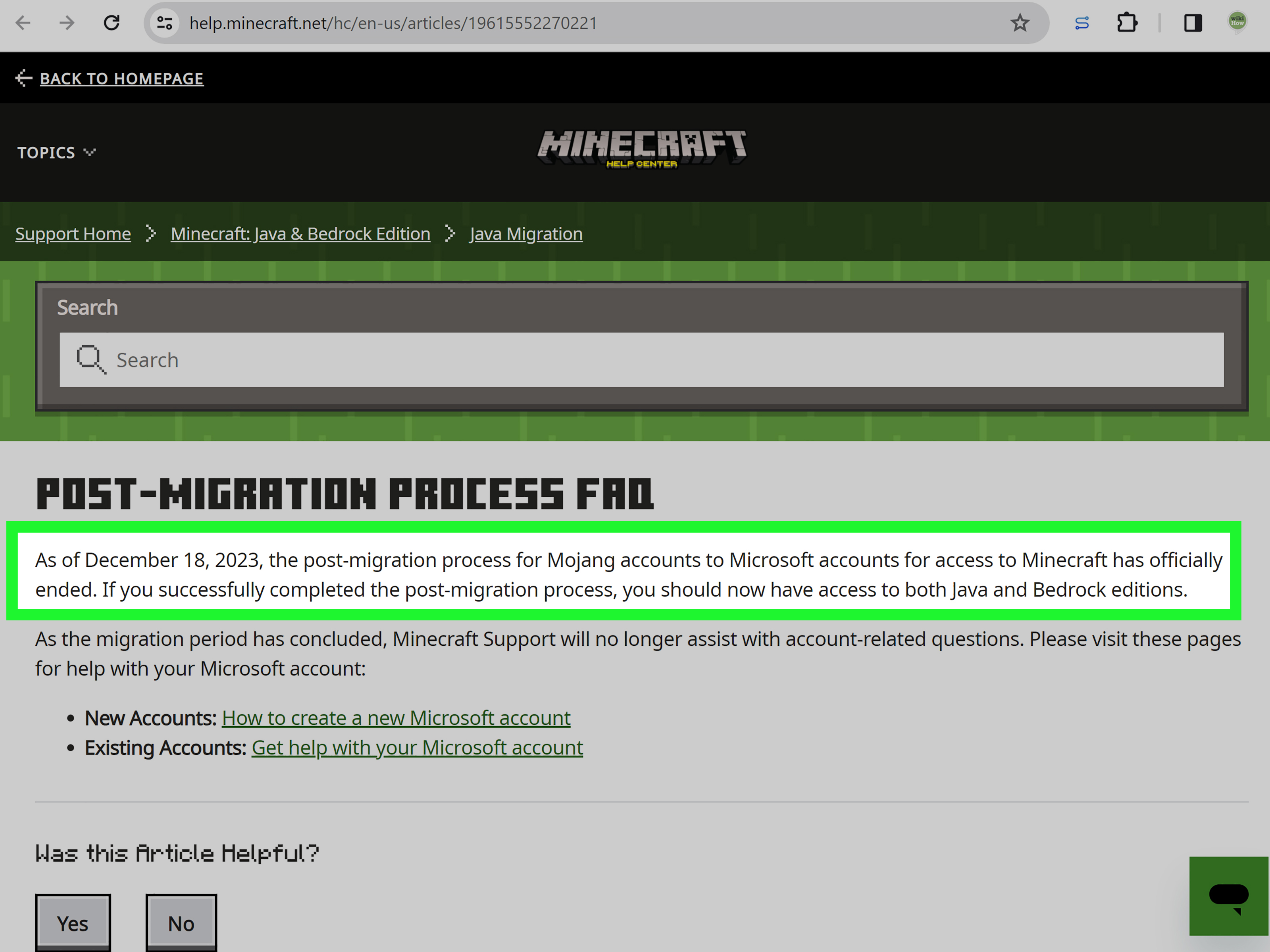
December 18, 2023: Support documentation marked the process officially ended
This date sometimes confuses players because support materials refer to the migration process as officially ended then, while the practical last-call sign-in cutoff had already happened in September 2023. Think of September as the “you can’t do the move anymore” moment and December as the “this chapter is officially over” label in support documentation.
Can You Still Migrate an Old Mojang Account Now?
No. That is the most important takeaway for anyone searching this topic in 2026 or later. If an old Mojang account was never migrated during the migration window, the old migration path is no longer available.
This is the point where many returning players understandably get frustrated. They may still have old emails, old usernames, or even old purchase memories, but the migration system itself is closed. That means support is no longer treating migration like an active path to move legacy accounts over.
If you already completed migration in the past, your focus should be on finding the correct Microsoft account that now holds the game license. If you never completed migration, you are no longer dealing with a “how do I migrate?” problem. You are dealing with a “what access options remain now?” problem, and those are not the same thing.
How to Tell Whether You Already Migrated
Many players assume they never migrated when the real problem is that they are signing in with the wrong Microsoft account. That happens more often than people would like to admit, especially if multiple household accounts, old Outlook addresses, or a forgotten Xbox profile are involved.
Here are some clues that you did migrate successfully in the past:
- You previously signed in through a Microsoft login instead of a Mojang login
- You used the modern Minecraft Launcher with a Microsoft account
- You remember setting up or seeing an Xbox gamertag
- Your purchase or entitlement appears in Microsoft order history or launcher ownership screens
- You received the migration cape reward
If any of those sound familiar, your game may not be gone at all. It may simply be parked under the wrong Microsoft account while you knock on the wrong digital front door.
What to Do If Your Minecraft Account Seems Missing
If your account appears lost, do not immediately assume the apocalypse has reached your launcher. Work through the basics first.
1. Check the Microsoft account you are using
Sign in to the Minecraft Launcher, the Microsoft Store, and the Xbox app with the same Microsoft account. A mismatch between these apps is one of the most common causes of missing ownership.
2. Review purchase records
If you bought Minecraft on PC, check the Microsoft account order history tied to the account you believe you used. Players often discover the license is attached to a different email than expected.
3. Look for old transaction details
For older purchases, a transaction ID can still be useful when dealing with account-support questions. If you bought the game before the newer store flow took over, that historical purchase evidence can matter.
4. Try Microsoft account recovery
If the correct account exists but you cannot get in, the problem may be Microsoft-account access, not Minecraft ownership. In that case, recovery forms, password resets, and account security checks are your real next step.
5. Reset launcher sign-in
Sometimes the launcher simply needs a full logout and a clean login with the correct Microsoft account. Not glamorous, but neither is redstone dust, and it still gets the job done.
How Migration Relates to Java and Bedrock Today
One reason the topic still confuses people is that migration and edition bundling happened in roughly the same era. These were separate changes, but they now overlap in practice.
On PC, Minecraft: Java Edition and Minecraft: Bedrock Edition were bundled together beginning in 2022. That means many current PC players access both editions through one Microsoft-account-based setup. If you already own the appropriate PC entitlement on the correct account, the launcher can show both editions as part of the same package.
That does not mean the editions became identical. Java and Bedrock still differ in modding, cross-play, platform support, technical behavior, and world compatibility. But from an account perspective, Microsoft simplified the front door.
Common Myths About Minecraft Account Migration
“Migration deleted Java Edition.”
No. Java Edition still exists and remains distinct from Bedrock.
“Migration erased all mods and worlds.”
No. The login system changed. Your local worlds and Java’s mod-friendly nature were not the target of the migration.
“If I miss the deadline, I can still migrate later with support.”
No. The migration window is over. Support documentation now treats it as a completed process, not an open service.
“If my account is missing, Minecraft stole it.”
Usually not. More often, the issue is the wrong Microsoft account, a launcher sign-in mismatch, or a Microsoft-account recovery problem.
“Java and Bedrock now fully cross-play because the account is the same.”
Also no. Shared account management does not magically make the two editions the same game.
Why This Topic Still Matters
Because Minecraft is old enough to have players who bought it in one life stage and returned in another. Some purchased Java in the early 2010s, forgot the account details, switched computers three times, changed email providers, and then came back years later wondering why their old login no longer works.
That is why “Minecraft account migration” still gets searched. It is not just a technical policy issue. It is a nostalgia problem, a digital ownership problem, and sometimes a family-tech-support problem starring one parent, two kids, three email accounts, and one deeply confused launcher.
Player Experiences: What the Migration Felt Like in Real Life
For longtime players, Minecraft account migration was less like a flashy game update and more like discovering that your favorite childhood treehouse now requires a new keycard, a security badge, and maybe a calm conversation with IT. Plenty of people migrated without drama. They clicked through the prompts, connected a Microsoft account, grabbed the migration cape, and went back to building castles that definitely did not need that many towers. For them, the whole thing felt mildly annoying but manageable.
Other players had a bumpier ride. Some had not touched Minecraft in years and only learned about the migration after the deadline had already passed. They returned expecting a quick nostalgia session and instead found themselves searching ancient inboxes, trying old passwords, and wondering whether a purchase made in another decade still existed in any useful form. If that sounds oddly emotional for a block game, welcome to how digital ownership works in the modern era.
Families had their own version of the adventure. A parent may have bought Java for a child on one email address, helped migrate it years later on a different Microsoft account, and then forgotten which one was actually used. Fast-forward to a new laptop, and suddenly nobody knows whether the correct account belongs to Mom, Dad, the kid, or the mysterious Xbox profile named something like “PickleWizard47.”
Then there were the players who did everything right but still hit friction. Maybe the launcher was signed into one account while the Microsoft Store used another. Maybe the Xbox app had stale credentials. Maybe the player had multiple Microsoft accounts because life is chaos and nobody remembers which Hotmail address they used in 2016. In many of those cases, the account was not gone at all. It was simply hiding behind account confusion, which is a very modern kind of hide-and-seek.
And yet, there was a positive side. Players who successfully migrated often ended up with a cleaner setup than before. One Microsoft account could handle sign-in, purchases, launcher access, and security tools in a more unified way. That did not make the process fun, but it did make the aftermath more stable for many people.
The biggest lesson from player experiences is this: migration was never just about moving data. It was about identity, memory, and access. People were not only trying to log in to a game. They were trying to reconnect with years of play history, old servers, shared family worlds, or that one survival base they still swear was “basically finished.” If the experience felt bigger than a routine account update, that is because for many players, it was.
Conclusion
Minecraft account migration was one of those changes that sounded small until you actually had to deal with it. At its core, it moved old Mojang accounts into Microsoft’s modern account system so players could benefit from stronger security, better account controls, and a more unified launcher experience. Java Edition did not vanish, mods did not die, and your blocky creativity was not canceled. But the login rules absolutely changed.
The biggest thing to know today is simple: the migration window is over. If you already migrated, the challenge is usually finding the correct Microsoft account and syncing the launcher, Xbox app, and Store under the same login. If you never migrated, the old migration path is no longer available, so searching for fresh instructions from 2021 will only waste your time.
In other words, stop looking for a time machine and start looking for the right Microsoft account. It is not as magical, but it is far more likely to get you back into Minecraft.